


Rocstor
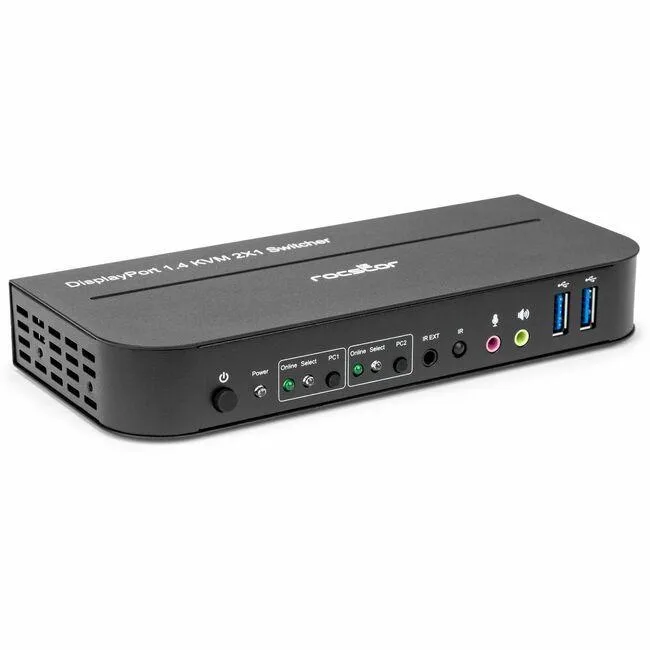
Rocstor Solid KVM SK05 DisplayPort 1.4 USB 3.0 2?1 KVM Switch 4K 4096x2160 6 USB 3 DisplayPort
Switches two DisplayPort 1.4 sources to three displays at 4096 x 2160 and 60 Hz while sharing six USB ports
- Switch two computers with one DisplayPort monitor and USB peripherals
- Supports 4K 4096 x 2160 at 60 Hz for sharp video
- DisplayPort 1.4 handles high-bandwidth 4K signals
- Six USB ports including USB 3.0 and USB 2.0 connect keyboards, mice and drives
- Hot-pluggable design lets you change sources without powering down
Two-Port DisplayPort KVM Switch
This DisplayPort 1.4 KVM switch lets two computers share one 4K display at 4096 x 2160 resolution and 60 Hz refresh rate. It is built for professionals and enthusiasts who need to control dual workstations or a desktop plus a laptop from a single keyboard, mouse and monitor without unplugging cables.
Three DisplayPort Inputs Six USB Ports
The unit provides three DisplayPort connections and six USB ports including USB 3.0 and USB 2.0 interfaces for peripheral sharing. Hot-pluggable operation means you can connect or disconnect sources while the switch is powered, and front-panel push buttons give instant manual switching without software installation.
Replaces Manual Cable Swapping
This switch eliminates the need to physically move DisplayPort and USB cables when changing between two systems. The upgrade is worthwhile when daily workflow involves frequent switching and cable wear or desk clutter become practical problems.
Highlights
- Switch two computers with one DisplayPort monitor and USB peripherals
- Supports 4K 4096 x 2160 at 60 Hz for sharp video
- DisplayPort 1.4 handles high-bandwidth 4K signals
- Six USB ports including USB 3.0 and USB 2.0 connect keyboards, mice and drives
- Hot-pluggable design lets you change sources without powering down
Specifications
No published specifications for this item yet.
Questions about this item
What DisplayPort version does the SK05 support, and what resolution and refresh rate does it cap at?
The switch uses DisplayPort 1.4 and handles video up to 4096 x 2160 at 60 Hz.
How many DisplayPort and USB ports are on the unit, and what does that mean for cabling?
It provides three DisplayPort connections and six USB ports, so you need cables for two sources, one display and any USB peripherals.
How do you switch between the two connected computers, and what is the common mistake?
Switch by pressing the front button; the frequent error is forgetting to connect the USB cables from both PCs, which leaves keyboard and mouse control on only one system.
Also in this aisle
People compared these
Same shelf, same checkout — eight coins and a 30-minute rate lock.


Black Box Corporation
Black Box Corporation 4K60 HDMI Dual-Head KVM Switch 4 Port
$774.99
0.00922388BTC
In stock