

Tilta Technology Co.,Ltd
Tilta Power Supply System 15mm Rod Adapter AB-Mount camera battery
$135.99
0.00157031BTC
In stockWe take cryptocurrency — so the coins you hold can buy real hardware.Pay in crypto, spend it on real hardware. Free insured shipping worldwide over $399. Plain, unbranded boxes, sent from Germany.Free insured shipping over $399. Your rate is locked for 30 minutes once checkout opens.Rate locked 30 minutes. Every item sealed, serial-checked and covered by a 24-month warranty.Sealed, 24-month warranty.
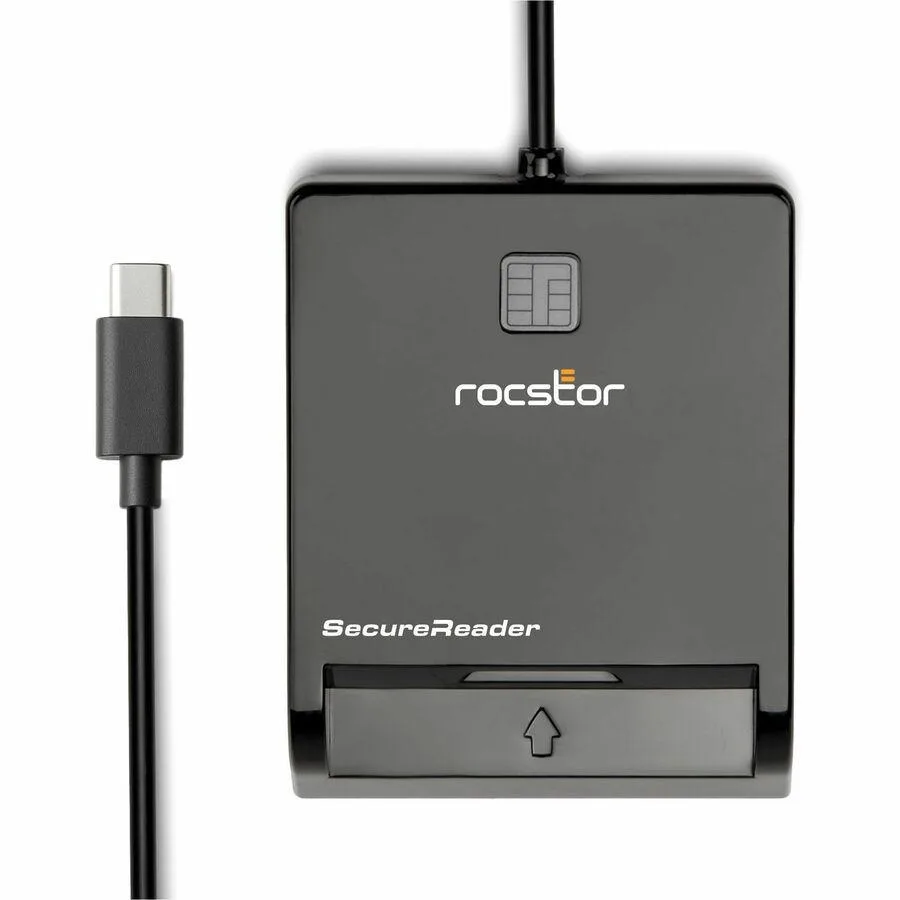


Rocstor
USB-C smart card reader certified to EMV 4.0 Level 1, PBOC 2.0 Level 1, FIPS 201 and ISO 7816 with USB 2.0 full-speed and WHQL support
The Rocstor SecureReader CR15 is a USB-C smart card reader built for government, enterprise and banking users who need hardware-verified identity authentication. It accepts common access cards and similar credentials for secure logon, digital signing and transaction approval.
Certified to EMV 4.0 Level 1 and PBOC2.0 Level 1, the reader meets strict payment and identity standards. USB 2.0 full-speed and USB-IF certification ensure broad host compatibility, while ISO7816 implementation and FIPS 201 alignment support regulated environments.
This compact USB-C model replaces bulky desktop readers that require USB-A cables and external power. The upgrade is worth it when mobility matters — field agents, remote staff and hot-desk workers gain a certified, pocket-sized device that plugs directly into modern laptops and tablets.
| Brand | Rocstor |
|---|---|
| Type | See Description |
The reader uses USB 2.0 Full-Speed, which caps the data rate at the standard's defined limit.
It requires a USB-C port on the host and a full-size smart-card slot for the card.
Plug the USB-C connector into the host; the Microsoft WHQL driver loads automatically, then insert the smart card with the chip facing up.
Also in this aisle
Same shelf, same checkout — eight coins and a 30-minute rate lock.
What you pay in, and what you read prices in.
Sent from your wallet at checkout
Display only — the catalogue is priced in USD
No currency matches that.
Pick the language the site speaks to you in.
No language matches that.
New here?
Already have one?
There is no automatic reset: this shop sends no mail, so there is no one-time link to ask for. Leave the address on the account and it gets picked up by hand.
Request noted
Nothing is on its way to your inbox — this shop sends no mail at all. Someone picks these up by hand.
Remembered it?


