
Risograph
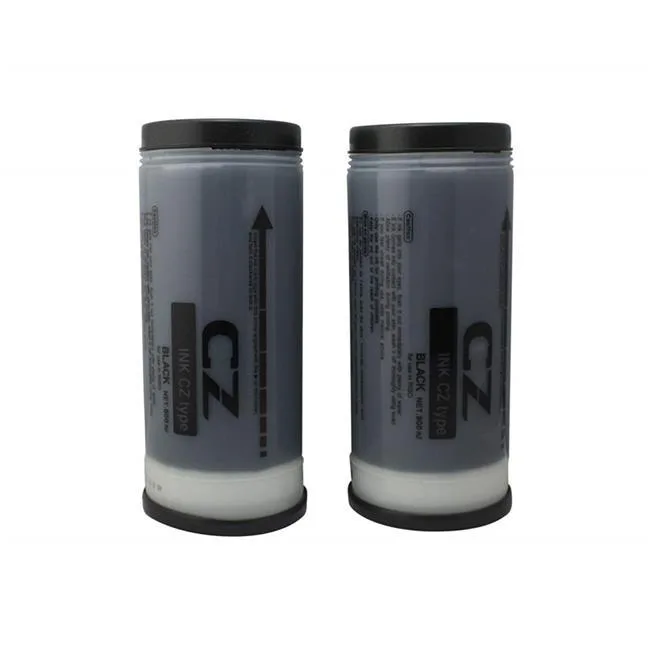
Risograph S4877 2 standard-yield black inks for CZ180 inkjet printer
Two standard-yield black ink cartridges for the CZ180 duplicator, model S4877
- 2 standard-yield black inks for high-volume printing
- Compatible with CZ180 duplicator for reliable operation
- Freshly manufactured ink ensures consistent quality
- Climate-controlled storage preserves cartridge performance
- Cost-saving alternative for everyday printing needs
What it is
The Risograph S4877 pack contains two standard-yield black ink cartridges made for the CZ180 duplicator. They are newly manufactured and stored in a climate-controlled environment before shipping. Offices and print shops that run a CZ180 can use these cartridges as a direct replacement for original supplies. Buyers who need colour output or high-capacity black cartridges should look elsewhere.
Thermals noise power
Ink cartridges have no moving parts, fans or electrical draw, so they produce no heat or noise during printing. The only power consumed is that of the CZ180 duplicator itself. There are no thermal thresholds, acoustic ratings or power specifications to consider for the cartridges alone.
Bundled accessories software
The package includes exactly two black ink cartridges and no additional hardware, cables, drivers or utility software. Installation consists of inserting the cartridges into the CZ180 following the printer’s own instructions. No firmware updates or configuration tools are supplied or required.
Highlights
- 2 standard-yield black inks for high-volume printing
- Compatible with CZ180 duplicator for reliable operation
- Freshly manufactured ink ensures consistent quality
- Climate-controlled storage preserves cartridge performance
- Cost-saving alternative for everyday printing needs
Specifications
No published specifications for this item yet.
Questions about this item
How do I install the S4877 ink cartridges into the CZ180 and what step is often missed?
Open the front cover, insert each cartridge until it clicks firmly into the slot, then close the cover; the step often missed is waiting for the printer to recognise both cartridges before starting a job.
What maintenance will the CZ180 need after using these two black inks?
When the cartridges are empty, replace them with a new S4877 set; the printer may also prompt a print-head cleaning cycle if output shows streaks after prolonged storage.
What limit appears first when the CZ180 runs continuous jobs with these standard-yield inks?
The ink supply runs out first; standard-yield cartridges deplete faster than high-yield versions during sustained printing.
Also in this aisle
People compared these
Same shelf, same checkout — eight coins and a 30-minute rate lock.



CHIEF MANUFACTURING
CHIEF MANUFACTURING CMS018 18" 457 mm Fixed Extension Column projector accessory
- Extension Column
- Projector
$22.99$22.99
0.00027328BTC
In stock