Corn Electronics
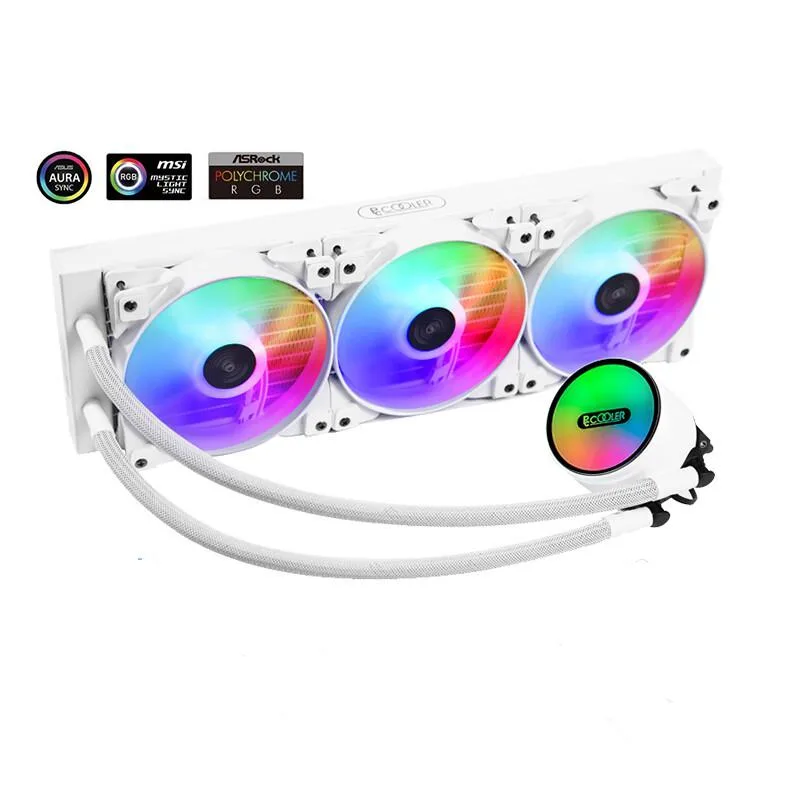
Corn Electronics laptop cooling pad white 360 mm 3 fan 120 mm ARGB
- White
- 3
$162.99
0.00187915BTC
In stockWe take cryptocurrency — so the coins you hold can buy real hardware.Pay in crypto, spend it on real hardware. Free insured shipping worldwide over $399. Plain, unbranded boxes, sent from Germany.Free insured shipping over $399. Your rate is locked for 30 minutes once checkout opens.Rate locked 30 minutes. Every item sealed, serial-checked and covered by a 24-month warranty.Sealed, 24-month warranty.


Raspberry Pi
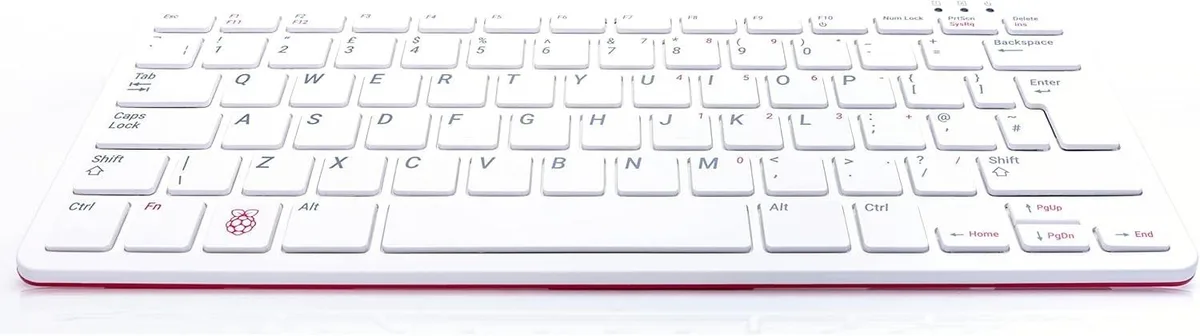
A compact keyboard PC with integrated graphics for casual desktop computing in white
The Raspberry Pi 400 integrates a complete desktop computer into a standard keyboard layout. Its white finish suits home and office desks. The system targets casual computing tasks such as web browsing, document editing and media playback. Buyers who want more storage or a separate upgradeable tower should look elsewhere.
The integrated design uses passive thermal management, so no fan noise is produced during normal operation. Power consumption remains modest because the on-board graphics share system memory. The unit runs cool enough for continuous daily use without active airflow.
The official keyboard provides a familiar typing experience and exposes the board's connectivity along the rear edge. No extra software bundle is included; the platform relies on the standard Raspberry Pi OS ecosystem. All essential interfaces are accessible without adapters or docking stations.
| Model | Raspberry PI 400 Keyboard |
|---|
Connect the micro HDMI cable to a monitor, attach the official power supply to the USB-C port, then insert a microSD card with Raspberry Pi OS — the step most often missed is the microSD card, without which the unit will not boot.
The microSD card may wear out after heavy write cycles and should be replaced with a fresh card; the official power supply can also degrade and should be swapped if the red LED flickers under load.
The integrated graphics share system memory, so prolonged 3D or video tasks hit the RAM ceiling first, causing thermal throttling before the CPU reaches its maximum frequency.
Also in this aisle
Same shelf, same checkout — eight coins and a 30-minute rate lock.
What you pay in, and what you read prices in.
Sent from your wallet at checkout
Display only — the catalogue is priced in USD
No currency matches that.
Pick the language the site speaks to you in.
No language matches that.
New here?
Already have one?
There is no automatic reset: this shop sends no mail, so there is no one-time link to ask for. Leave the address on the account and it gets picked up by hand.
Request noted
Nothing is on its way to your inbox — this shop sends no mail at all. Someone picks these up by hand.
Remembered it?