Yealink Network Technology Co., Ltd
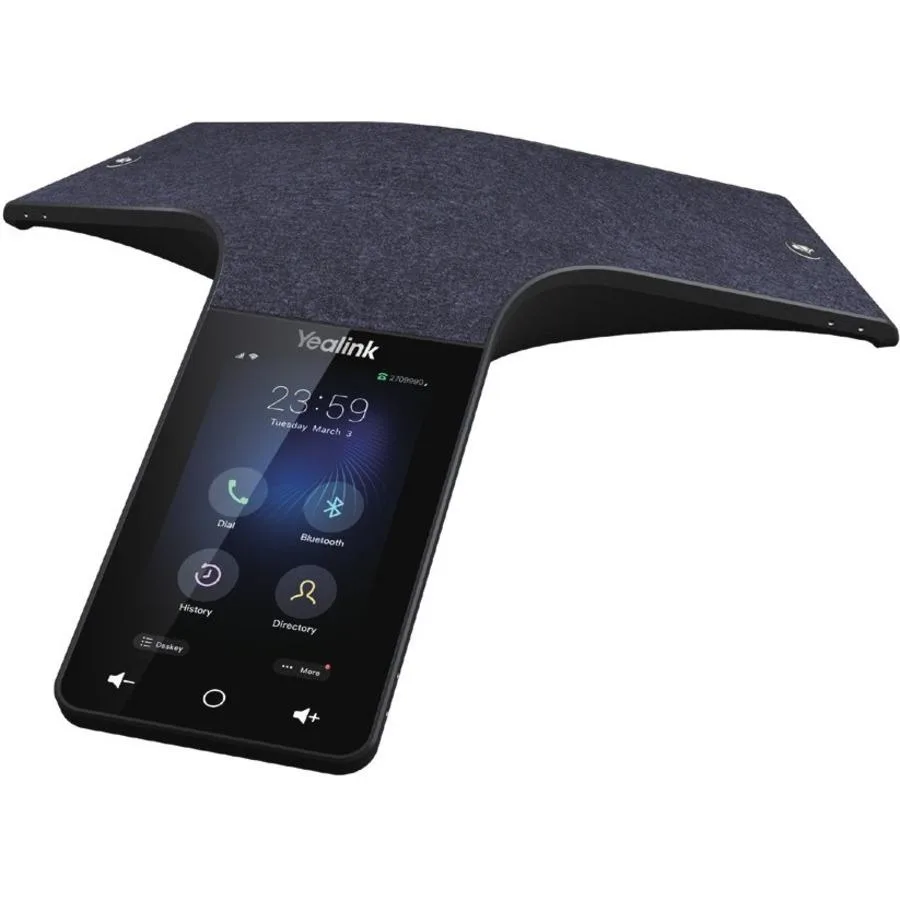
Yealink Network Technology Co., Ltd Optima HD IP Conference CPW65 1204612
- Voice Conferencing…
$690.99
0.00803281BTC
In stockWe take cryptocurrency — so the coins you hold can buy real hardware.Pay in crypto, spend it on real hardware. Free insured shipping worldwide over $399. Plain, unbranded boxes, sent from Germany.Free insured shipping over $399. Your rate is locked for 30 minutes once checkout opens.Rate locked 30 minutes. Every item sealed, serial-checked and covered by a 24-month warranty.Sealed, 24-month warranty.


POLYCOM
All-in-one video bar captures 1920 x 1080 at 60 fps with built-in speakerphone and HDMI output
The Poly Studio X50 is an all-in-one video bar designed for meeting rooms and huddle spaces. It integrates a 4K camera, microphone array and speakers into a single black device. The unit captures video at 1920 x 1080 pixels resolution and 60 fps for smooth motion. It connects to displays via HDMI and draws power through USB-A or USB-C ports.
This device suits organisations deploying Microsoft Teams Rooms or Zoom Rooms on dedicated appliances where a single USB connection to the compute module is preferred. IT teams managing fleets of small-to-medium rooms will appreciate the integrated mounting options and centralised management. Buyers who require a standalone USB webcam for a personal desktop or need multi-camera switching should look at different product categories.
The fixed 1920 x 1080 pixel capture at 60 frames per second determines whether the X50 matches the room size and display layout. Larger boardrooms needing optical zoom or 4K output will find the sensor limiting. Smaller spaces with single displays up to 50 inches typically align with this resolution and frame rate combination.
| Brand | POLYCOM |
|---|---|
| Type | Video Conference Device |
The all-in-one video bar includes integrated mounting points so it can be attached directly to a display or wall without extra hardware.
Connect the HDMI cable to the display before powering the Studio X50, then select the correct input on the screen — skipping this order often leaves the video signal undetected.
Wipe the microphone openings and speaker grille with a dry, lint-free cloth once a month, or more frequently in high-traffic spaces, to keep audio capture clear.
Also in this aisle
Same shelf, same checkout — eight coins and a 30-minute rate lock.
What you pay in, and what you read prices in.
Sent from your wallet at checkout
Display only — the catalogue is priced in USD
No currency matches that.
Pick the language the site speaks to you in.
No language matches that.
New here?
Already have one?
There is no automatic reset: this shop sends no mail, so there is no one-time link to ask for. Leave the address on the account and it gets picked up by hand.
Request noted
Nothing is on its way to your inbox — this shop sends no mail at all. Someone picks these up by hand.
Remembered it?