

Point Source Audio
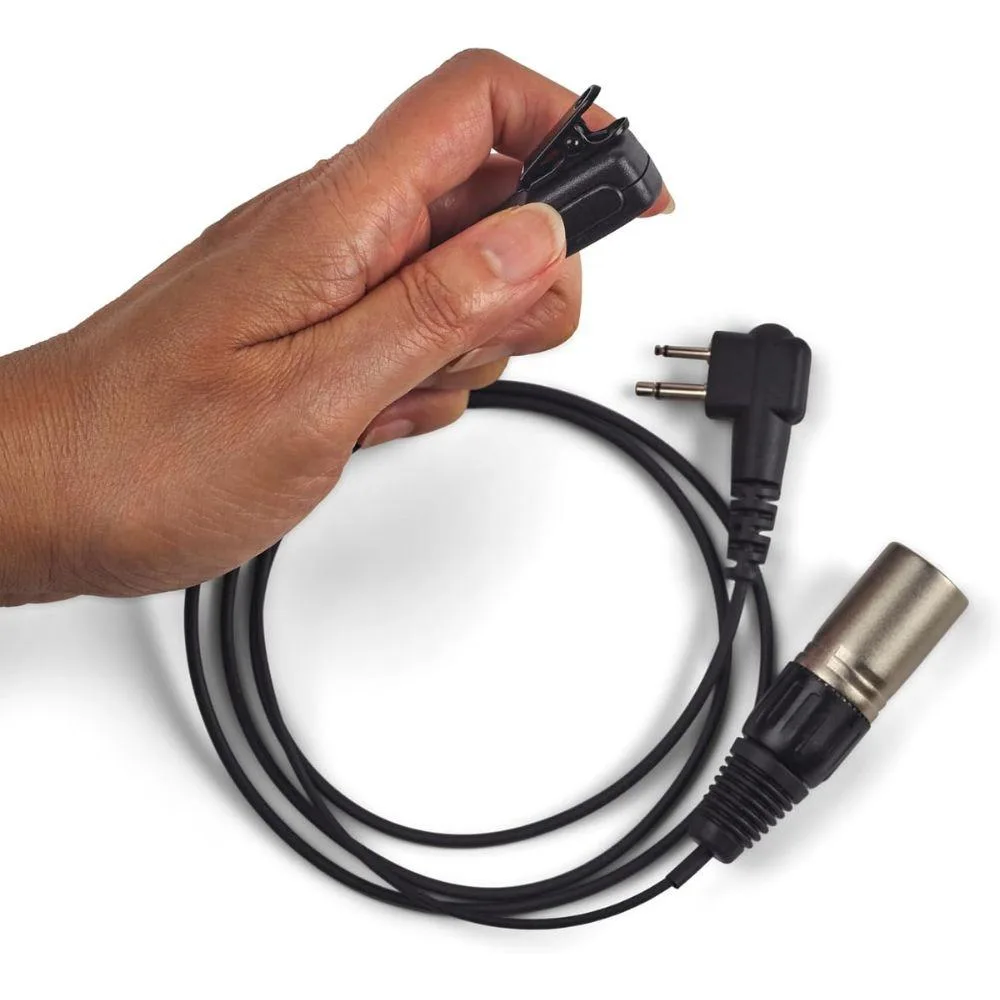
Point Source Audio CM-PTT-4MxM1 Push-to-Talk Motorola M1 audio component
Push-to-talk adapter connects Point Source Audio CM-i3 or CM-i5 headsets to Motorola M1 two-pin radios with plug-and-play operation
- Plug-and-play operation with no setup required
- Compatible with Motorola radios using M1 2-pin connector
- Active listening enabled on both communication systems
- Designed for use with CM-i3 and CM-i5 headsets
- Push-to-talk button provides instant radio transmission access
Push-to-Talk for Motorola M1 Radios
The CM-PTT-4MxM1 is a push-to-talk adapter built for Motorola portable two-way radios that use an M1 2-pin plug connector. It is designed for professionals who need hands-free transmission control while using compatible Point Source Audio in-ear headsets.
Plug-and-Play Operation
The unit requires no configuration or external power; it draws operating current directly from the radio’s accessory port. Its passive switching design adds no audible noise or thermal load to the headset or radio during normal use.
Headset Integration
Bundled with a dedicated M1 plug connector, the adapter enables active listening on both the radio and the headset system simultaneously. It is engineered specifically for CM-i3 and CM-i5 in-ear headsets, providing immediate transmit access without additional cables or software.
Highlights
- Plug-and-play operation with no setup required
- Compatible with Motorola radios using M1 2-pin connector
- Active listening enabled on both communication systems
- Designed for use with CM-i3 and CM-i5 headsets
- Push-to-talk button provides instant radio transmission access
Specifications
No published specifications for this item yet.
Questions about this item
How do I connect the CM-PTT-4MxM1 to my Motorola radio and CM-i3 headset?
Insert the M1 2-pin plug into the radio accessory port, then connect your CM-i3 or CM-i5 headset cable to the PTT unit's jack; no drivers or configuration are needed.
Which parts of the push-to-talk unit are likely to wear out first?
The tactile push button and the M1 2-pin connector pins endure repeated mechanical stress and are the typical service items over time.
What limits continuous transmission time during heavy use?
The radio's own duty-cycle protection and battery capacity govern maximum key-down time; the PTT itself is a passive switch with no thermal throttle.
Also in this aisle
People compared these
Same shelf, same checkout — eight coins and a 30-minute rate lock.



Parsec Technologies, Inc.
Parsec Technologies, Inc. PRO4A4L15W TV Antenna
$271.99
0.00323401BTC
In stock
SIERRA WIRELESS DATA INC
SIERRA WIRELESS DATA INC 6001363 6-in-1 Dome TV Antenna
$202.99
0.00241359BTC
In stock
NEC Display Solutions
NEC Display Solutions 10 Point Infrared Touch Overlay for C431 OLR431R
$326.99
0.00388797BTC
In stock