


PISKEKAT
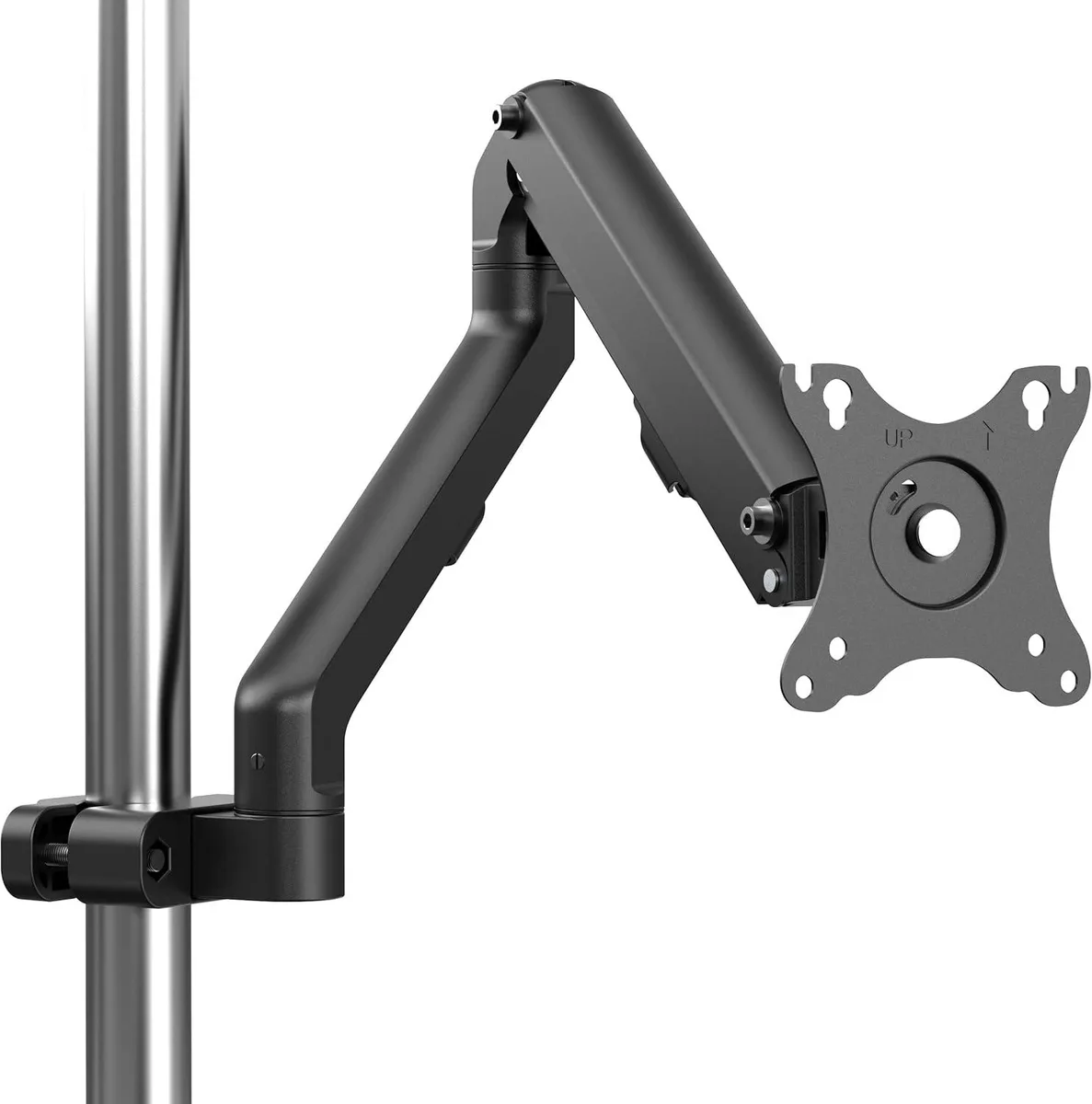
PISKEKAT Pole Mount Monitor Arm 17-27" VESA 75x75 100x100 15.4 lbs
Pole-clamp monitor arm holds 17–27″ screens up to 15.4 lbs with VESA 75×75/100×100, mechanical-spring height adjustment, ±90° tilt, ±90° swivel, ±180° rotation and 463 mm reach
- TypeMounting Racks
- Mount monitors on poles where desks are absent
- Fits 17 to 27 inch screens up to 15.4 lbs
- VESA 75x75 and 100x100 mm compatibility built in
- Tilt ±90°/-45°, swivel ±90°, rotate ±180° for ergonomic viewing
- Mechanical spring enables 12.16 inch height adjustment
- Cable management keeps cords organised on the arm
Pole-Mount Monitor Arm for 17–27" Screens
This pole-mount arm clamps to a vertical pole instead of a desk, giving a secure mounting option where desk space is unavailable. It accepts VESA 75x75 and 100x100 patterns and supports screens from 17 to 27 inches weighing 4.41 to 15.43 lbs. The internal mechanical spring provides height adjustment across a 12.16 inch range. Builders needing a desk or wall mount should choose a different bracket style.
Adjustment Range and Load Limits
Tilt moves from +90° to -45°, swivel covers +90° to -90°, and the screen rotates a full +180° to -180°. The arm extends 463 mm (18.2 inches) from the pole centre. These ranges set the practical viewing envelope; screens outside the 17–27 inch diagonal or heavier than 15.43 lbs exceed the design limits. Installations requiring greater reach or heavier payloads need a different mounting system.
Replaces Desk or Wall Brackets When a Pole Is
The arm replaces traditional desk-clamp or wall-mount brackets in server rooms, industrial cabinets or pole-equipped workstations. The jump is worth it when a suitable pole exists and the installer needs height travel of about 12 inches plus full articulation without drilling into surfaces. It does not suit setups that lack a vertical pole of compatible diameter.
Highlights
- Mount monitors on poles where desks are absent
- Fits 17 to 27 inch screens up to 15.4 lbs
- VESA 75x75 and 100x100 mm compatibility built in
- Tilt ±90°/-45°, swivel ±90°, rotate ±180° for ergonomic viewing
- Mechanical spring enables 12.16 inch height adjustment
- Cable management keeps cords organised on the arm
Specifications
| Type | Mounting Racks |
|---|
Questions about this item
Should I pick the 75x75 or 100x100 VESA pattern for my monitor?
Check the back of your screen; if the mounting holes form a 75 mm square use the 75x75 plate, if they form a 100 mm square use the 100x100 plate — both patterns are included with the arm.
What does the 15.4 lb weight limit mean once the arm is on a pole?
It is the maximum combined weight of monitor and any attached accessories; stay between 4.41 and 15.43 lbs so the internal mechanical spring can hold the screen at any height within the 12.16 inch range.
How far can the 463 mm arm reach and what movement does the pole clamp allow?
The arm extends 463 mm (18.2 in) from the pole centre, tilts +90° to -45°, swivels ±90°, and rotates the screen ±180° for portrait or landscape orientation.
New to this? Buying server hardware with crypto — what to check, what it costs to pay, and what is never asked for.
Also in this aisle
People compared these
Same shelf, same checkout — eight coins and a 30-minute rate lock.




NVIDIA
NVIDIA 900-2G183-0000-001 Tesla T4 16 GB GDDR6 ai accelerator card
$1,305.99
0.01573482BTC
In stock
Supermicro
Supermicro GPU-XGMIMI210-4P Radeon MI210 64GB HBM2 AI accelerator card
$7,095.99
0.08549386BTC
In stock