

Accsoon
Accsoon CineView SE Multi-Spectrum Wireless Video Transmitter 1200ft 1080p HDMI SDI
$181.99
0.00215682BTC
In stockWe take cryptocurrency — so the coins you hold can buy real hardware.Pay in crypto, spend it on real hardware. Free insured shipping worldwide over $399. Plain, unbranded boxes, sent from Germany.Free insured shipping over $399. Your rate is locked for 30 minutes once checkout opens.Rate locked 30 minutes. Every item sealed, serial-checked and covered by a 24-month warranty.Sealed, 24-month warranty.


PISKEKAT
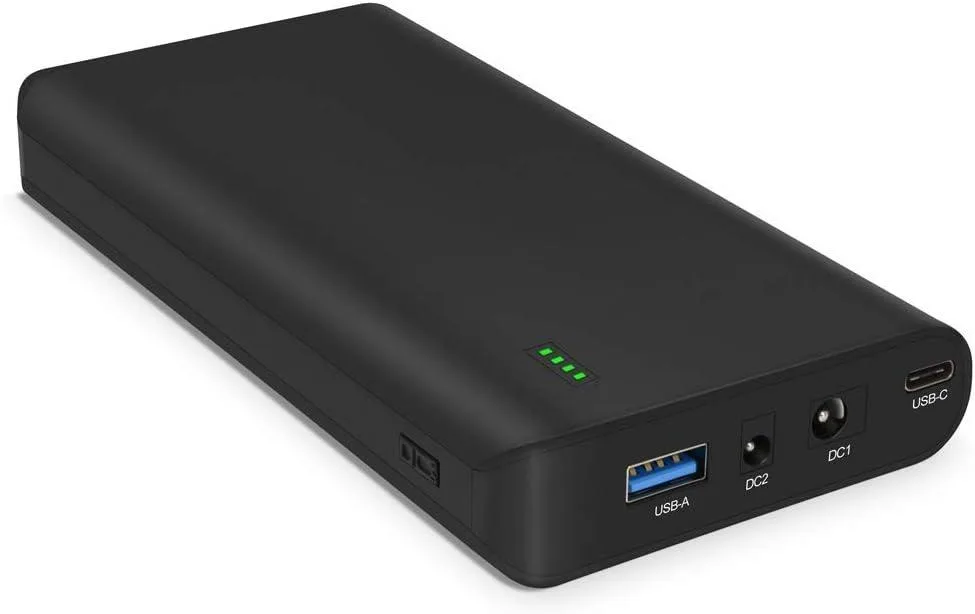
A 17500 mAh 64.75 Wh lithium-ion power bank with 60 W USB-C PD, two DC outputs and twelve laptop connectors
The NB7102 delivers 17500mAh at 64.75Wh through DC and USB-C outputs. It targets professionals who need to run laptops, routers, cameras or LED panels away from mains power. The pack includes twelve connector tips to match common laptop barrels. It is not suited for users who only need phone top-ups or who require wireless charging.
Rated at 25.9V 2.5Ah, the bank supplies DC1 at 29.4-21V 3A and DC2 at 19.5V 3A for larger devices. USB-C provides 5V, 9V, 12V, 15V and 20V at up to 3A, reaching 60W maximum. USB-A is limited to 5V 2.4A for 12W. Devices drawing more than 60W or needing voltages outside the listed rails will not operate.
Twelve barrel tips cover most popular laptop models, but buyers must verify fit before purchase. The supplier notes a strict charging sequence: plug the wall adapter into AC first, wait for its green LED, then connect to the battery. If the unit refuses to charge, the supplier advises immediate contact for a replacement charger.
| Type | Other |
|---|
The DC2 port supplies 19.5 V at up to 3 A, so it can power a laptop rated for 19 V 3 A.
Plug the wall charger into mains first — its LED turns green — then connect it to the power bank; the unit will begin charging.
The package includes 12 laptop connectors for the DC outputs and a USB-C cable; you only need an extra cable if your device uses a different USB-A or DC tip.
Also in this aisle
Same shelf, same checkout — eight coins and a 30-minute rate lock.
What you pay in, and what you read prices in.
Sent from your wallet at checkout
Display only — the catalogue is priced in USD
No currency matches that.
Pick the language the site speaks to you in.
No language matches that.
New here?
Already have one?
There is no automatic reset: this shop sends no mail, so there is no one-time link to ask for. Leave the address on the account and it gets picked up by hand.
Request noted
Nothing is on its way to your inbox — this shop sends no mail at all. Someone picks these up by hand.
Remembered it?



