

Accsoon
Accsoon CineView SE Multi-Spectrum Wireless Video Transmitter 1200ft 1080p HDMI SDI
$181.99
0.00214361BTC
In stockWe take cryptocurrency — so the coins you hold can buy real hardware.Pay in crypto, spend it on real hardware. Free insured shipping worldwide over $399. Plain, unbranded boxes, sent from Germany.Free insured shipping over $399. Your rate is locked for 30 minutes once checkout opens.Rate locked 30 minutes. Every item sealed, serial-checked and covered by a 24-month warranty.Sealed, 24-month warranty.


PISKEKAT
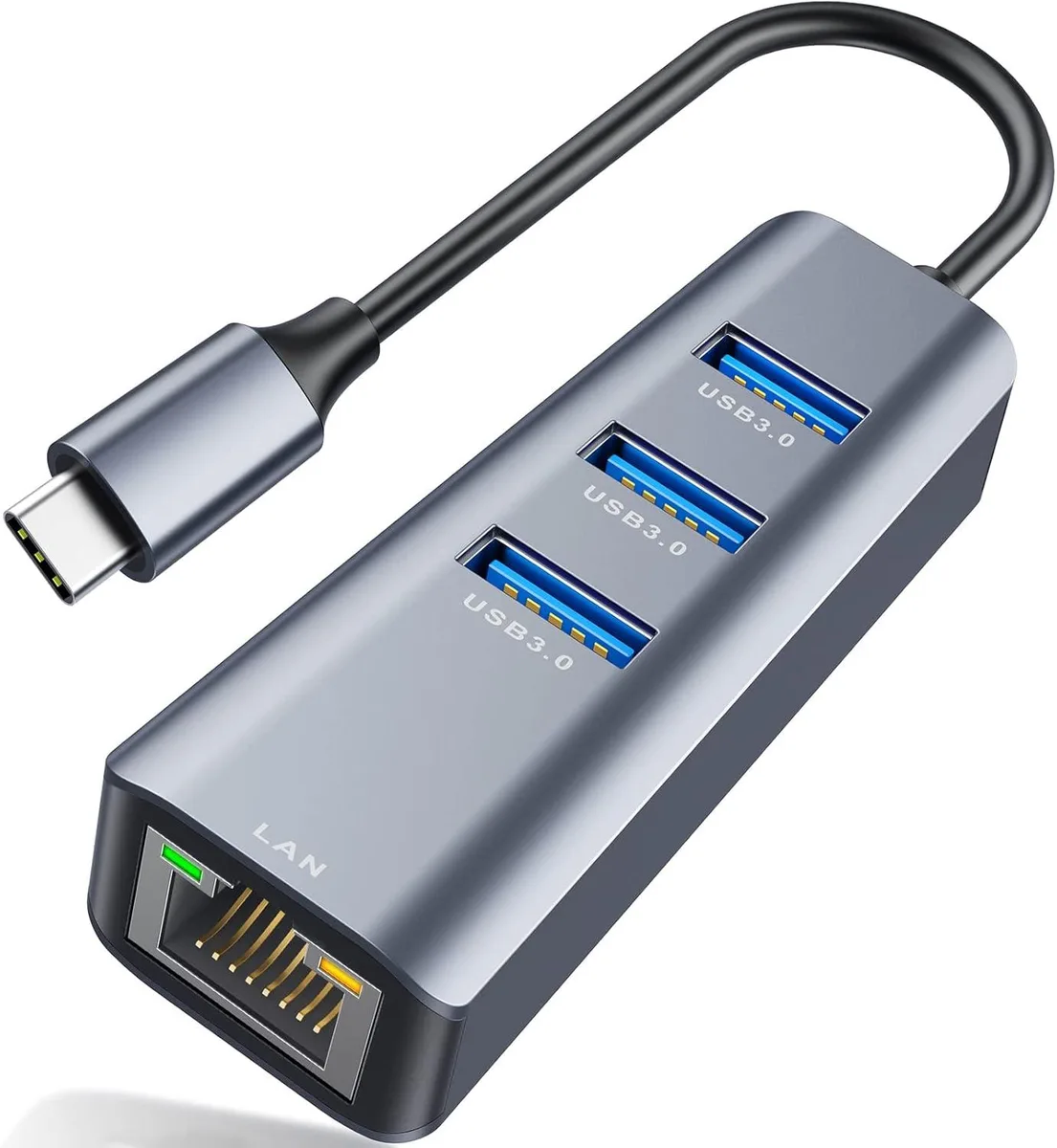
Adds three USB 3.0 ports and a 100Mbps Ethernet jack to a USB-C device
This hub expands one USB-C port into three USB 3.0 ports and a 100Mbps RJ45 Ethernet jack. It suits owners of thin laptops or tablets that lack legacy ports and need wired networking plus multiple peripherals at once. All four ports operate simultaneously without extra drivers.
The aluminium housing is compact and light for travel. Ports sit side by side so bulky USB plugs can block adjacent sockets, and the short tether cable limits placement flexibility on crowded desks.
The RJ45 port tops out at 100Mbps, so gigabit internet plans and large LAN transfers will bottleneck here. Buyers who need full 1000Mbps wired throughput should choose a different adapter.
| Type | Other |
|---|
The RJ45 port is rated at 100Mbps, so wired network throughput will not exceed that figure even if the upstream link is faster.
The hub plugs into a single USB-C or Thunderbolt 3 port on the host device.
It is driver-free plug-and-play; the step users miss is ensuring the host USB-C port supports data, not just charging.
Also in this aisle
Same shelf, same checkout — eight coins and a 30-minute rate lock.
What you pay in, and what you read prices in.
Sent from your wallet at checkout
Display only — the catalogue is priced in USD
No currency matches that.
Pick the language the site speaks to you in.
No language matches that.
New here?
Already have one?
There is no automatic reset: this shop sends no mail, so there is no one-time link to ask for. Leave the address on the account and it gets picked up by hand.
Request noted
Nothing is on its way to your inbox — this shop sends no mail at all. Someone picks these up by hand.
Remembered it?



