


PISKEKAT
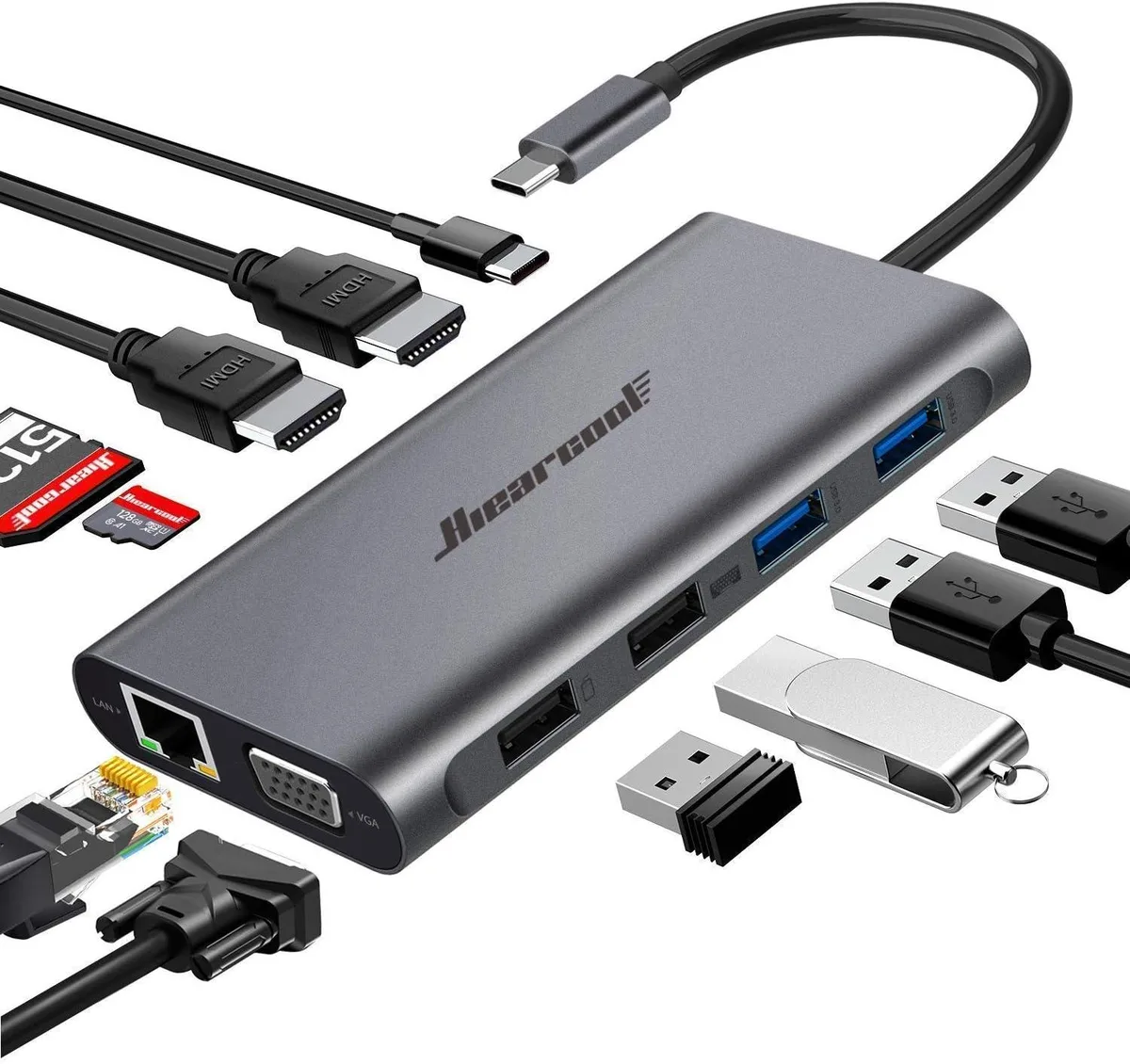
PISKEKAT 11IN1 USB-C Docking Station
An 11-port USB-C dock adds triple display output up to 3840 x 2160 at 30 Hz and 1920 x 1080 at 60 Hz, plus gigabit Ethernet, SD and TF card slots, USB 3.0 at 5 Gbps, USB 2.0, and 100 W PD charging
- TypeOther
- Triple-display support with two HDMI and one VGA port
- 4K resolution up to 3840 x 2160 at 30 Hz via HDMI
- Full HD VGA output up to 1920 x 1080 at 60 Hz
- Gigabit Ethernet delivers 10/100/1000 Mbps wired networking
- 100 W PD 3.0 charging with overload and temperature protection
11-in-1 USB-C Dock for Multi-Display Workflows
This new PISKEKAT docking station expands a single USB-C port into eleven connections. It delivers two HDMI outputs, one VGA port, Gigabit Ethernet, SD and TF card readers, plus four USB ports. The hub supports mirror, extend and video-wall display modes for flexible desktop layouts.
Suits users needing triple-screen productivity
The dock drives three external monitors simultaneously through its native video ports. Buyers whose laptops lack sufficient USB-C video bandwidth for three displays, or who require more than 100 W power delivery, should consider a different solution.
Triple display via two HDMI and one VGA port
Two HDMI ports each handle 3840 x 2160 at 30 Hz, while the VGA port reaches 1920 x 1080 at 60 Hz. This specific video configuration determines whether the dock matches your monitor setup and resolution requirements.
Highlights
- Triple-display support with two HDMI and one VGA port
- 4K resolution up to 3840 x 2160 at 30 Hz via HDMI
- Full HD VGA output up to 1920 x 1080 at 60 Hz
- Gigabit Ethernet delivers 10/100/1000 Mbps wired networking
- 100 W PD 3.0 charging with overload and temperature protection
Specifications
| Type | Other |
|---|
Questions about this item
What ports does the 11-in-1 dock provide for triple-display output?
Two HDMI ports supporting up to 3840 x 2160 at 30 Hz each and one VGA port supporting up to 1920 x 1080 at 60 Hz enable mirror, extend or video-wall modes.
Which step is often missed when setting up the PD charging port?
Connect the laptop's own USB-C power adapter to the dock's PD 3.0 port first so the hub can negotiate up to 100 W pass-through before attaching peripherals.
How do I keep the Gigabit Ethernet and USB 3.0 ports running at rated speed over time?
Keep ventilation slots clear, avoid sustained loads above 45 °C ambient, and reseat cables if link lights drop from 1000 Mbps or 5 Gbps rates.
Also in this aisle
People compared these
Same shelf, same checkout — eight coins and a 30-minute rate lock.


Kramer Electronics
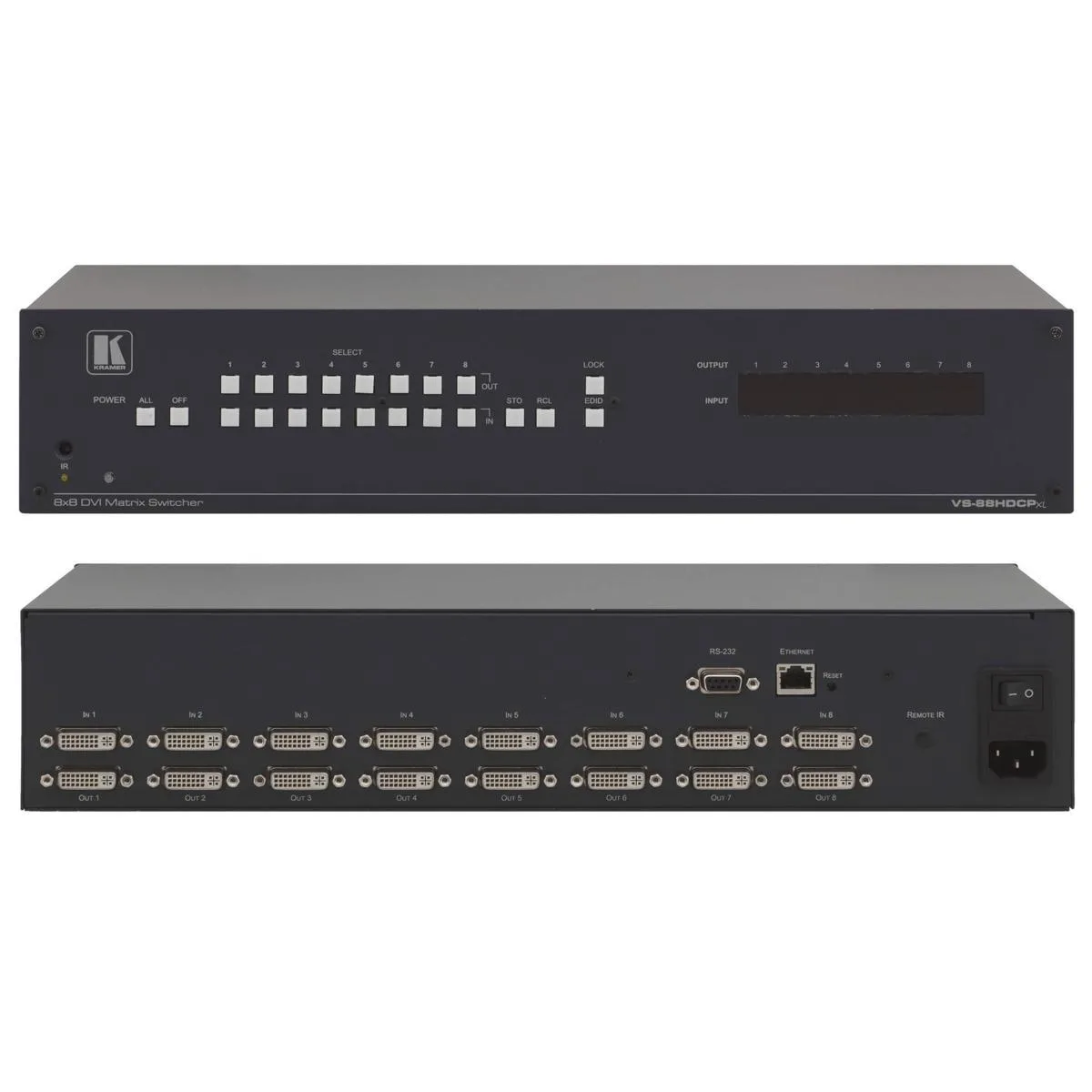
Kramer Electronics VS-88HDCPxl 8x8 DVI Matrix Switcher
$2,791.99
0.03256041BTC
In stock
Blackmagic Design Pty. Ltd.
Blackmagic Design ATEM Micro Live Stream Switcher Panel 10 Inputs Bluetooth 5.1
$587.99
0.00685719BTC
In stock