


Orico
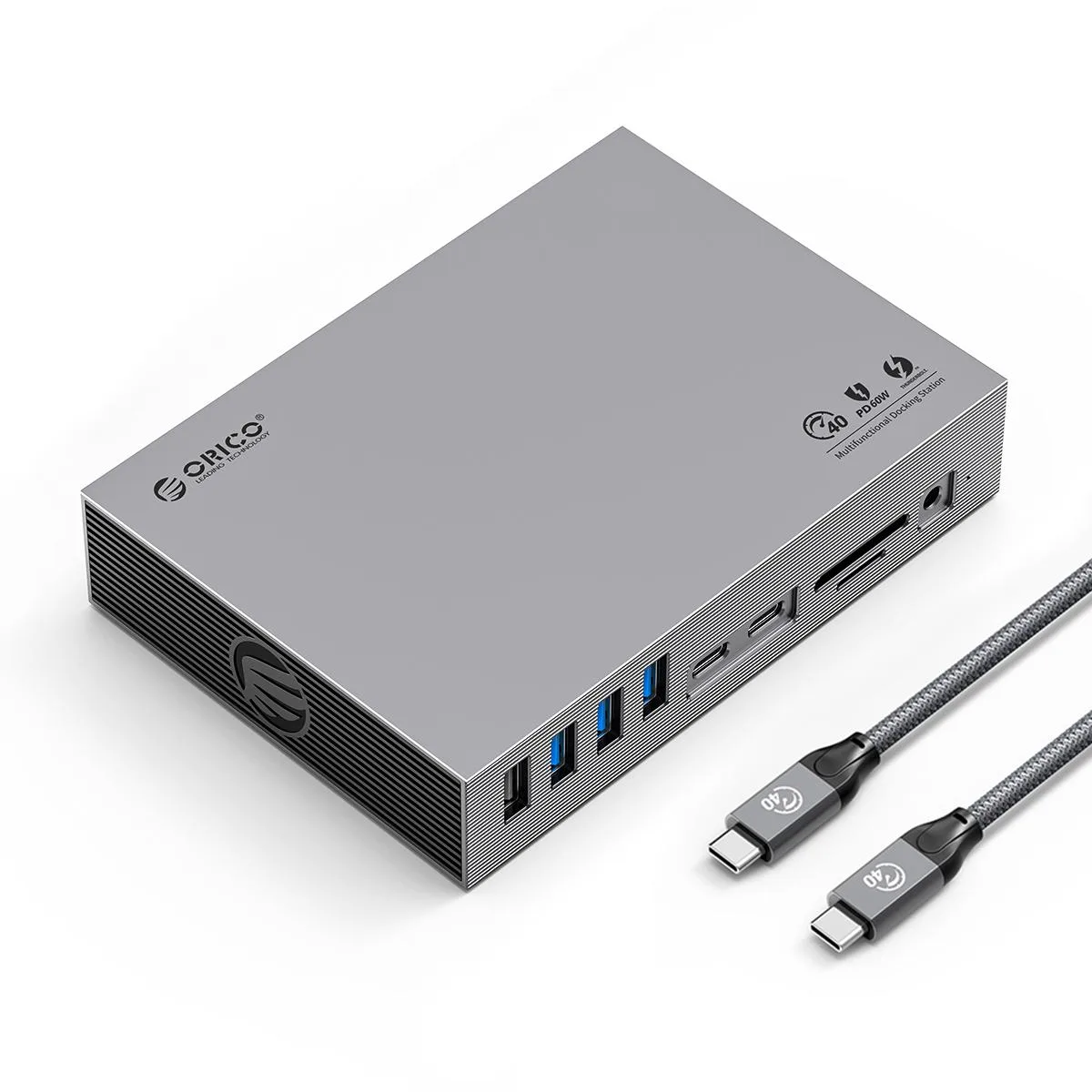
Orico TB3-15T Thunderbolt 3 Docking Station 15-in-1
A 15-in-1 Thunderbolt 3 docking station delivering 40Gbps bandwidth, triple display support up to 8K at 30Hz, 60W laptop charging, gigabit Ethernet.
- ColorGray
- Triple 8K 30 Hz display support via DP
- 40 Gbps Thunderbolt 3 bandwidth with daisy-chain expansion
- 60 W PD charging through Thunderbolt 3 port
- 1 Gbps Ethernet for stable wired networking
- 15 ports including USB 10 Gbps, USB 5 Gbps and SD 4.0
15-in-1 Thunderbolt 3 Docking Station
The Orico TB3-15T provides 15 ports through a single Thunderbolt 3 connection. It is built for laptop users who need simultaneous video, data, network and audio expansion without carrying multiple adapters. The aluminium-alloy chassis with anodic oxidation finish keeps the unit rigid during daily transport.
Triple display and 40 Gbps bandwidth
The Thunderbolt 3 upstream port delivers a theoretical 40 Gbps and supports daisy-chaining additional Thunderbolt devices. One DisplayPort output handles up to 8K at 30 Hz, while the downstream Thunderbolt 3 USB-C ports run at 10 Gbps each for high-speed peripherals. The Gigabit Ethernet port auto-negotiates at 10, 100 or 1000 Mbps for wired network access.
60 W host charging and external 65 W power
The upstream Thunderbolt 3 port supplies up to 60 W Power Delivery to the host laptop. An included 24 V 3.25 A DC adapter powers the dock itself and enables up to 65 W total system charging so all connected devices remain operational. An SD 4.0 card reader and a 3.5 mm combo audio jack complete the I/O without requiring extra cables.
Highlights
- Triple 8K 30 Hz display support via DP
- 40 Gbps Thunderbolt 3 bandwidth with daisy-chain expansion
- 60 W PD charging through Thunderbolt 3 port
- 1 Gbps Ethernet for stable wired networking
- 15 ports including USB 10 Gbps, USB 5 Gbps and SD 4.0
Specifications
| Color | Gray |
|---|
Questions about this item
Will the Thunderbolt 3 port let me keep my older Thunderbolt devices in a daisy chain?
Yes, the Thunderbolt 3 interface runs at 40Gbps and supports daisy-chaining multiple Thunderbolt devices from the single port.
How can I confirm the dock is delivering the 60 W charge my laptop needs?
Connect the included 24 V 3.25 A power adapter; the Thunderbolt 3 port negotiates up to 60 W PD charging, so your laptop's battery indicator will show it is charging.
Does the box include the 24 V power brick or do I buy it separately?
The dock ships with the external 24 V 3.25 A DC power adapter required for full 65 W host charging and downstream device power.
Also in this aisle
People compared these
Same shelf, same checkout — eight coins and a 30-minute rate lock.


Kensington
Kensington Desk Mount Cable Anchor K64613WW accessory
- Black
- Provides a secure a…
$19.99
0.00023719BTC
In stock
Panasonic
Panasonic CF-VDR291U laptop cooling pad
- Optical Drive
- Buffer Size: 2 MB B…
$213.99
0.00253907BTC
In stock
eReplacements
eReplacements PB992A-ER laptop battery 14.4V
- Battery
- Lithium-Ion
$65.99
0.00078299BTC
In stock