


Orico
Orico 2.5" 3.5" RGB Docking Station Offline Clone USB 3.2 SATA 36TB
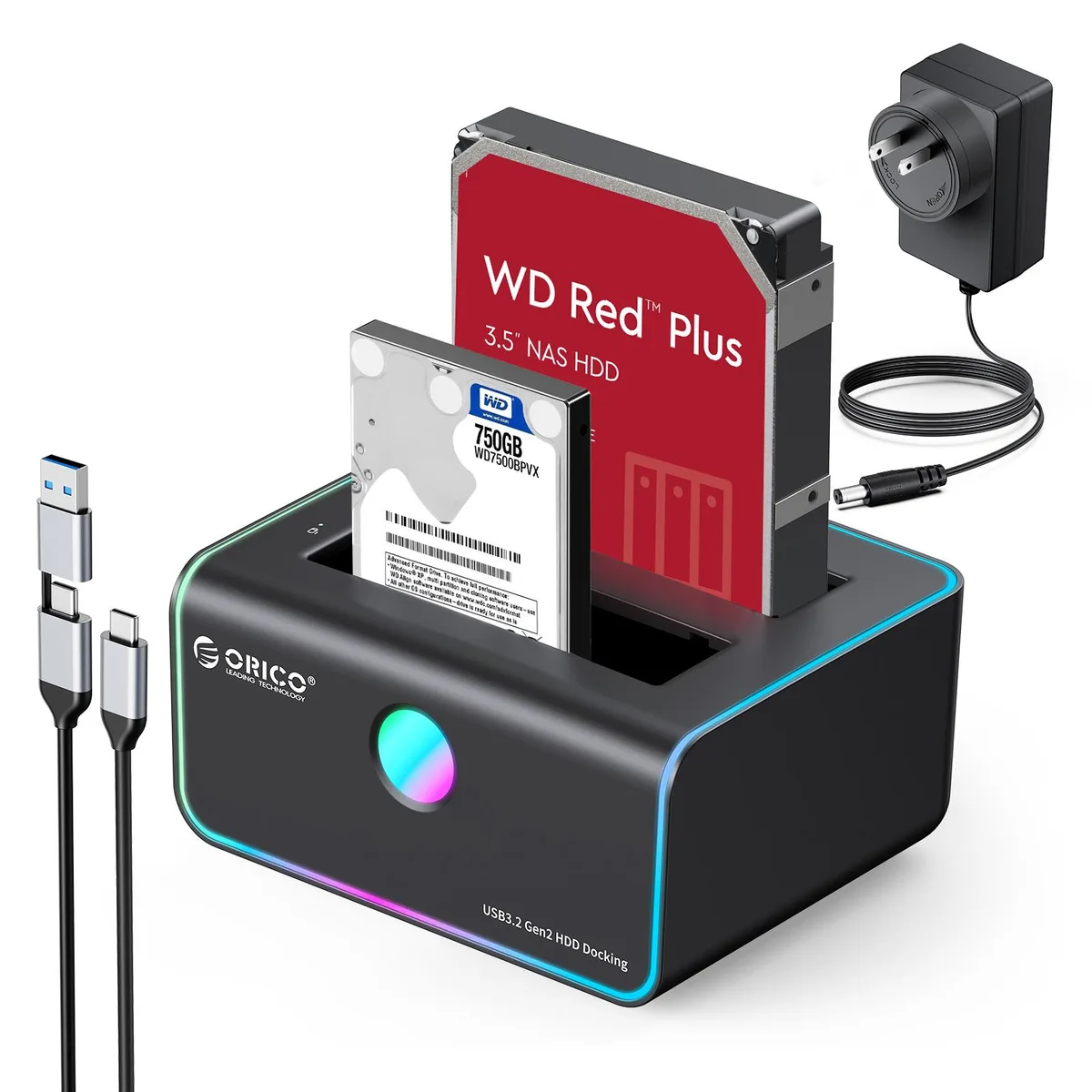
Dual-bay SATA docking station with offline cloning, 14 RGB modes and support for up to 36 TB
- Offline cloning runs without a PC
- 14 RGB lighting modes personalise the desk
- 10 Gbps USB 3.2 link with UASP speeds transfers
- Dual bays accept 2.5 and 3.5 inch SATA drives up to 36 TB
- Auto-sleep after 10 idle minutes cuts power draw
Dual-Bay SATA Dock with Offline Clone
This Orico docking station accepts two 2.5-inch or 3.5-inch SATA drives simultaneously. It connects to a host via USB 3.2 and supports offline duplication so data can be copied from one drive to the other without a computer. The target drive must be larger than the source drive.
Tool-Free Bays with RGB Lighting
Drives slide into the open-top bays without screws or trays, and a 12 V 3 A power adapter supplies both slots. Fourteen RGB lighting modes illuminate the unit while anti-slip silicone feet keep it stable on a desk. The dock enters sleep mode after ten minutes of inactivity and wakes automatically when data transfer resumes.
Check Drive Capacity and Connector Type
Each bay handles drives up to 18 TB for a combined 36 TB maximum. Verify that your drives use the SATA interface because other form factors are not supported. The package includes a USB Type-C to Type-C cable plus a Type-A adapter for broad host compatibility.
Highlights
- Offline cloning runs without a PC
- 14 RGB lighting modes personalise the desk
- 10 Gbps USB 3.2 link with UASP speeds transfers
- Dual bays accept 2.5 and 3.5 inch SATA drives up to 36 TB
- Auto-sleep after 10 idle minutes cuts power draw
Specifications
No published specifications for this item yet.
Questions about this item
What SATA standard does the dock use and what speed does it cap at in practice?
The dock uses SATA 3.0 at 6 Gbps with UASP acceleration for faster transfers.
What drive sizes and maximum capacity can each bay physically accept?
Each bay fits 2.5" or 3.5" SATA drives up to 18 TB, for a combined 36 TB limit.
How do I start an offline clone and which drive must be larger?
Insert source and target drives, power on, then press the clone button; the target drive must be larger than the source.
Also in this aisle
People compared these
Same shelf, same checkout — eight coins and a 30-minute rate lock.


Kensington
Kensington Desk Mount Cable Anchor K64613WW accessory
- Black
- Provides a secure a…
$19.99
0.00023781BTC
In stock
Panasonic
Panasonic CF-VDR291U laptop cooling pad
- Optical Drive
- Buffer Size: 2 MB B…
$213.99
0.00254574BTC
In stock
eReplacements
eReplacements PB992A-ER laptop battery 14.4V
- Battery
- Lithium-Ion
$65.99
0.00078505BTC
In stock