


Orico
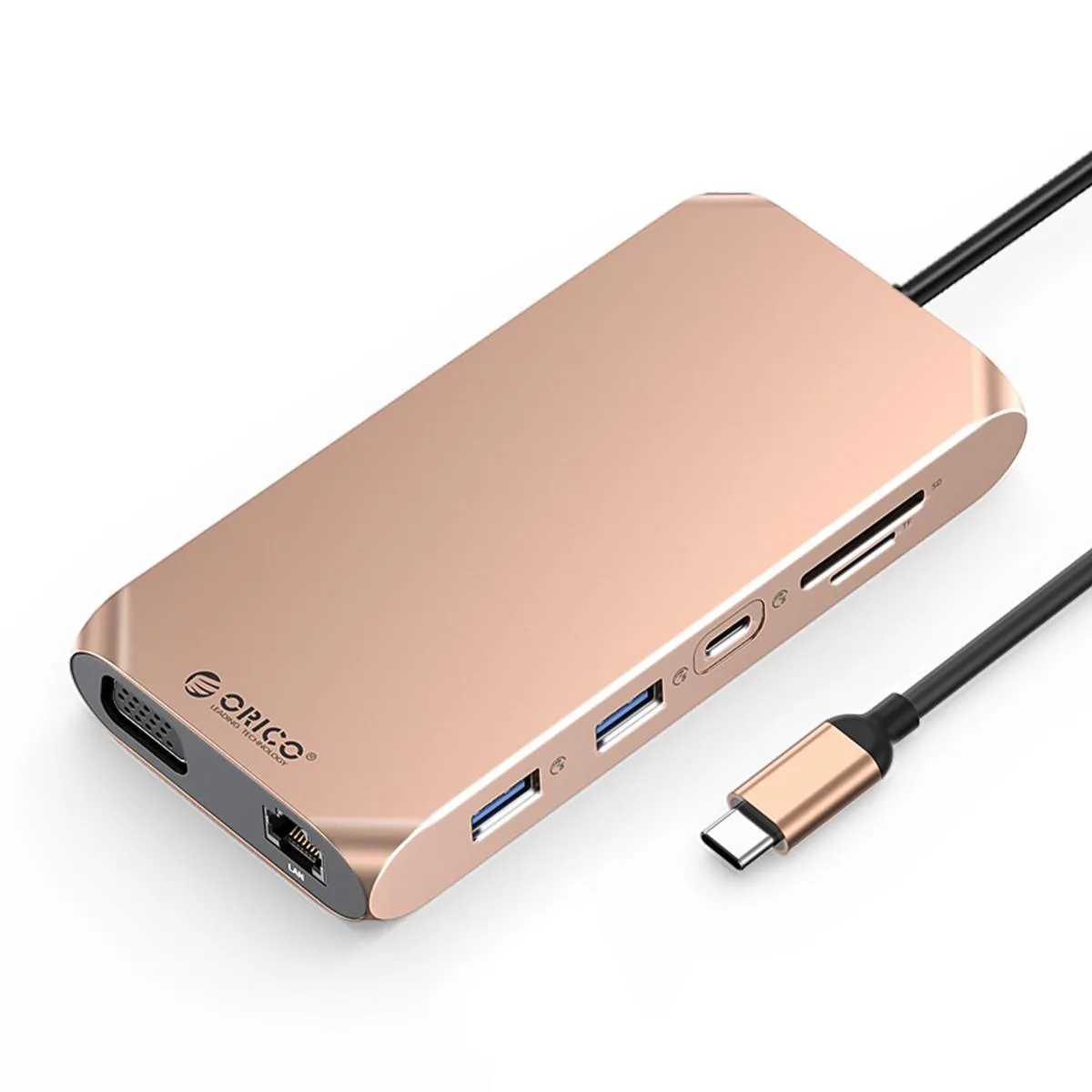
Orico 12-in-1 USB-C Docking Station Gold
Connects a laptop to two 4K 60 Hz displays, wired gigabit network, SD and TF cards, audio and multiple USB peripherals while delivering 100 W charging power
- ColorGold
Color Gold
- Gray
- Gold
- Dual 4K 60Hz monitors via two HDMI 2.0 ports
- 100W pass-through charging keeps laptop powered while working
- Wired gigabit network through RJ45 10/100/1000M port
- Fast card offload with SD 3.0 and TF 3.0 at 5Gbps
- Connect legacy and modern peripherals via 12 ports including USB-A 3.1, USB-A 2.0, Type-C 3.1 and VGA 1080P
12-in-1 USB-C Dock for Laptops
The Orico 12-in-1 docking station adds ten output ports and a 100W power-delivery input through a single USB-C connection. It is built for professionals who need multiple displays, wired networking and card readers from one compact gold hub.
Dual 4K60 HDMI and VGA Video Upgrade
Two HDMI 2.0 ports drive external monitors at 4K resolution and 60Hz refresh, while a VGA port adds 1080P legacy support. The jump is worth it when a laptop only offers one video output or lacks a native Ethernet jack.
5Gbps Data Lanes and Gigabit Ethernet
Two USB-A 3.1 ports, one USB-C 3.1 port, SD 3.0 and TF 3.0 slots each run at 5Gbps for fast peripheral and card access. A single USB-A 2.0 port at 480Mbps handles low-bandwidth devices, and the RJ45 link tops out at 1000Mbps.
Highlights
- Dual 4K 60Hz monitors via two HDMI 2.0 ports
- 100W pass-through charging keeps laptop powered while working
- Wired gigabit network through RJ45 10/100/1000M port
- Fast card offload with SD 3.0 and TF 3.0 at 5Gbps
- Connect legacy and modern peripherals via 12 ports including USB-A 3.1, USB-A 2.0, Type-C 3.1 and VGA 1080P
Specifications
| Color | Gold |
|---|
Other versions of this model
1 more in the same range
Same family, different memory, cooler or clock — compare before you commit.


Questions about this item
What laptop port is required for the Orico 12-in-1 Gold dock to deliver 100 W power and dual 4K 60 Hz video?
The dock connects through a single USB-C port that supports 100 W Power Delivery and DisplayPort Alternate Mode; without Alt Mode the two HDMI 2.0 outputs cannot both run at 4K 60 Hz.
Which driver step is most often missed when setting up the second HDMI display on Windows?
After plugging in the dock, install the DisplayLink or MST driver from the Orico support page; skipping this leaves the second HDMI port mirroring or disabled.
When should the SD 3.0 or TF 3.0 card slots be cleaned to keep 5 Gbps speeds?
Wipe the gold contacts with a dry lint-free cloth whenever read speeds drop or after use in dusty environments; the slots have no moving parts and need no lubrication.
Also in this aisle
People compared these
Same shelf, same checkout — eight coins and a 30-minute rate lock.


Kensington
Kensington Desk Mount Cable Anchor K64613WW accessory
- Black
- Provides a secure a…
$19.99
0.00023178BTC
In stock
Panasonic
Panasonic CF-VDR291U laptop cooling pad
- Optical Drive
- Buffer Size: 2 MB B…
$213.99
0.00248116BTC
In stock
eReplacements
eReplacements PB992A-ER laptop battery 14.4V
- Battery
- Lithium-Ion
$65.99
0.00076514BTC
In stock