


NShi
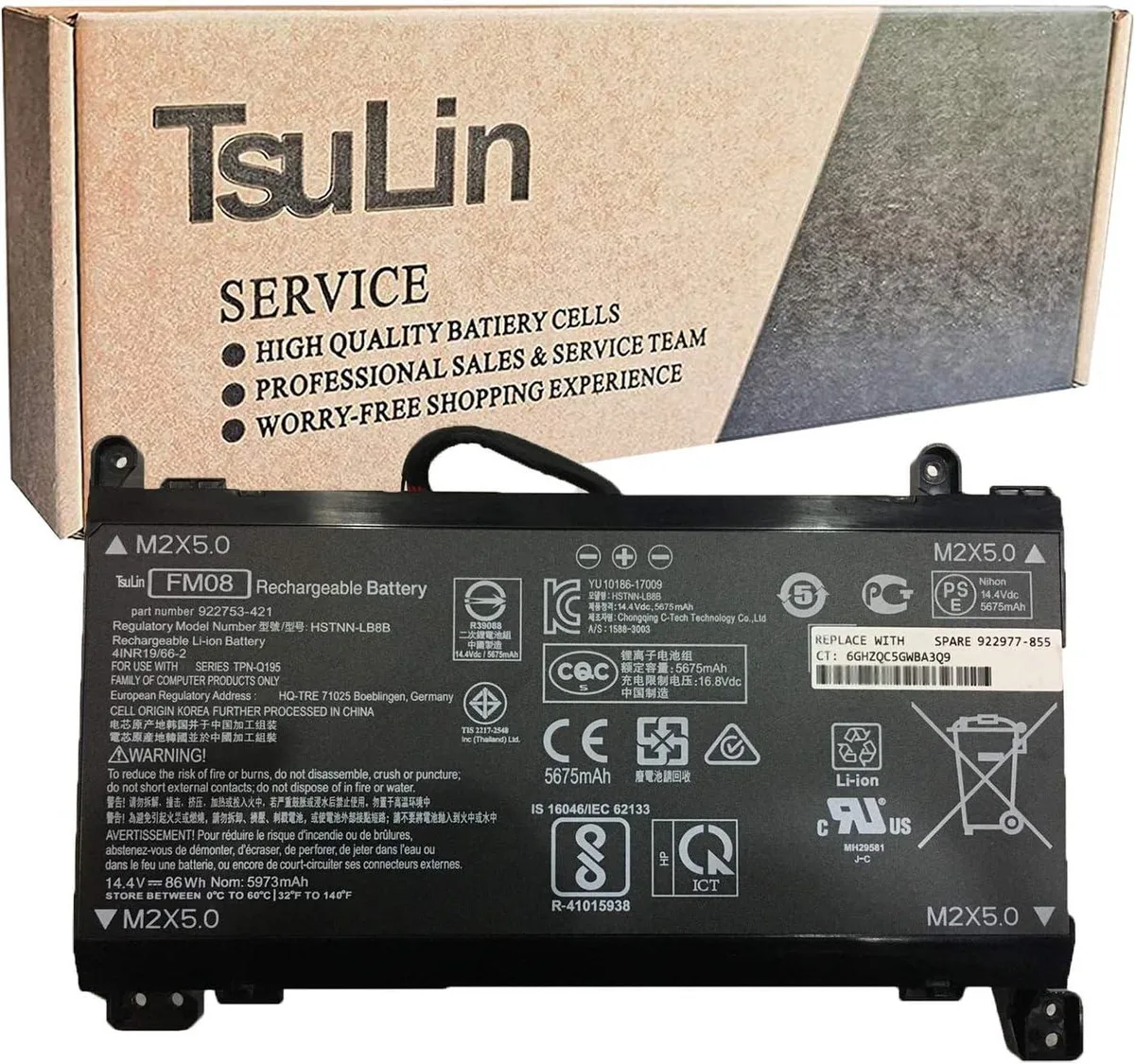
NShi FM08 laptop battery 14.4V 86Wh 5973mAh 12-pin
Replacement lithium-polymer battery with 14.4 V and 86 Wh capacity for HP Omen 17-an series notebooks using the 12-pin FM08 interface
- Battery TypeLithium Polymer
- 86 Wh capacity powers extended sessions
- 12-pin connector matches original HP Omen fit
- 4 V output keeps performance stable
- Lithium polymer cells reduce weight
- Replaces HSTNN-LB8B and TPN-Q195 part numbers
Compatible replacement battery
The NShi FM08 is a new lithium polymer battery rated at 14.4V and 86Wh with a 12-pin connector. It replaces HP part numbers FM08, 922976-855, 922977-855, HSTNN-LB8B, HSTNN-LB8A, TPN-Q195, 922752-421 and 922753-421. The pack uses grade-A cells and carries CE, RoHS and FCC certification.
HP Omen 17-an series upgrade
This unit fits HP Omen 17-an008ur, 17-an015ng, 17-an013ng, 17-AN013TX, 17-AN014TX and 17-AN014NG notebooks. It restores original runtime when the factory battery no longer holds a useful charge. The jump is worth it when the old pack shows reduced capacity or physical swelling.
Verify 12-pin interface before ordering
The FM08 exists in 12-pin and 16-pin versions; this listing is the 12-pin variant only. Open the laptop and confirm the original battery’s part number and connector pin count match the numbers above. Read the included manual before installation.
Highlights
- 86 Wh capacity powers extended sessions
- 12-pin connector matches original HP Omen fit
- 4 V output keeps performance stable
- Lithium polymer cells reduce weight
- Replaces HSTNN-LB8B and TPN-Q195 part numbers
Specifications
| Battery Type | Lithium Polymer |
|---|
Questions about this item
Does the 12-pin connector on this FM08 battery match my HP Omen 17-an series notebook?
This listing is the 12-pin version of the FM08; verify the original battery in your HP Omen 17-an notebook shows a 12-pin interface before ordering.
What is the correct order to connect the 12-pin plug when installing this battery?
Insert the 12-pin connector fully until it clicks, then secure the battery with the chassis screws; reversing the steps can leave the plug partially seated.
How should I store the FM08 86Wh battery if the laptop will not be used for several weeks?
Store the battery at room temperature with a partial charge; recharge it every few months to maintain the lithium-polymer cells.
Also in this aisle
People compared these
Same shelf, same checkout — eight coins and a 30-minute rate lock.


Case Logic
Case Logic 3203990 briefcase for 15.6 in laptop with 10.1 in tablet pocket
$30.99
0.00037069BTC
In stock