

NShi
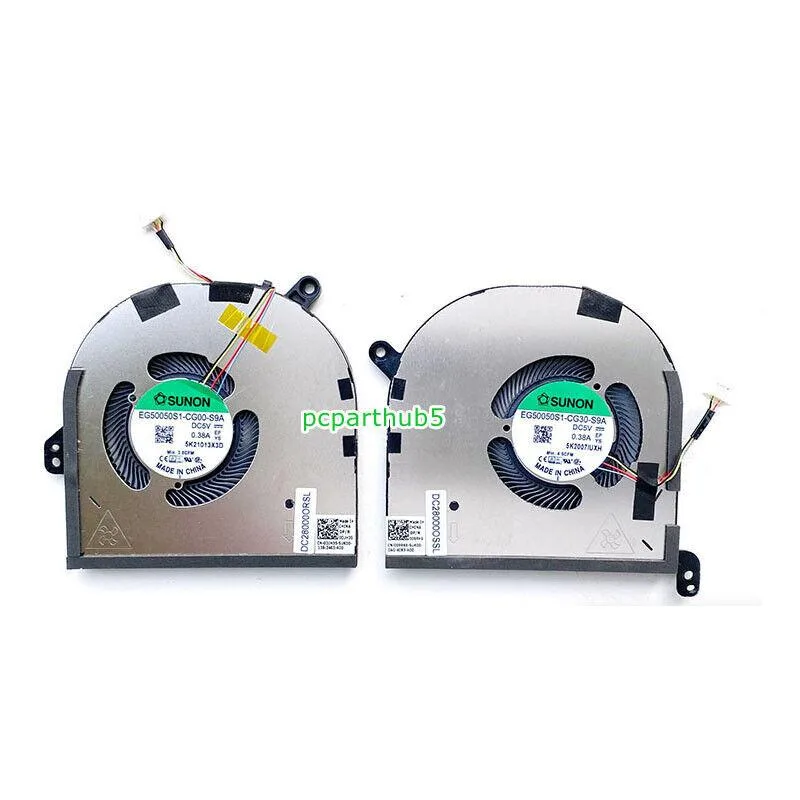
NShi CPU GPU Cooling Fan Dell XPS 15 9500 9510 Precision 5550 0DJH35 009RK6
Replacement CPU and GPU cooling fan compatible with Dell XPS 15 9500, 9510 and Precision 5550 models
- Accessory TypeFan
- Replacement fan restores CPU and GPU cooling for Dell XPS 15 9500 and 9510
- Direct fit matches Precision 5550 part numbers 0DJH35 and 009RK6
- Four-pin power connector enables PWM speed control from the system
- Five-volt operation draws minimal power from the laptop bus
- New condition ensures full airflow performance from first use
Compatible Dell Laptop Models
This replacement cooling fan fits Dell XPS 15 9500, 9510 and Precision 5550 laptops. It is intended for owners of those models who need a new CPU and GPU fan assembly. The part matches Dell part numbers 0DJH35 and 009RK6. Buyers with other Dell series or different chassis sizes cannot use this fan.
Installation Notes and Common Issues
The fan connects through a 4-pin power header on the motherboard. Installation requires opening the laptop base, disconnecting the old assembly and securing the new unit in its place. Improper cable routing or a loose screw can cause vibration or prevent the fan from spinning. Technicians should verify the connector orientation before applying power.
Sustained Load Behaviour
The fan operates at 5 volts and is designed to run continuously while the system is under heavy CPU and GPU load. It maintains airflow to both heat pipes during extended rendering or compile sessions. Thermal throttling in the laptop will still occur if the heatsink fins are clogged with dust or the thermal paste has degraded.
Highlights
- Replacement fan restores CPU and GPU cooling for Dell XPS 15 9500 and 9510
- Direct fit matches Precision 5550 part numbers 0DJH35 and 009RK6
- Four-pin power connector enables PWM speed control from the system
- Five-volt operation draws minimal power from the laptop bus
- New condition ensures full airflow performance from first use
Specifications
| Accessory Type | Fan |
|---|
Questions about this item
How can I verify the 4-pin fan is spinning correctly after installation?
Enter the Dell BIOS or use Dell Power Manager to confirm the CPU fan RPM reads above zero and rises under load.
What comes in the package and what extra parts are needed?
The box contains the 5 V 4-pin CPU/GPU cooling fan only; thermal paste and a precision screwdriver set must be purchased separately.
Which MPN matches my Dell XPS 15 9500, 9510 or Precision 5550?
Both 0DJH35 and 009RK6 are listed as compatible for those three models; choose the MPN printed on your original fan label.
Also in this aisle
People compared these
Same shelf, same checkout — eight coins and a 30-minute rate lock.


Case Logic
Case Logic 3203990 briefcase for 15.6 in laptop with 10.1 in tablet pocket
$30.99
0.00036978BTC
In stock