


NShi
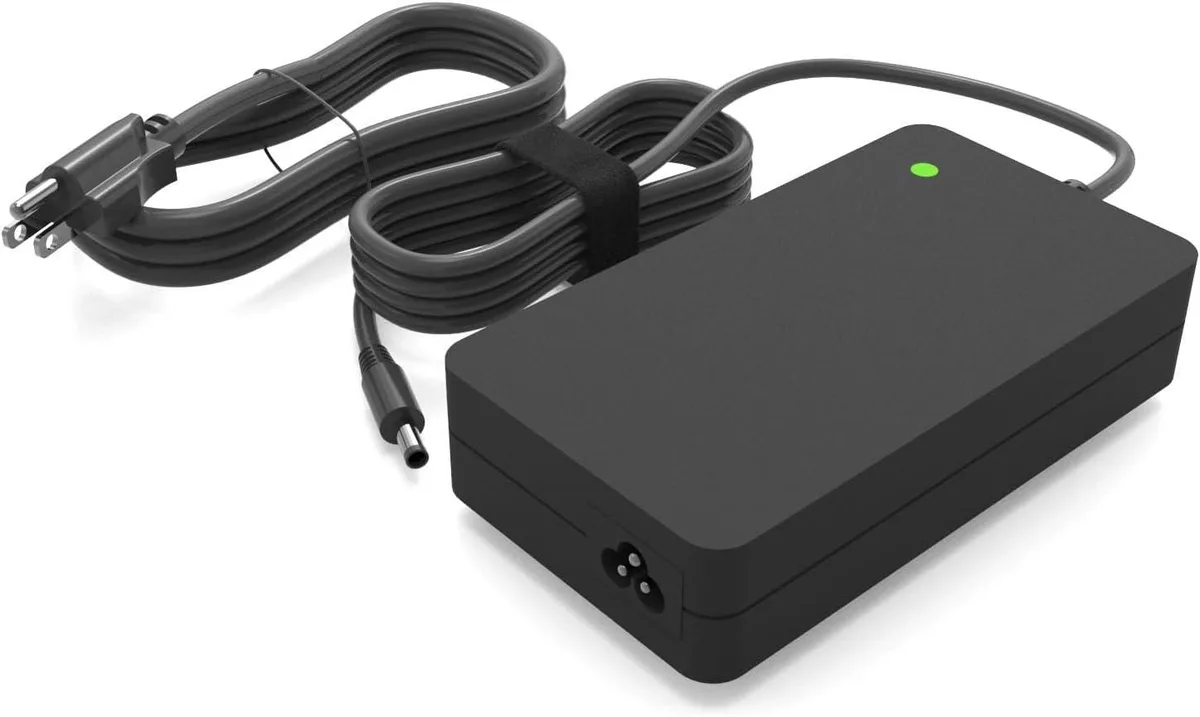
NShi 130W 90W AC Adapter Replacement for Dell Laptop Replacement Part
Delivers 130W or 90W power to compatible Dell laptops and includes built-in safety protections
- 130W output powers high-performance Dell laptops
- 100-240V input enables worldwide use
- 5V 6.67A delivery matches original charger specs
- Overheat, short-circuit and overcurrent protection safeguards hardware
- Includes AC adapter and power cord for immediate setup
Compatible Dell Models
This 130 W AC adapter fits Dell Inspiron 15 and 16 series laptops including the 7500, 7501, 7510, 7590, 7591, 7610 and 7620. It also covers Vostro 15 7000 and 7500 models plus Precision 5510, 5520 and M3800 workstations. The unit ships new with a detachable power cord included.
Replaces Lower-Wattage Chargers
The adapter delivers 19.5 V at 6.67 A for a full 130 W output and also supports 90 W (4.62 A) and 65 W (3.34 A) Dell systems. It is a direct replacement when the original charger has failed or when a higher-wattage unit is required for demanding workloads. Buyers needing a USB-C power source or a multi-voltage travel adapter will not find those features here.
Build Integration
Input voltage ranges from 100 to 240 V AC for worldwide use. Protective circuits guard against overheating, short circuits and overcurrent events. The barrel connector matches the listed Dell models so no extra cables or converters are needed. Users who require a second simultaneous charger or a dock-integrated power solution should look elsewhere.
Highlights
- 130W output powers high-performance Dell laptops
- 100-240V input enables worldwide use
- 5V 6.67A delivery matches original charger specs
- Overheat, short-circuit and overcurrent protection safeguards hardware
- Includes AC adapter and power cord for immediate setup
Specifications
No published specifications for this item yet.
Questions about this item
Which Dell models does the 130W adapter physically fit?
It fits Dell Inspiron 15 7500 7501 7510 7590 7591 7610 7620, Inspiron 16 7610 7620, Inspiron 7347 7348 Plus, Vostro 15 7000 7500 7510 7590 7620, OptiPlex 7000, Precision 5510 5520 and Precision M3800.
How is the adapter installed, and which step is often missed?
Connect the DC plug firmly into the laptop power jack, then plug the supplied AC cord into the adapter brick and a 100-240V wall outlet; the step often missed is seating the DC connector fully until it clicks.
When should the power cord be replaced?
Replace the cord if the insulation cracks, the plug pins bend, or the adapter shows intermittent charging despite a firm connection.
Also in this aisle
People compared these
Same shelf, same checkout — eight coins and a 30-minute rate lock.


Kensington
Kensington Desk Mount Cable Anchor K64613WW accessory
- Black
- Provides a secure a…
$19.99
0.0002368BTC
In stock
Panasonic
Panasonic CF-VDR291U laptop cooling pad
- Optical Drive
- Buffer Size: 2 MB B…
$213.99
0.00253492BTC
In stock
eReplacements
eReplacements PB992A-ER laptop battery 14.4V
- Battery
- Lithium-Ion
$65.99
0.00078171BTC
In stock