

NShi
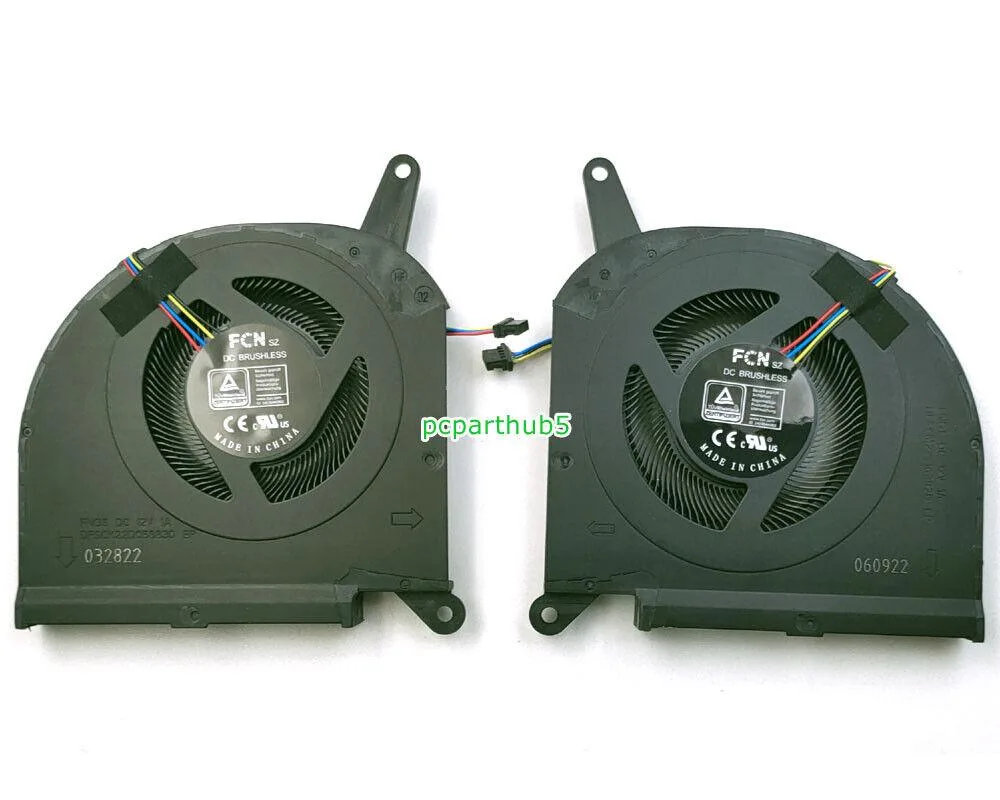
NShi 12V CPU/GPU cooling fan for Gigabyte Aorus 17G
A 12 V replacement fan for CPU and GPU cooling in compatible Gigabyte Aorus 17G laptops
- Accessory TypeFan
- Keeps CPU and GPU temperatures down with a dedicated 12 V fan
- Fits Aorus 17G models across Intel 10th and 11th Gen platforms
- Supports RTX 30 Series configurations for consistent thermal performance
- Matches original MPN PLB07010S12HH for direct replacement
- Backed by a 6 month manufacturer warranty
Replacement fan for Gigabyte Aorus 17G
This 12 V cooling fan fits the CPU and GPU heatsinks in the Aorus 17G laptop series. It serves owners of Intel 10th Gen and 11th Gen models as well as RTX 30 Series configurations. The part restores factory airflow when the original fan fails or becomes noisy.
12 V operation matches original specification
The fan runs at the same voltage used by the laptop’s thermal subsystem. It handles the combined heat load of the processor and graphics chip under normal gaming and productivity workloads. If the heatsink fins are clogged or the thermal paste has degraded, the fan alone cannot compensate for the reduced thermal transfer.
Direct swap for worn or broken OEM fan
This unit replaces the original PLB07010S12HH fan without modification. The upgrade is worth it when the old fan spins unevenly, rattles, or stops entirely. It is not for users who want additional cooling beyond the stock design or who are modifying the chassis for higher thermal limits.
Highlights
- Keeps CPU and GPU temperatures down with a dedicated 12 V fan
- Fits Aorus 17G models across Intel 10th and 11th Gen platforms
- Supports RTX 30 Series configurations for consistent thermal performance
- Matches original MPN PLB07010S12HH for direct replacement
- Backed by a 6 month manufacturer warranty
Specifications
| Accessory Type | Fan |
|---|
Questions about this item
Will this 12 V fan fit the heatsink assembly in my Aorus 17G with an 11th Gen Intel CPU?
The fan is built for Aorus 17G models including the Intel 11th Gen and RTX 30 Series variants, matching the original mounting points and voltage.
How can I verify the new fan is spinning correctly after I install it?
Listen for smooth airflow from the vents and watch the RPM reading in the Gigabyte Control Center or BIOS hardware monitor.
Does the package include thermal paste or only the PLB07010S12HH fan itself?
Only the cooling fan is supplied; thermal compound and any mounting screws must be sourced separately.
Also in this aisle
People compared these
Same shelf, same checkout — eight coins and a 30-minute rate lock.


Kensington
Kensington Desk Mount Cable Anchor K64613WW accessory
- Black
- Provides a secure a…
$19.99
0.00023757BTC
In stock
Panasonic
Panasonic CF-VDR291U laptop cooling pad
- Optical Drive
- Buffer Size: 2 MB B…
$213.99
0.00254311BTC
In stock
eReplacements
eReplacements PB992A-ER laptop battery 14.4V
- Battery
- Lithium-Ion
$65.99
0.00078424BTC
In stock