


noelspace
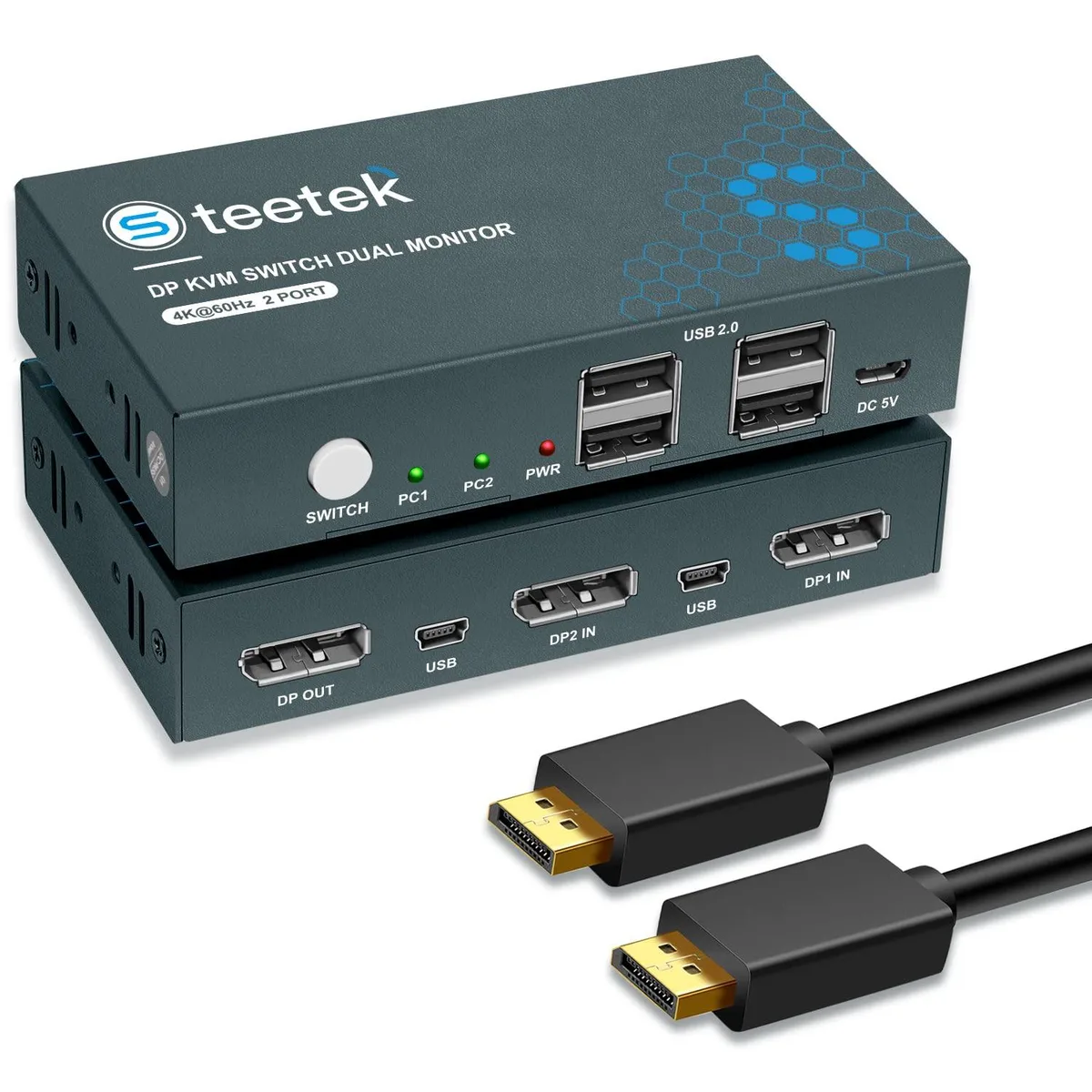
noelspace 2 Port DP KVM Switch 4K@60Hz USB 2.0 Hub
A DisplayPort KVM switch lets two computers share one 4K 60 Hz monitor, keyboard, mouse and four USB 2.0 peripherals with push-button switching
- TypeAccessories
- Control two computers with one monitor, keyboard and mouse
- 4K 60 Hz output up to 3840 x 2160 resolution
- Four USB 2.0 ports share peripherals across both systems
- Push-button switching changes sources in 2 to 4 seconds
- Compact design keeps the desktop tidy
noelspace 2 Port DP KVM Switch 4K@60Hz
This DisplayPort KVM switch lets you control two computers with a single monitor, keyboard and mouse. It supports 3840×2160 resolution at 60 Hz and is backward compatible with the DP 1.2 standard. The unit includes a four-port USB 2.0 hub for sharing peripherals such as printers, cameras or wireless keyboards between both systems. It does not convert DVI, VGA or HDMI signals to DisplayPort.
Installation and common issues
Connect each computer using the supplied DisplayPort and USB cables, then attach your monitor, keyboard and mouse to the console ports. Switching is performed with the front push button and takes two to four seconds; no hotkey switching is supported. A frequent issue is attempting to use non-DisplayPort sources, which this switch cannot accept. Ensure both computers output a native DisplayPort signal for reliable operation.
3840×2160@60Hz DisplayPort 1.2 support
The single specification that determines compatibility is the maximum video format of 3840×2160 at 60 Hz over a DisplayPort 1.2 link. If your monitor or source requires a higher refresh rate, a newer DisplayPort version, or a different connector type, this switch will not meet the requirement. Buyers needing HDMI, DVI or VGA input, or resolutions beyond 4K at 60 Hz, should look for a different KVM solution.
Highlights
- Control two computers with one monitor, keyboard and mouse
- 4K 60 Hz output up to 3840 x 2160 resolution
- Four USB 2.0 ports share peripherals across both systems
- Push-button switching changes sources in 2 to 4 seconds
- Compact design keeps the desktop tidy
Specifications
| Type | Accessories |
|---|
Questions about this item
How can I confirm the switch is delivering 3840x2160@60Hz after connecting both computers?
Check your monitor's on-screen display or graphics driver control panel to verify the active resolution reads 3840x2160 at 60 Hz while each computer is selected.
Which cables are included and what must I provide to connect two computers and four USB peripherals?
The package includes two DisplayPort cables and two USB 2.0 cables for the computer links; you only need to add your monitor's DisplayPort cable and the USB devices you want to share.
Should I choose this model if I need hotkey switching between the two connected PCs?
This unit only supports push-button switching and does not offer hotkey switching, so select it only if manual button switching suits your workflow.
Also in this aisle
People compared these
Same shelf, same checkout — eight coins and a 30-minute rate lock.


Black Box Corporation
Black Box Corporation 4K60 HDMI Dual-Head KVM Switch 4 Port
$774.99
0.00922849BTC
In stock