SonicWall
SonicWall 01-SSC-1465 Capture Advanced Threat Protection hardware license 1 Year TZ600 Series
- Capture Advance Thr…
$518.99
0.00617772BTC
In stockWe take cryptocurrency — so the coins you hold can buy real hardware.Pay in crypto, spend it on real hardware. Free insured shipping worldwide over $399. Plain, unbranded boxes, sent from Germany.Free insured shipping over $399. Your rate is locked for 30 minutes once checkout opens.Rate locked 30 minutes. Every item sealed, serial-checked and covered by a 24-month warranty.Sealed, 24-month warranty.


No Sew
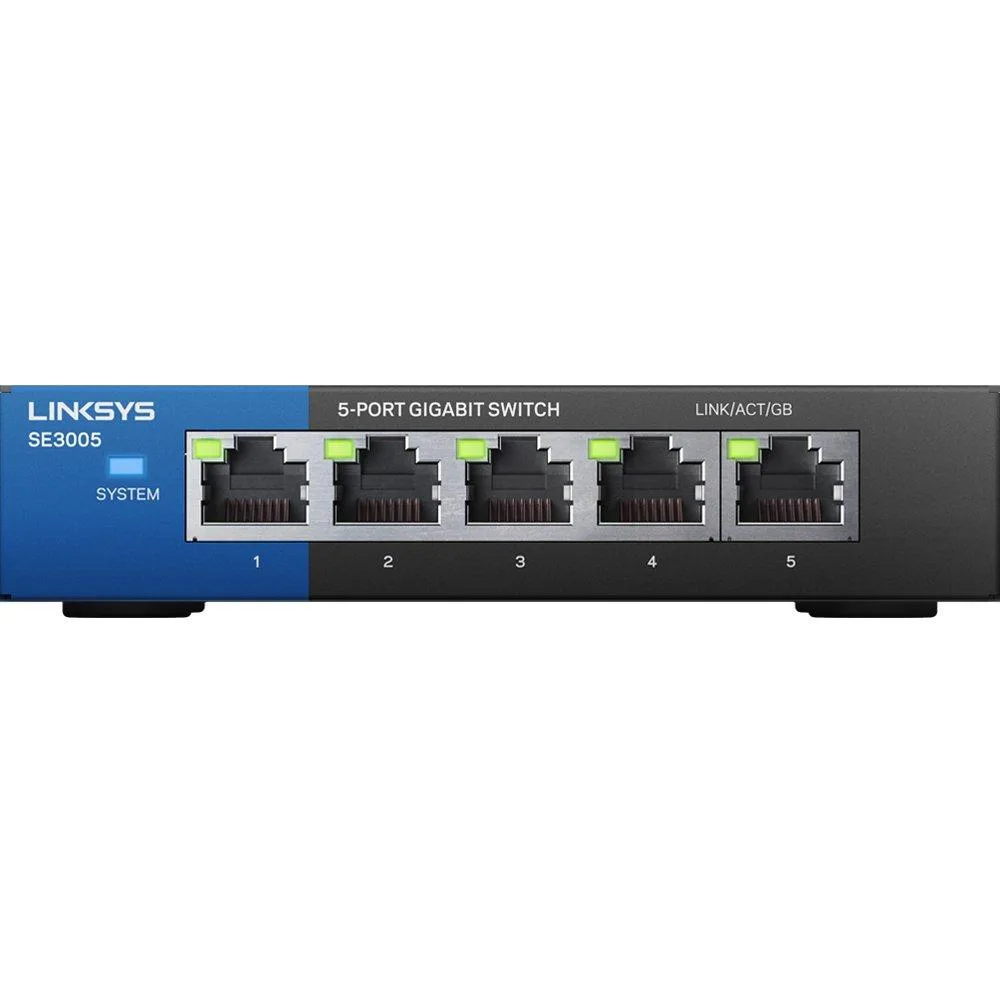
Five-port Gigabit switch with 10/100/1000 Mbps RJ45 ports, auto MDI/MDI-X, IEEE 802.1p QoS, IEEE 802.3x flow control and power-saving detection
The No Sew SE3005 adds five RJ45 ports to a wired network, delivering 10/100/1000 Mbps speeds for desktops, printers, routers and consoles. Non-blocking architecture helps maintain throughput across all ports during file transfers and streaming. Auto MDI/MDI-X on every port enables plug-and-play cabling without crossover cables. Advanced power-saving mode detects unused ports to reduce draw in always-on environments.
This unmanaged switch suits users who need simple, fanless LAN expansion for a handful of Ethernet devices and value QoS prioritisation for voice or video traffic. Builders requiring managed features such as VLANs, link aggregation or remote monitoring should look at managed alternatives. Installations that need fibre uplinks or PoE power delivery will need a different model. The 1 Gbps packet forwarding rate limits aggregate throughput in heavy multi-device scenarios.
The package includes the switch and a power cable for immediate operation. No rack-mount brackets, console cables or configuration software are supplied, so desktop or shelf placement is assumed. The absence of a management interface means all QoS and flow-control behaviour is fixed by the IEEE 802.1p and 802.3x standards. Jumbo frame support up to 9216 bytes is available for compatible endpoints.
| Series | ProSafe |
|---|---|
| Part Number | SE3005-cr |
| Standards | Passive PoE |
| Network Media | RJ45 |
| Network Management Type | Unmanaged |
| Uplink Interface | RJ45 |
| Uplink Speed | 10/100 Mbps |
| Uplink Speed/Type | RJ45 |
| Primary Port Count | 5 |
| Primary Ports | 16 x SFP + 8 x RJ45 |
| Primary Port Speed | 10/100Mbps + 1000Mbps |
| Primary Port Type | RJ45 |
| Management Interface | RJ45 |
| Management Feature | Power cable |
| Jumbo Frames | 9216 bytes |
| Packet Forwarding Rate | 1 gigabits_per_second |
| IPv4 Features | 5-Port |
| Layer | 1 |
| Layer 2 Features | RJ45, 1 gigabits_per_second, 5 |
| Cabling | RJ45 |
| PoE Power Budget | 5-Port |
| Power | AC 120/230 V ( 50/60 Hz ) |
| Max Power Consumption | 5 volts |
| Dimensions | 14.33in W x 12.83in H x 9.06in D |
| Certification | on_product_combined_cancer_reproductive, not_applicable |
| Features | 5, RJ45, Power cable, 1 gigabits_per_second, Plastic, blue |
| Package Contents | Power cable |
| Disclaimer | on_product_combined_cancer_reproductive |
The switch includes a power cable that plugs into a standard mains outlet for power.
Each port negotiates its own speed, so 100 Mbps devices run at their rate while Gigabit devices use the full 1000 Mbps capacity.
Check the port LEDs; a steady or blinking light on a connected port confirms an active link and data flow.
Also in this aisle
Same shelf, same checkout — eight coins and a 30-minute rate lock.
What you pay in, and what you read prices in.
Sent from your wallet at checkout
Display only — the catalogue is priced in USD
No currency matches that.
Pick the language the site speaks to you in.
No language matches that.
New here?
Already have one?
There is no automatic reset: this shop sends no mail, so there is no one-time link to ask for. Leave the address on the account and it gets picked up by hand.
Request noted
Nothing is on its way to your inbox — this shop sends no mail at all. Someone picks these up by hand.
Remembered it?