

Tilta Technology Co.,Ltd
Tilta Technology Co.,Ltd Mounting Bar for Boulder Camera Cart, Black
$114.99
0.00136908BTC
In stockWe take cryptocurrency — so the coins you hold can buy real hardware.Pay in crypto, spend it on real hardware. Free insured shipping worldwide over $399. Plain, unbranded boxes, sent from Germany.Free insured shipping over $399. Your rate is locked for 30 minutes once checkout opens.Rate locked 30 minutes. Every item sealed, serial-checked and covered by a 24-month warranty.Sealed, 24-month warranty.
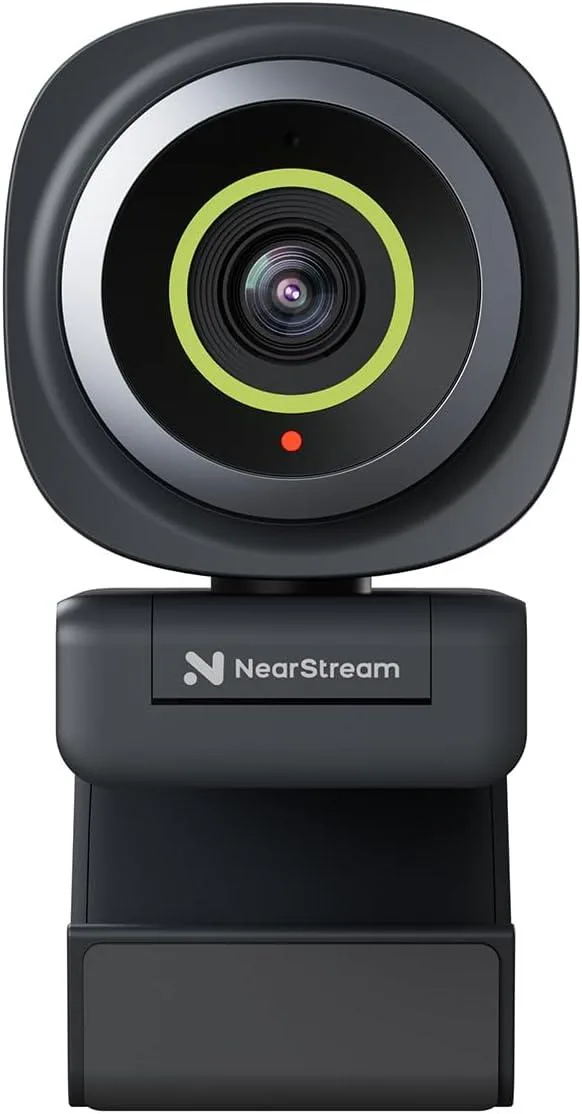


NearStream
A 2K webcam delivering 1080p at 60 fps with adjustable 60° to 95° field of view and AI noise-cancelling microphone capturing sound up to 10 feet away
The NearStream V02AF is a 2K webcam built around a 2-megapixel CMOS sensor. It captures video at 2K resolution at 30 frames per second or 1080p at 60 frames per second. True autofocus keeps the image sharp during movement. The NearSync software adds adjustable field of view and manual image controls for a tailored picture.
This webcam suits users who want software-adjustable FOV options of 60°, 75° or 95° for solo or group calls. The AI noise-cancelling microphone picks up voice clearly up to 10 feet away. Buyers who require a built-in privacy shutter or 4K capture should look at other models because those features are not present on this device.
Verify your computer has a free USB port for the plug-and-play connection. Ensure the monitor, laptop lid or flat surface has enough clearance for the adjustable mounting clip. Install the NearSync application if you plan to change the field of view, resolution or colour settings.
No published specifications for this item yet.
No driver is required; plug the USB cable into the computer and select the device in your meeting app to start.
Yes, the software offers three FOV settings — 60°, 75° or 95° — so you can match the framing of an older camera.
Open NearSync and confirm the resolution is set to 1080p at 60 FPS; the preview will show the live frame rate.
Also in this aisle
Same shelf, same checkout — eight coins and a 30-minute rate lock.
What you pay in, and what you read prices in.
Sent from your wallet at checkout
Display only — the catalogue is priced in USD
No currency matches that.
New here?
Already have one?
There is no automatic reset: this shop sends no mail, so there is no one-time link to ask for. Leave the address on the account and it gets picked up by hand.
Request noted
Nothing is on its way to your inbox — this shop sends no mail at all. Someone picks these up by hand.
Remembered it?


