


myVolts
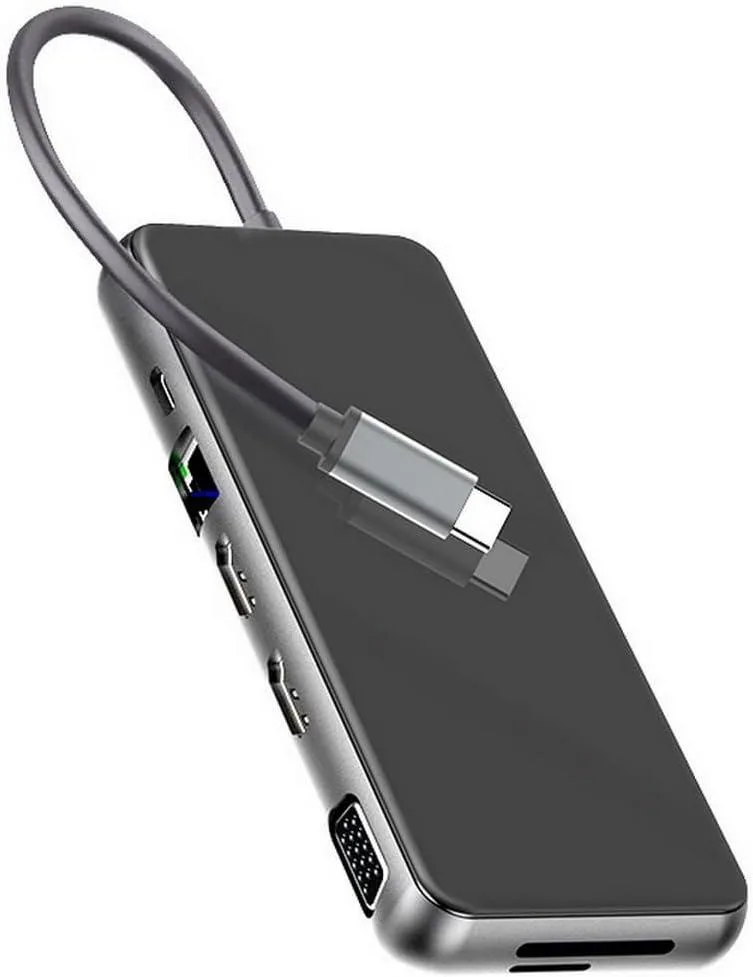
myVolts 12 in 1 USB-C Docking Station Triple Display
A 12-port USB-C dock adds dual 4K HDMI, VGA, triple 1600×900 displays, three USB 3.0, USB-C 3.0, 100 W PD, Gigabit Ethernet, SD/TF slots and 3.5 mm audio for Windows and Mac laptops
- Triple-display workspace with two 4K HDMI ports and VGA
- 100 W power delivery keeps the laptop charged while docked
- Three USB 3.0 ports plus USB-C 3.0 for fast peripheral links
- Gigabit Ethernet and 3.5 mm audio complete the desktop setup
- SD and TF card readers import media without extra dongles
Docking Station for Windows and Mac Laptops
This 12 in 1 USB-C dock adds dual 4K HDMI, VGA, three USB 3.0 ports, USB-C 3.0, SD and TF card slots, 3.5 mm audio, Gigabit Ethernet and 100 W Power Delivery. It supports triple display on Windows at up to 1600x900@60 Hz per screen. Mac OS is limited to dual display mirror mode only.
Check Host Port and Cable Before Ordering
Your laptop must provide a USB-C port with DisplayPort Alternate Mode and Power Delivery input. Use an HDMI 2.0 cable or better for 4K@30 Hz output. Verify that your device appears in the tested compatibility list or matches the required Alternate Mode specification.
Replaces Basic Hubs and Single-Video Adapters
The jump is worth it when you need three external monitors on Windows, wired Ethernet, card readers and pass-through charging from one cable. It is not for users whose laptops lack Alternate Mode video or who only need a single 1080p display.
Highlights
- Triple-display workspace with two 4K HDMI ports and VGA
- 100 W power delivery keeps the laptop charged while docked
- Three USB 3.0 ports plus USB-C 3.0 for fast peripheral links
- Gigabit Ethernet and 3.5 mm audio complete the desktop setup
- SD and TF card readers import media without extra dongles
Specifications
No published specifications for this item yet.
Questions about this item
Does the 12 in 1 dock include a USB-C cable or must I buy one separately?
The dock connects through its built-in USB-C lead and provides two HDMI ports, one VGA port, three USB 3.0 sockets, one USB-C 3.0 socket, SD and TF card slots, a 100 W PD 3.0 input, a 100 Mbps Ethernet jack and a 3.5 mm audio socket; no extra cable is required for the host link.
Which video mode should I choose for two 4K monitors versus three 1080p screens?
Each HDMI port can drive 3840 x 2160 at 30 Hz; with both HDMI ports active the maximum dual-monitor resolution is 1920 x 1080 at 60 Hz, while triple-display setups are limited to 1600 x 900 at 60 Hz and are not supported on macOS.
Will the 100 W PD 3.0 input charge my laptop while all ports are in use?
The PD 3.0 port accepts up to 100 W from a compatible charger and passes power to the host, so the laptop can charge while the dock drives video, USB, Ethernet, audio and card readers simultaneously.
Also in this aisle
People compared these
Same shelf, same checkout — eight coins and a 30-minute rate lock.


Kensington
Kensington Desk Mount Cable Anchor K64613WW accessory
- Black
- Provides a secure a…
$19.99
0.00023712BTC
In stock
Panasonic
Panasonic CF-VDR291U laptop cooling pad
- Optical Drive
- Buffer Size: 2 MB B…
$213.99
0.00253834BTC
In stock
eReplacements
eReplacements PB992A-ER laptop battery 14.4V
- Battery
- Lithium-Ion
$65.99
0.00078277BTC
In stock