


Mytrix Technology
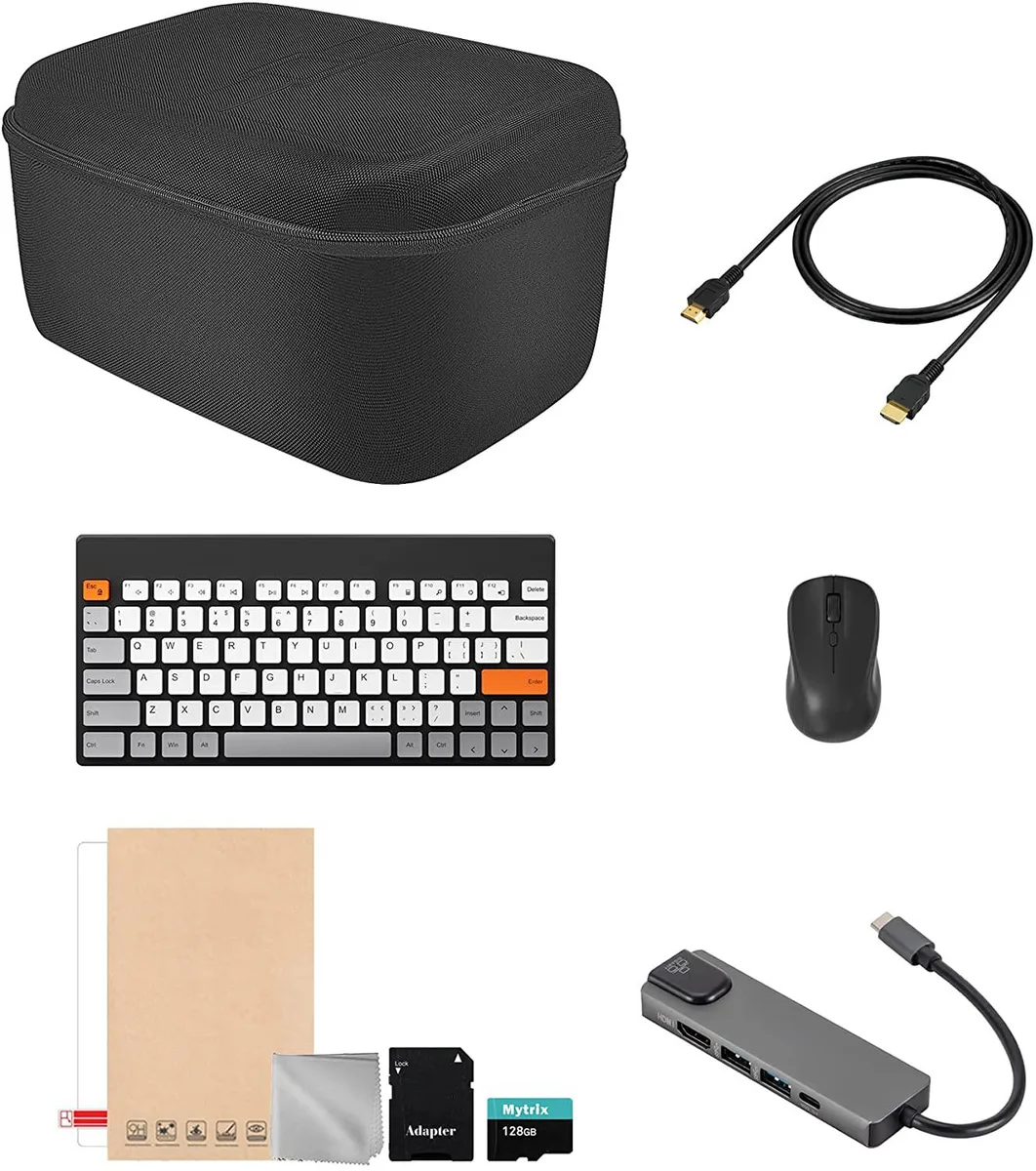
Mytrix Technology 8-in-1 Steam Deck Travel Bundle with Case, Hub, Keyboard & Mouse (colorful keyboard)
An 8-in-1 travel bundle adds a protective hard-shell case, a 100 W USB-C hub with HDMI and Ethernet, plus a wireless keyboard and mouse to turn a Steam Deck into a portable desktop
- Case TypeCarrying Case
- 8-in-1 bundle makes the full Steam Deck system travel-ready
- Hard-shell EVA case with foam grooves protects console, dock and charger
- 5-in-1 USB-C hub delivers 100 W pass-through charging plus HDMI, Ethernet and USB-A
- Wireless keyboard and mouse pair by Bluetooth for desktop-style play anywhere
- Mesh pockets organise earphones, drives and cards inside the compact case
8-in-1 Steam Deck Travel Bundle
The Mytrix Technology 8-in-1 Steam Deck Travel Bundle combines a protective hard-shell case with a USB-C hub, wireless keyboard and mouse. It is built for Steam Deck owners who want a single kit that secures the console, charger and dock while adding desktop-style connectivity on the move.
Thermals noise and power draw
The USB-C hub accepts up to 100W power delivery to keep the Steam Deck charging while the hub’s Ethernet, HDMI and USB-A ports are active. The wireless keyboard and mouse run on internal batteries for extended sessions without adding heat or fan noise to the setup.
Upgrade path and value
This bundle replaces a separate carrying case, standalone hub and individual input devices with one coordinated package. The jump is worth it when you regularly move between handheld play and a desk setup with an external display and wired network.
Highlights
- 8-in-1 bundle makes the full Steam Deck system travel-ready
- Hard-shell EVA case with foam grooves protects console, dock and charger
- 5-in-1 USB-C hub delivers 100 W pass-through charging plus HDMI, Ethernet and USB-A
- Wireless keyboard and mouse pair by Bluetooth for desktop-style play anywhere
- Mesh pockets organise earphones, drives and cards inside the compact case
Specifications
| Case Type | Carrying Case |
|---|
Questions about this item
How do I install the hub and what step do people skip?
Connect the USB-C cable from the hub to the Steam Deck, then plug your power adapter into the hub's USB-C charging port to pass up to 100W through to the console while the hub is active.
What maintenance or replacement will the keyboard and mouse need later?
Recharge or replace the internal batteries when they no longer hold a charge, and clean the keyboard switches if debris affects key travel.
What limit appears first during extended gaming sessions with the hub connected?
The hub's USB-C charging input accepts a maximum of 100W power delivery, so the Steam Deck cannot draw more than that through the hub while all ports are in use.
Also in this aisle
People compared these
Same shelf, same checkout — eight coins and a 30-minute rate lock.


Kensington
Kensington Desk Mount Cable Anchor K64613WW accessory
- Black
- Provides a secure a…
$19.99
0.0002397BTC
In stock
Panasonic
Panasonic CF-VDR291U laptop cooling pad
- Optical Drive
- Buffer Size: 2 MB B…
$213.99
0.00256595BTC
In stock
eReplacements
eReplacements PB992A-ER laptop battery 14.4V
- Battery
- Lithium-Ion
$65.99
0.00079128BTC
In stock