

Elo Touch Solutions
Elo Touch Solutions 1991L 19" Open-Frame Touchscreen Monitor
- 19"
$615.99$650.99−5%
0.00733907BTC
In stockWe take cryptocurrency — so the coins you hold can buy real hardware.Pay in crypto, spend it on real hardware. Free insured shipping worldwide over $399. Plain, unbranded boxes, sent from Germany.Free insured shipping over $399. Your rate is locked for 30 minutes once checkout opens.Rate locked 30 minutes. Every item sealed, serial-checked and covered by a 24-month warranty.Sealed, 24-month warranty.


Mount-It
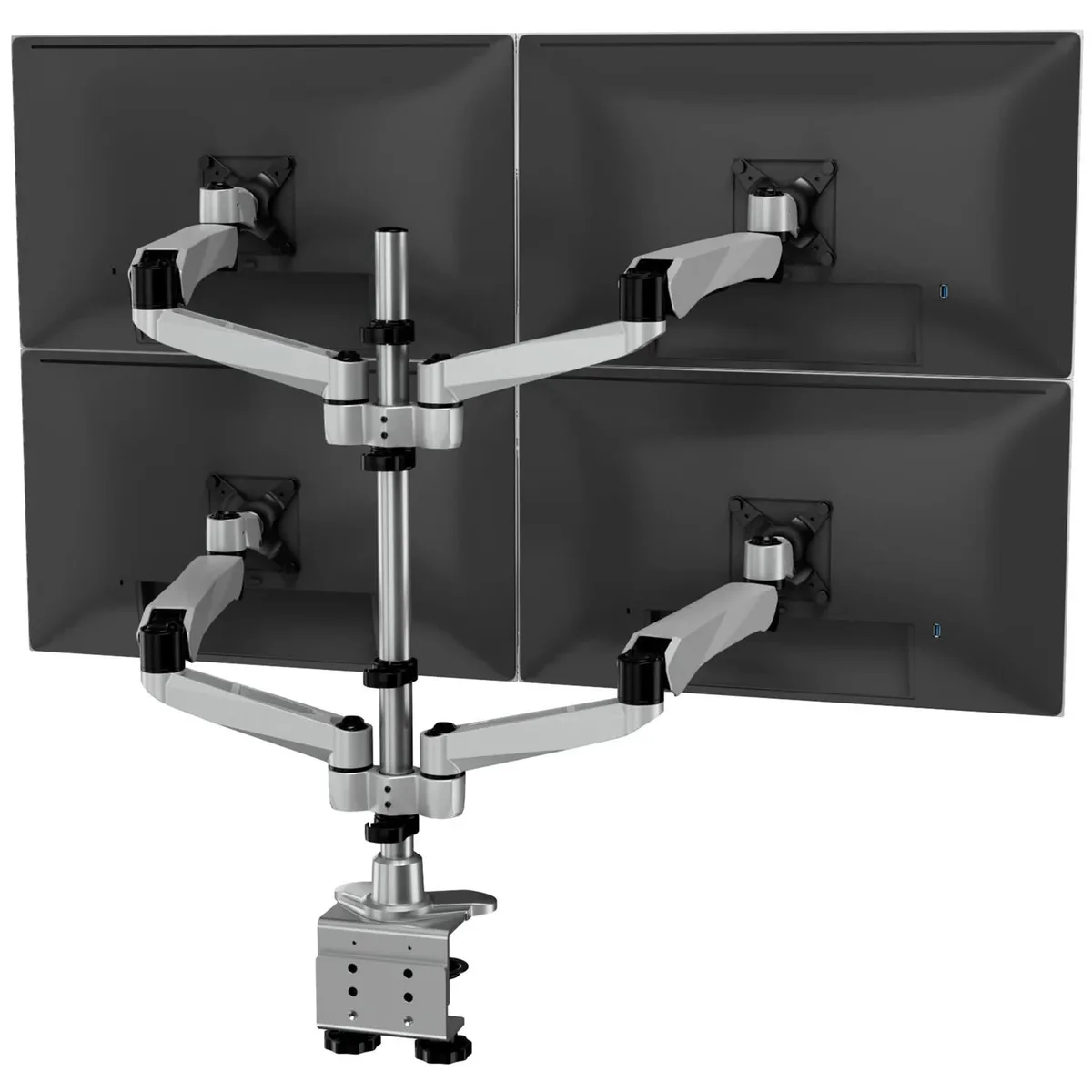
Holds four 13 to 32 inch screens up to 19.8 lbs each with gas spring adjustment, swivel, tilt, rotation, VESA 75 and 100 mounts, clamp or grommet base, TAA compliant
The Mount-It CLiX articulating desk mount holds four screens from 13 to 32 inches. Each arm supports up to 19.8 lbs and fits VESA 75x75 and 100x100 patterns. Gas spring arms provide smooth height adjustment, while swivel, tilt and rotation allow landscape or portrait orientation. Quick-connect joints speed up assembly.
Professionals who need simultaneous visibility across several applications — such as trading, coding or video editing — will benefit from the four-screen capacity and ergonomic range. The clamp and grommet bases fit most desk thicknesses. Buyers who only need one or two displays, or whose monitors exceed the 32 inch or 19.8 lb limits, should consider a different solution.
The mount attaches only to monitors with 75 mm or 100 mm square VESA hole patterns. Screens using a different mounting standard or lacking VESA holes cannot be used with this product.
| Type | Mount |
|---|
Choose either the clamp or grommet hardware, secure it to the desk, then snap the quick-connect joints; the step often missed is tightening the base fully before attaching the spring arms.
The gas spring mechanism is sealed and requires no routine service; if an arm loses tension after extended use, the arm assembly would need replacement.
The 19.8 lbs per monitor rating is the primary load limit; exceeding it on any arm will cause sag or failed height adjustment before any other factor.
Also in this aisle
Same shelf, same checkout — eight coins and a 30-minute rate lock.
What you pay in, and what you read prices in.
Sent from your wallet at checkout
Display only — the catalogue is priced in USD
No currency matches that.
Pick the language the site speaks to you in.
No language matches that.
New here?
Already have one?
There is no automatic reset: this shop sends no mail, so there is no one-time link to ask for. Leave the address on the account and it gets picked up by hand.
Request noted
Nothing is on its way to your inbox — this shop sends no mail at all. Someone picks these up by hand.
Remembered it?



