minisforum
minisforum DEG2 External GPU Docking Station
An external GPU enclosure with OCuLink and Thunderbolt switching, internal M.2 storage, 2.5G LAN and ATX or SFX power support
- ColorBlack
Option DEG2 · Thunderbolt
- DEG1 · Oculink
- DEG2 · Thunderbolt
- Dual Oculink and Thunderbolt 5 switching via physical toggle
- Internal M.2 2280 slot stores assets for faster GPU access
- Supports both ATX and SFX power supplies with full-size GPU
- Signal-optimised design reduces degradation across cables and host devices
- 5G LAN, USB 3.2, PCIe x16 and dual Thunderbolt 5 ports included
Dual OCuLink and Thunderbolt 5 Dock
The minisforum DEG2 is an external GPU enclosure that connects through OCuLink or Thunderbolt 5, selected by a physical toggle. It houses a full-size graphics card and accepts both ATX and SFX power supplies. An internal M.2 2280 slot stores project files for direct GPU access.
For single-GPU laptop workflows
Suits users who move a laptop between desk and field while keeping heavy rendering, editing or AI compute on one desktop GPU. Not suited for builders who need multiple graphics cards, extra drive bays or a chassis that fits oversized triple-slot coolers.
80 Gbps Thunderbolt 5 bandwidth
The dock provides one 140 W and one 30 W Thunderbolt 5 port at 80 Gbps plus an OCuLink port at 64 Gbps. That upstream link width is the single spec that decides whether your host can saturate the external GPU.
Highlights
- Dual Oculink and Thunderbolt 5 switching via physical toggle
- Internal M.2 2280 slot stores assets for faster GPU access
- Supports both ATX and SFX power supplies with full-size GPU
- Signal-optimised design reduces degradation across cables and host devices
- 5G LAN, USB 3.2, PCIe x16 and dual Thunderbolt 5 ports included
Specifications
| Color | Black |
|---|
Other versions of this model
1 more in the same range
Same family, different memory, cooler or clock — compare before you commit.


Questions about this item
How do I verify the DEG2 is delivering full 80Gbps bandwidth after connecting via Thunderbolt 5?
Check the host system's Thunderbolt control panel or device manager; it will show the active link speed as 80Gbps when the toggle is set to Thunderbolt 5 mode and a compatible cable is used.
Which components are included with the DEG2 and which must I purchase separately?
The dock includes the enclosure, OCuLink and Thunderbolt 5 ports, 2.5G LAN, USB 3.2 Gen2 and Gen1 ports, an M.2 2280 slot, a PCIe x16 slot and ATX 24pin plus 8pin power connectors; GPU and ATX or SFX power supply are not included.
When should I choose the OCuLink 64Gbps connection instead of Thunderbolt 5 80Gbps?
Use OCuLink when your laptop or mini-PC has an OCuLink port but no Thunderbolt 5; it provides 64Gbps bandwidth without needing a Thunderbolt controller, while Thunderbolt 5 gives the higher 80Gbps ceiling on supported hosts.
Also in this aisle
People compared these
Same shelf, same checkout — eight coins and a 30-minute rate lock.
Corn Electronics
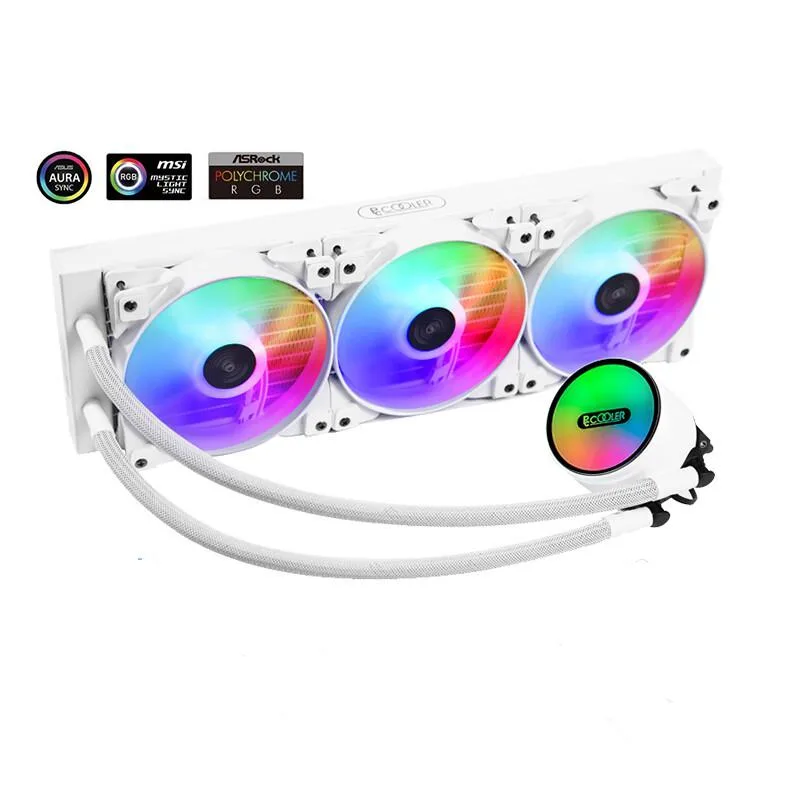
Corn Electronics laptop cooling pad white 360 mm 3 fan 120 mm ARGB
- White
- 3
$162.99
0.00188208BTC
In stock