


Melelink
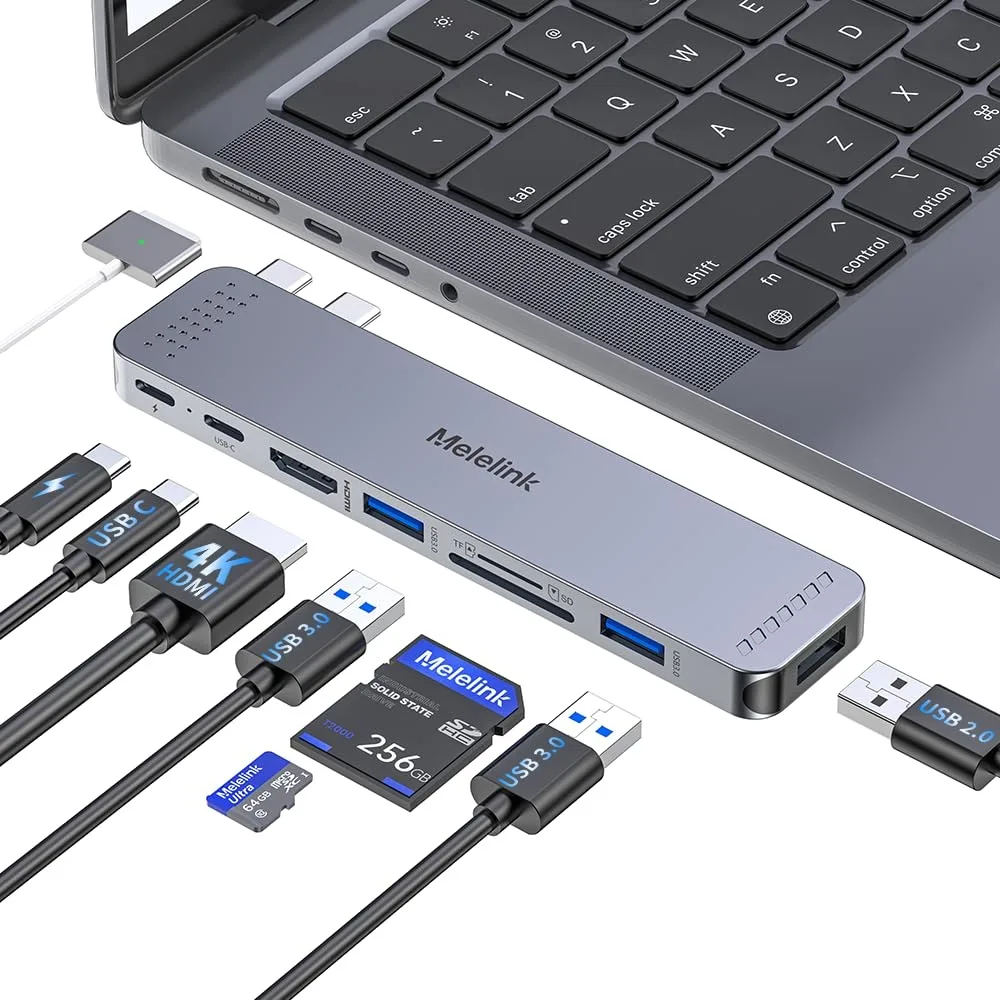
Melelink 7630/G15 14-in-1 docking station
Connects a laptop to three external displays, wired networking, six USB peripherals, SD cards and audio through a single USB-C cable
- ColorAluminium silver
- CompatibilityWork with the Laptop has thunderbolt 3/4 /USB-C 3.1 Gen1/Gen
- Ports Spec14, 6, 2, hdmi, displayport
- Weight0.181 kilograms
- Features14 ports including 6 USB ports and 2 HDMI ports. Compatible
Option 14-in-1
- 14-in-1
- 8-in-2
- Triple display at 1080p or dual 4K plus 1080p via HDMI and DisplayPort
- 100W PD input with 87W laptop charging from a single USB-C cable
- Four 5Gbps USB ports plus SD reader and Gigabit Ethernet for fast peripherals
- Driver-free Windows plug-and-play across Dell, Lenovo, HP, Surface and MacBook
- Lightweight 0.181 kg aluminium body with 3.5mm audio jack for mobile setups
14-in-1 docking station for multi-monitor setups
The Melelink 7630/G15 expands a single USB-C or Thunderbolt 3/4 port into 14 connections. It drives up to three external displays using two HDMI ports and one DisplayPort, making it suitable for professionals who need extended desktop space across multiple screens. Compatible laptops include various Dell XPS, Latitude and Precision models, plus Lenovo ThinkPad, HP EliteBook and MacBook devices with full-featured USB-C.
Driver-free installation with port-mode requirement
The hub works plug-and-play on Windows once the host USB-C port supports Power Delivery and DisplayPort Alternate Mode. If the port lacks video-out capability the HDMI and DisplayPort outputs will stay dark, which is the most common reason users think the unit is faulty. No driver download is needed, but verifying the laptop's USB-C specification before purchase avoids that issue.
Sustained 87 W pass-through charging under full load
With a 100 W power adapter connected, the dock delivers up to 87 W to the laptop while all 14 ports are active, including dual 4K video, Gigabit Ethernet and four 5 Gbps USB ports. The aluminium enclosure dissipates heat during extended sessions so charging and data rates remain stable without throttling. MacBook users should note that macOS mirrors rather than extends across the three screens.
Highlights
- Triple display at 1080p or dual 4K plus 1080p via HDMI and DisplayPort
- 100W PD input with 87W laptop charging from a single USB-C cable
- Four 5Gbps USB ports plus SD reader and Gigabit Ethernet for fast peripherals
- Driver-free Windows plug-and-play across Dell, Lenovo, HP, Surface and MacBook
- Lightweight 0.181 kg aluminium body with 3.5mm audio jack for mobile setups
Specifications
| Brand | Melelink |
|---|---|
| Color | Aluminium silver |
| Compatibility | Work with the Laptop has thunderbolt 3/4 /USB-C 3.1 Gen1/Gen2(with DP)/ USB-C 3.2 Gen 1/Gen2(with DP);Dell XPS 12 2-IN-1 9250/XPS 13 Laptop 9315 9340 9315 9350 9360 9370 9380 9320/XPS/Dell Latitude 3540 Laptop Model/Latitude 3440/3340 or 2-in-1/3450/3550/3110/3140/3420/3445/3510/3500/3520/3540/3571/Alienwarex14/x15/x16/x17 R2 Gaming Laptop/Dell Alienware x15 R7 Gaming Laptop/Alienware m16/m18 Gaming Laptop/HP Spectre Laptop 13-af001TU/Spectre x360 13t/Spectre folio (13t-ak000cto)/HP Spectre x2/HP Spectre x360/HP Elite×2 1012/HP Elitebook Folio G1/HP ZBook 15 G3/HP Laptop 13-af001TU/H |
| Ports Spec | 14, 6, 2, hdmi, displayport |
| Weight | 0.181 kilograms |
| Features | 14 ports including 6 USB ports and 2 HDMI ports. Compatible with Work with the Laptop has thunderbolt 3/4 /USB-C 3.1 Gen1/Gen2(with DP)/ USB-C 3.2 Gen 1/Gen2(with DP);Dell XPS 12 2-IN-1 9250/XPS 13 Laptop 9315 9340 9315 9350 9360 9370 9380 9320/XPS/Dell Latitude 3540 Laptop Model/Latitude 3440/3340 or 2-in-1/3450/3550/3110/3140/3420/3445/3510/3500/3520/3540/3571/Alienwarex14/x15/x16/x17 R2 Gaming Laptop/Dell Alienware x15 R7 Gaming Laptop/Alienware m16/m18 Gaming Laptop/HP Spectre Laptop 13-af001TU/Spectre x360 13t/Spectre folio (13t-ak000cto)/HP Spectre x2/HP Spectre x360/HP Elite×2 |
Other versions of this model
1 more in the same range
Same family, different memory, cooler or clock — compare before you commit.

Questions about this item
How can I confirm the Melelink 7630/G15 is delivering 87W power to my laptop after connecting the 65W adapter?
The dock accepts 100W input and provides up to 87W output; your laptop's battery indicator will show charging when the 65W adapter is plugged into the dock's PD port.
Which cables or adapters are included with the Melelink 7630/G15 and what must I supply myself?
The unit comes with the dock only; you need to provide your own 65W USB-C power adapter and any HDMI or DisplayPort cables for the two HDMI and one DP video outputs.
Should I choose the triple-display Windows mode or the dual-display Mac mode for my Melelink 7630/G15?
Windows laptops with thunderbolt can run triple 1080P or dual 4K plus 1080P; MacBooks only mirror across the two HDMI and one DP ports, so pick the mode matching your OS.
Also in this aisle
People compared these
Same shelf, same checkout — eight coins and a 30-minute rate lock.


Kensington
Kensington Desk Mount Cable Anchor K64613WW accessory
- Black
- Provides a secure a…
$19.99
0.00023171BTC
In stock
Panasonic
Panasonic CF-VDR291U laptop cooling pad
- Optical Drive
- Buffer Size: 2 MB B…
$213.99
0.00248041BTC
In stock
eReplacements
eReplacements PB992A-ER laptop battery 14.4V
- Battery
- Lithium-Ion
$65.99
0.00076491BTC
In stock