


MCHOSE
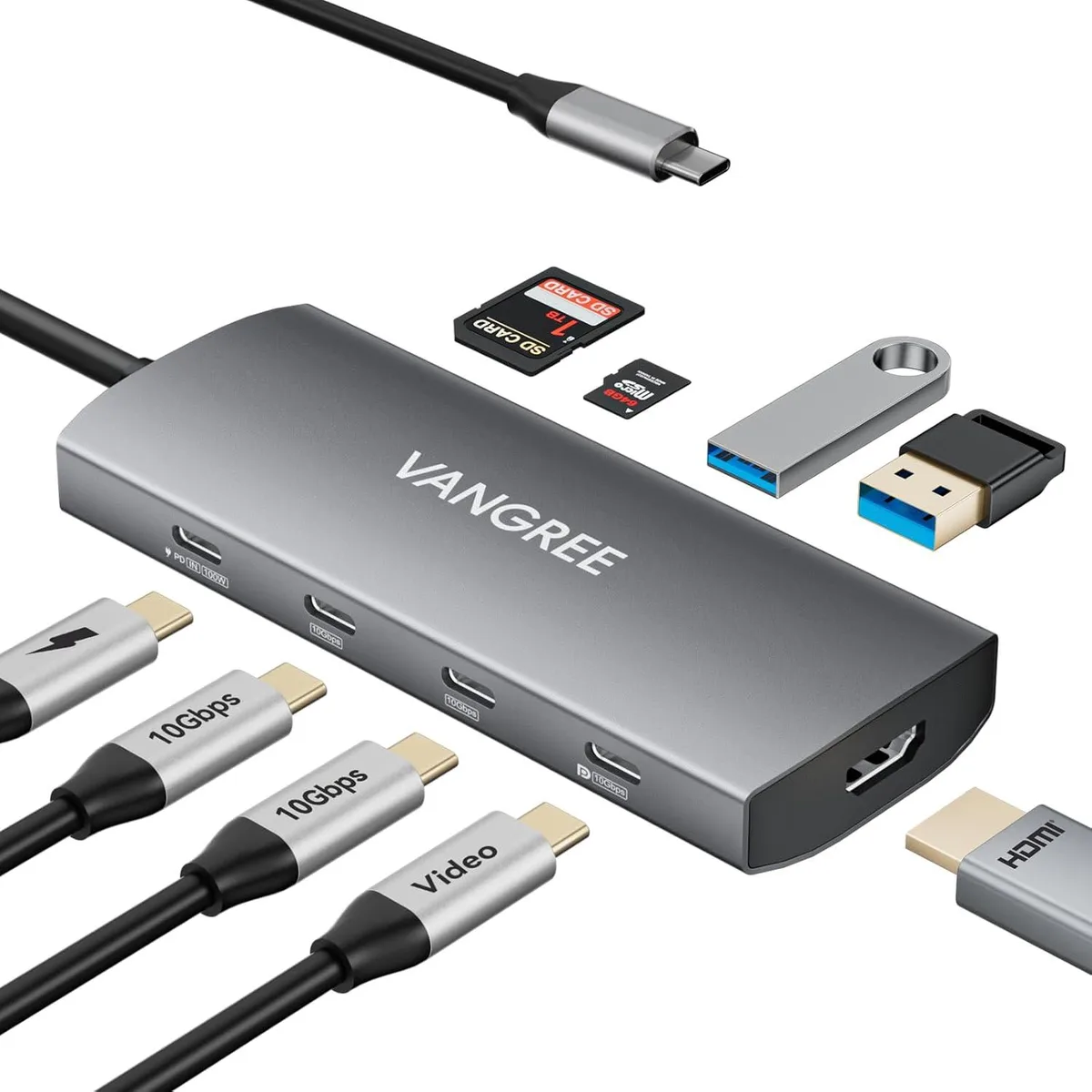
MCHOSE 9-in-1 USB Display Adapter 4K@60Hz HDMI USB-C DP 100W PD 10Gbps 3×USB-C 2×USB-A SD/TF
Expands one USB-C port into three 10 Gbps USB-C ports, two 10 Gbps USB-A ports, 4K 60 Hz HDMI, USB-C DisplayPort 4K 60 Hz, 100 W power delivery and SD/TF card reader
- TypeUSB Hubs
- 4K@60Hz dual-monitor output via HDMI and USB-C DisplayPort
- 100W power delivery keeps laptop charged while hub is in use
- 10Gbps data transfer on three USB-C and two USB-A 3.2 ports
- SD and TF card reader built in for quick media access
- HDR support on HDMI delivers richer colours and deeper contrast
9-in-1 USB-C hub for dual 4K monitors
This 9-in-1 USB-C hub adds two 4K@60Hz video outputs, three USB-C 3.2 10Gbps ports, two USB-A 3.2 10Gbps ports and an SD/TF card reader through a single host connection. It targets users who need simultaneous dual-monitor extension and high-speed peripheral access from one port.
Check host port and OS multi-stream support
Verify your device supplies a USB-C port with DisplayPort Alt Mode and sufficient power delivery for 100W pass-through charging. Windows systems require MST for dual independent displays; macOS provides only SST mirroring across both outputs.
Aluminium casing aids heat dissipation
The compact aluminium shell manages heat during sustained 10Gbps data transfers and dual 4K video output. Fixed cables keep connectors aligned but limit placement flexibility; the 100W PD port reserves up to 100W for host charging while hub peripherals share remaining bus power.
Highlights
- 4K@60Hz dual-monitor output via HDMI and USB-C DisplayPort
- 100W power delivery keeps laptop charged while hub is in use
- 10Gbps data transfer on three USB-C and two USB-A 3.2 ports
- SD and TF card reader built in for quick media access
- HDR support on HDMI delivers richer colours and deeper contrast
Specifications
| Type | USB Hubs |
|---|
Questions about this item
What cables or accessories come in the box with the MCHOSE 9-in-1 adapter, and what must I buy separately?
The adapter itself is included; any video cables for the HDMI or USB-C DisplayPort outputs and any SD or TF cards for the card reader must be purchased separately.
Should I use the HDMI port or the USB-C DisplayPort for a 4K 60 Hz monitor, and does the choice change on macOS?
Both ports deliver 4K at 60 Hz; Windows can drive two monitors via MST while macOS is limited to SST mirroring, so pick the port that matches your monitor cable.
When the spec says 10 Gbps on the three USB-C and two USB-A ports, what real-world transfer speed should I expect?
The 10 Gbps rating is the interface ceiling; actual throughput depends on the attached drive and cable quality, but typical sustained copies land well below the theoretical maximum.
New to this? Which coin should you pay with — what to check, what it costs to pay, and what is never asked for.
Also in this aisle
People compared these
Same shelf, same checkout — eight coins and a 30-minute rate lock.



Black Box Corporation
Black Box Corporation CAT6 EZ-RJ45 Modular Plugs 100-Pack
$95.99
0.00114903BTC
In stock
