


MCHOSE
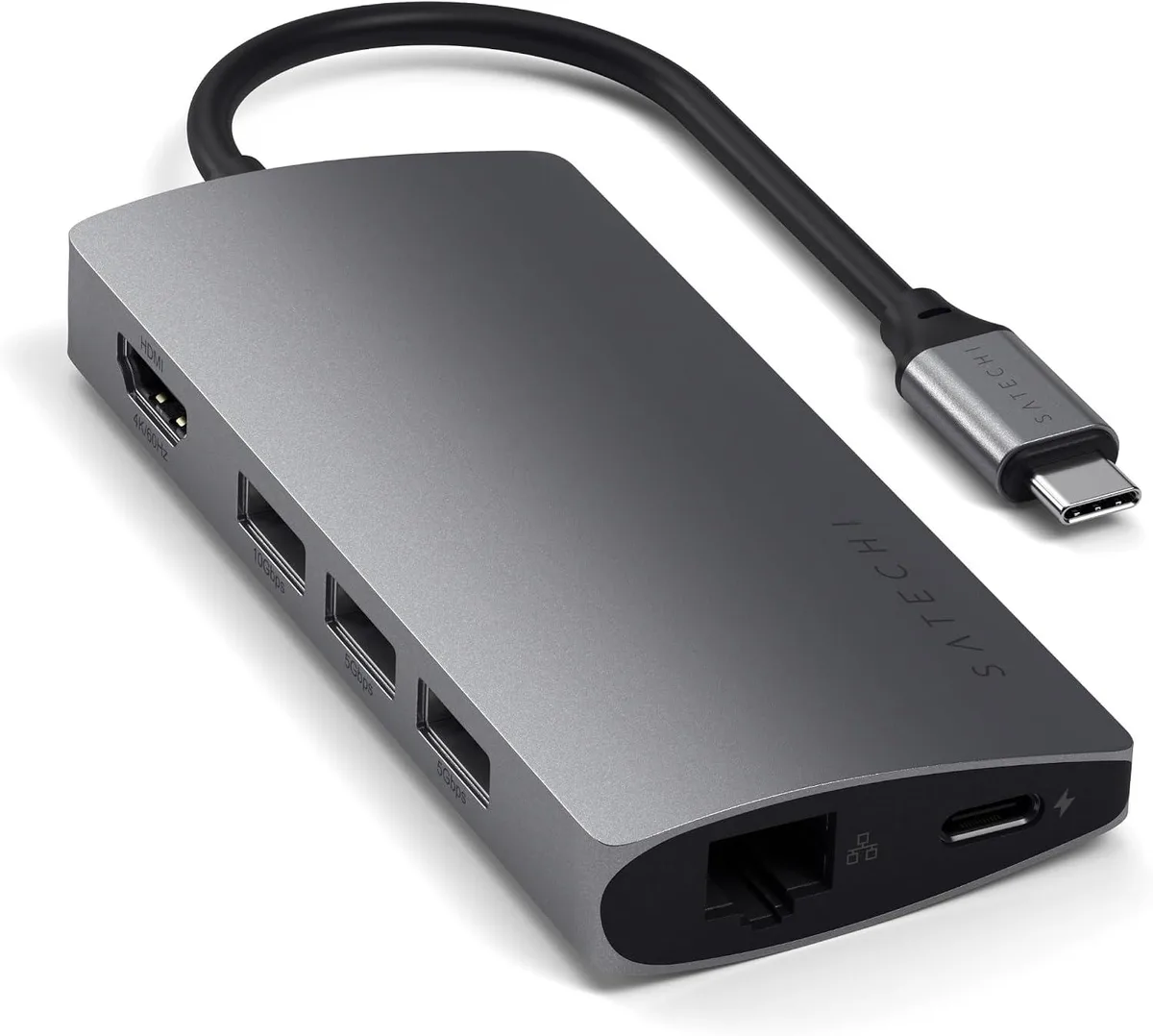
MCHOSE 8-in-1 USB-C Hub V2 4K 60Hz HDMI 115W PD 3 USB-A 3.0 Gigabit Ethernet Micro/SD Space Gray
An 8-in-1 USB-C hub adds 4K 60Hz HDMI, Gigabit Ethernet, three USB-A 3.0 ports, micro/SD card readers and 115W pass-through charging from a single port
- TypeUSB Hubs
- 4K 60Hz video output from a single USB-C port
- 115W USB-C pass-through charging keeps the laptop powered
- Three USB-A 3.0 ports connect legacy peripherals
- Gigabit Ethernet up to 1000Mbps for wired networking
- Micro and SD card readers speed up media workflows
Multiport Adapter for USB-C Devices
This 8-in-1 USB-C hub expands a single port into HDMI video, Gigabit Ethernet, three USB-A 3.0 ports, micro/SD card readers and 115 W pass-through charging. It is built for professionals who need a compact desktop or travel dock for MacBook Air, MacBook Pro, Windows laptops or iPad Pro.
Suited for single-port workflows
The aluminum hub serves users who want 4K 60 Hz external display output, wired 1000 Mbps networking and legacy USB-A peripherals from one connection. Buyers who need additional USB-C downstream ports or more than three USB-A ports should look at a different class of dock.
4K 60 Hz HDMI output
The single specification that decides fit is the HDMI port’s support for 4K resolution at 60 Hz, which determines whether your monitor or projector can run at its native refresh rate through this adapter.
Highlights
- 4K 60Hz video output from a single USB-C port
- 115W USB-C pass-through charging keeps the laptop powered
- Three USB-A 3.0 ports connect legacy peripherals
- Gigabit Ethernet up to 1000Mbps for wired networking
- Micro and SD card readers speed up media workflows
Specifications
| Type | USB Hubs |
|---|
Questions about this item
How can I confirm the HDMI output is running at 4K 60Hz after connecting the hub?
Open your operating system display settings and check that the external monitor is detected at 4K resolution with a 60 Hz refresh rate.
What accessories are included and which cables must I provide myself?
The package contains the 8-in-1 hub and a user manual; you will need to supply your own HDMI cable, Ethernet cable, USB-A peripherals and a USB-C power adapter for pass-through charging.
Which version should I choose if I need the highest power delivery for charging my laptop?
This V2 model supports up to 115 W USB-C Power Delivery pass-through, making it the highest-rated option in the lineup for laptop charging.
New to this? Which coin should you pay with — what to check, what it costs to pay, and what is never asked for.
Also in this aisle
People compared these
Same shelf, same checkout — eight coins and a 30-minute rate lock.



Black Box Corporation
Black Box Corporation CAT6 EZ-RJ45 Modular Plugs 100-Pack
$95.99
0.00114592BTC
In stock
