


Magicard
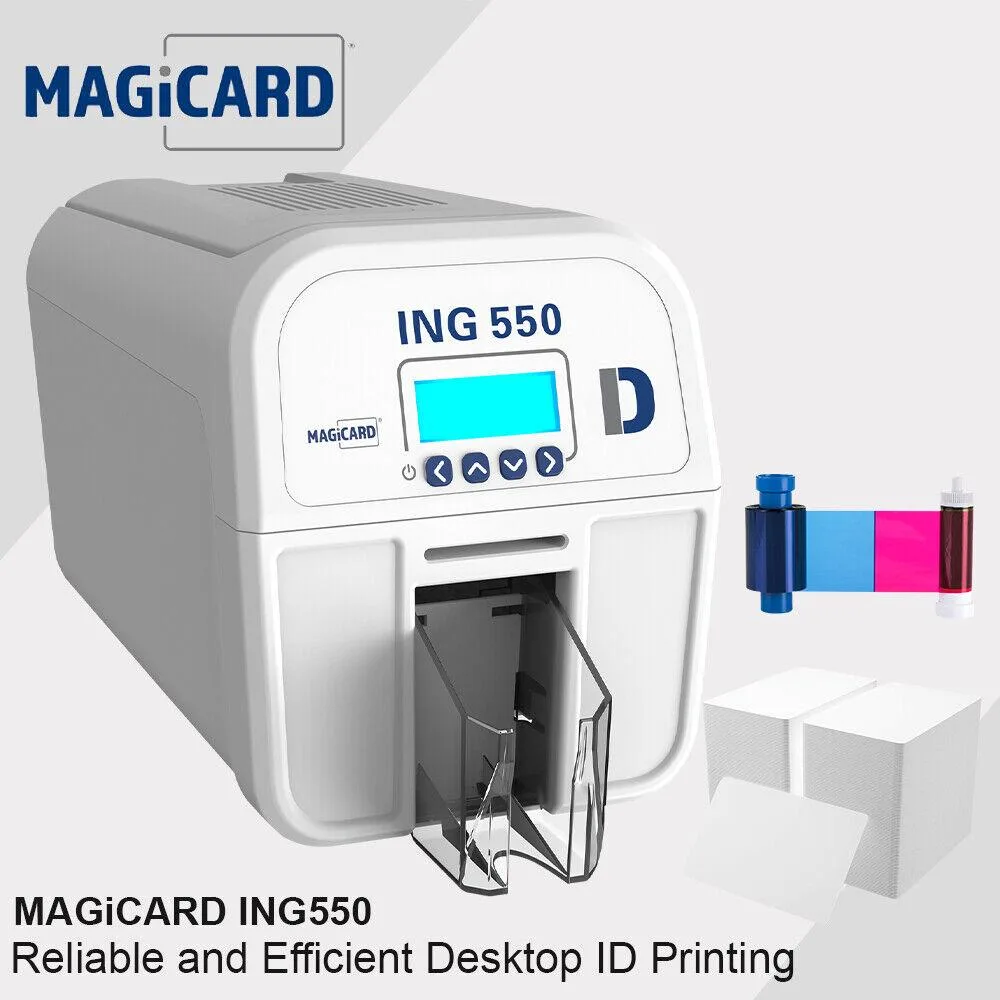
Magicard ING550 Dual-Sided ID Card Printer USB Ethernet Double Side 250 Cards
Dual-sided ID card printer with USB and Ethernet connectivity, 250 PVC cards included, prints full colour with HoloKote watermark in under 23 seconds and features digital data shredding
- Digital shredding fragments used data for security
- Anti-fraud HoloKote watermark on every printed card
- Vibrant colour spectrum with optional 600 dpi resin quality
- Network integration enables easy set-up with existing infrastructure
- Full colour cards with HoloKote print in under 23 seconds
Magicard ING550 ID card printer
The Magicard ING550 prints dual-sided PVC identification cards at up to 600 dpi resin quality. It ships with 250 blank cards so organisations can start issuing secure credentials immediately. USB and Ethernet interfaces allow direct or networked deployment in offices, schools and access-control environments. Digital shredding fragments print-job data after each use to prevent recovery.
Security and print quality features
Every card can carry a HoloKote anti-fraud watermark and up to four custom HoloKote designs loaded via the manufacturer's web tool. A wide colour spectrum produces vibrant photographs and accurate corporate logos on each 550-micron card. Digital shredding ensures the printer does not retain sensitive personal data after a job finishes.
Speed and sustained operation
Full-colour cards with HoloKote are produced in under 23 seconds per side, supporting continuous issuance without long pauses. The mechanism is engineered for high durability, lowering the risk of failure and reducing the need for operator intervention during extended print runs. Network integration simplifies set-up and keeps the workflow moving across multiple workstations.
Highlights
- Digital shredding fragments used data for security
- Anti-fraud HoloKote watermark on every printed card
- Vibrant colour spectrum with optional 600 dpi resin quality
- Network integration enables easy set-up with existing infrastructure
- Full colour cards with HoloKote print in under 23 seconds
Specifications
No published specifications for this item yet.
Questions about this item
How do I install the Magicard ING550 and what step is often missed?
Connect the printer via USB or Ethernet, load the 250 supplied PVC cards, install the driver, then enable the HoloKote watermark in the printer settings — many users skip this security feature.
What maintenance or replacement will the Magicard ING550 need later?
The printer uses a ribbon and cleaning rollers that require periodic replacement; digital shredding prevents data retention, so no internal storage sanitisation is needed.
What limit appears first during sustained printing on the Magicard ING550?
Each full-colour card with HoloKote prints in under 23 seconds, so the 250-card input capacity is the first bottleneck during long runs.
Also in this aisle
People compared these
Same shelf, same checkout — eight coins and a 30-minute rate lock.



CHIEF MANUFACTURING
CHIEF MANUFACTURING CMS018 18" 457 mm Fixed Extension Column projector accessory
- Extension Column
- Projector
$22.99$22.99
0.00026661BTC
In stock