


LXHY
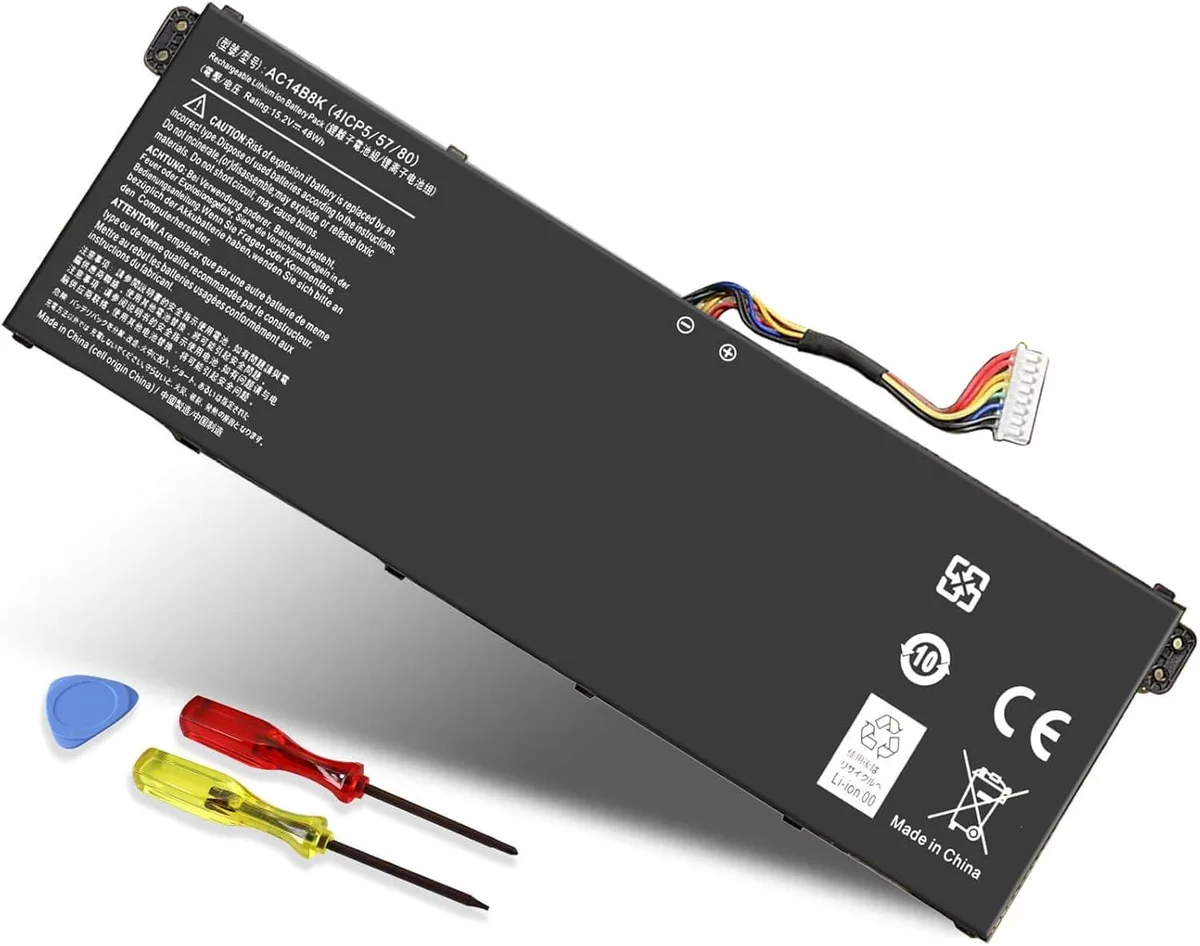
LXHY AC14B8K 15.2V 48Wh laptop battery
Replacement lithium-ion battery rated 15.2V and 48Wh for Acer Predator Helios 300, Nitro 5, Swift 3 and other compatible models
- ColorBlack
- TypeBattery
- Battery TypeLithium-Ion
- Battery Voltage15.2V
- Battery Capacity3158mAh
- Replacement for Acer AC14B8K and 4ICP5/57/80 part numbers
- 2V 48Wh lithium-ion cell delivers rated capacity
- 3158mAh capacity supports extended mobile use
- Compatible with Predator Helios 300 PH315-51 and Nitro 5 AN515-53
- Includes two screwdrivers and fitting instructions
Replacement battery for Acer laptops
The LXHY AC14B8K is a lithium-ion replacement battery rated at 15.2 volts and 48 watt-hours. It fits a wide range of Acer models including Predator Helios 300, Nitro 5, Aspire, Swift 3, Chromebook 15, TravelMate and Packard Bell EasyNote series. The pack ships new and includes two screwdrivers plus an instruction sheet for straightforward installation.
Thermal and power characteristics
As an internal battery it produces no audible noise and draws no power from the mains while the laptop runs on battery. Heat output is limited to the normal warm-up of the cells during discharge and charge cycles. The 3158 milliampere-hour capacity at 15.2 volts supplies the rated 48 watt-hours for typical mobile workloads.
Build integration
The battery replaces OEM part numbers AC14B8K, 4ICP5/57/80, 4ICP5/57/81, KT.0040G.004 and KT.0040G.006 without modification. It is not compatible with part numbers AC14B3K, AP18E7M or AC14B18J. The included screwdrivers free you from sourcing tools separately, and the black three-cell pack fits the existing battery bay in the supported chassis.
Highlights
- Replacement for Acer AC14B8K and 4ICP5/57/80 part numbers
- 2V 48Wh lithium-ion cell delivers rated capacity
- 3158mAh capacity supports extended mobile use
- Compatible with Predator Helios 300 PH315-51 and Nitro 5 AN515-53
- Includes two screwdrivers and fitting instructions
Specifications
| Model | AC14B8K |
|---|---|
| Color | Black |
| Type | Battery |
| Battery Type | Lithium-Ion |
| Battery Voltage | 15.2V |
| Battery Capacity | 3158mAh |
Questions about this item
How do I install the AC14B8K battery and what step do people often miss?
Power off the laptop, unplug the adapter, remove the bottom screws with the included screwdrivers, disconnect the old battery cable, connect the new AC14B8K cable firmly, replace the cover and screws, then charge fully before first use.
What maintenance will the AC14B8K need later?
The 3-cell lithium-ion pack requires no scheduled maintenance; keep the laptop cool, avoid storing it at full or zero charge for weeks, and replace the battery when runtime drops below your needs.
What limit appears first during sustained use of the AC14B8K?
The 48 Wh capacity sets the runtime ceiling; under continuous load the 15.2 V pack will deplete in proportion to the laptop's power draw, so heavy workloads drain it faster than light ones.
Also in this aisle
People compared these
Same shelf, same checkout — eight coins and a 30-minute rate lock.


Kensington
Kensington Desk Mount Cable Anchor K64613WW accessory
- Black
- Provides a secure a…
$19.99
0.00023718BTC
In stock
Panasonic
Panasonic CF-VDR291U laptop cooling pad
- Optical Drive
- Buffer Size: 2 MB B…
$213.99
0.00253895BTC
In stock
eReplacements
eReplacements PB992A-ER laptop battery 14.4V
- Battery
- Lithium-Ion
$65.99
0.00078296BTC
In stock