LUOM
LUOM JCC529 N300 wireless range extender 2.4 GHz 300 Mbps
Extends 2.4 GHz Wi-Fi up to 300 Mbps with one gigabit LAN and one gigabit WAN port for wired devices
- StandardsIEEE 802.11b/g/n
- Wireless StandardIEEE 802.11n
- Device ManagementWeb-Based
- Security64/128-Bit WEP, WPA, WPA2
- WPAWPA2
- WAN Ports1 x 10/100/1000M
- Extends Wi‑Fi up to 300 Mbps with N300 wireless standard
- Eliminates dead zones indoors up to 60 feet and outdoors up to 80 feet
- Two Gigabit Ethernet ports connect wired devices like smart TVs or consoles
- Works with any 2.4 GHz 802.11 b/g/n router for universal compatibility
- WPS button plus web management give quick, secure setup with WPA2 encryption
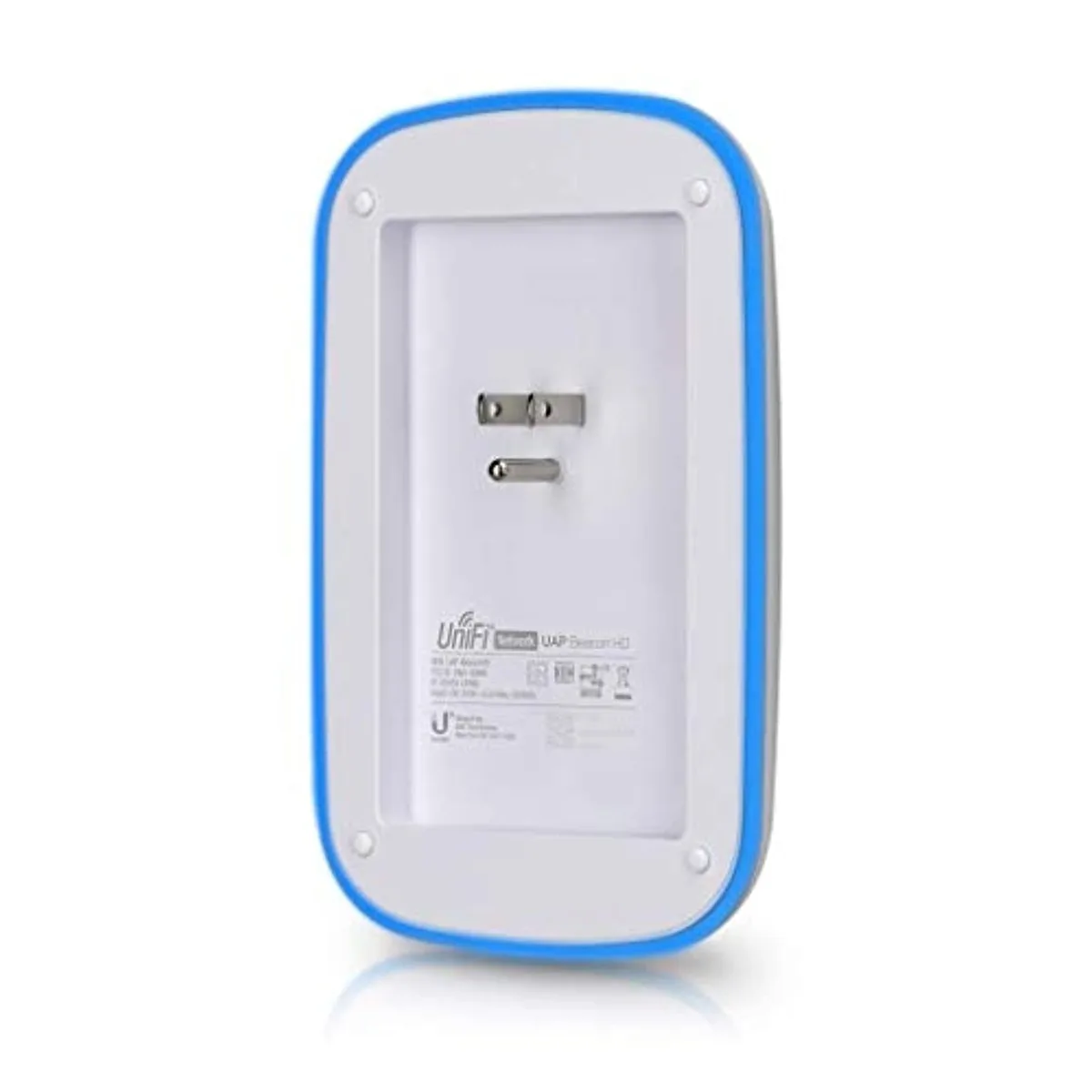
Compact N300 wall-plug extender
The LUOM JCC529 plugs directly into a mains socket and repeats a 2.4 GHz 802.11n signal at up to 300 Mbps. It is aimed at households or small offices that need to push Wi-Fi into rooms the main router cannot reach. Setup is handled through a web interface or the WPS button.
Build and daily connectivity
The unit uses internal antennas and a single RJ-45 port that serves as both WAN and LAN at 10/100/1000 Mbps, so a smart TV, games console or PC can be wired while the extender bridges wirelessly. LEDs show power, wireless status, WAN, WLAN and link activity, and a reset button returns the device to defaults.
Upgrade path and limits
The extender replaces a weaker or missing signal in dead zones up to 60 feet indoors or 80 feet outdoors, delivering throughput below 500 Mbps. It suits buyers who only need 2.4 GHz coverage for smart-home devices such as cameras or doorbells. It does not serve clients that require 5 GHz bands, higher 802.11ac/ax speeds or multi-gigabit wired links.
Highlights
- Extends Wi‑Fi up to 300 Mbps with N300 wireless standard
- Eliminates dead zones indoors up to 60 feet and outdoors up to 80 feet
- Two Gigabit Ethernet ports connect wired devices like smart TVs or consoles
- Works with any 2.4 GHz 802.11 b/g/n router for universal compatibility
- WPS button plus web management give quick, secure setup with WPA2 encryption
Specifications
| Brand | LUOM |
|---|---|
| Model | JCC529 |
| Standards | IEEE 802.11b/g/n |
| Wireless Standard | IEEE 802.11n |
| Device Management | Web-Based |
| Security | 64/128-Bit WEP, WPA, WPA2 |
| WPA | WPA2 |
| WAN Ports | 1 x 10/100/1000M |
| LAN Ports | 1 x 10/100/1000M |
| LEDs | Power,Wireless,WAN, WLAN, Link/Activity |
| Buttons | Reset, WPS |
| Wireless Data Rates | Up to 300Mbps |
| Throughput | < 500Mbps |
| Operating Range | Indoor: Up to 60 feet, Outdoor: Up to 80 feet |
| Frequency Band | 2.4 GHz |
| Channels | 1~11 CH(N.America), 1~13 CH (EU), 1~14 CH(Japan) |
| Receiver Sensitivity | 82 dBm 11Mbps (typical) |
| Operation Mode | Wireless Repeater Mode |
| Interface | RJ-45 |
| Power Supply | 100 - 240V AC 50/60 Hz |
| Wireless Adapter included | Yes |
| System Requirements | Windows 98SE, ME, 2000, XP ,Vista |
| Temperature | 10°C - 40°C (50°F - 104°F) |
| Humidity | 10% - 95%, Non-Condensing |
| Windows Vista | Works with Windows Vista |
| Registration Phone | 1-800-Go-Cisco |
Questions about this item
What does the IEEE 802.11n standard mean for real-world speed on the 2.4 GHz band?
The extender tops out at 300 Mbps on 2.4 GHz, but actual throughput stays below 500 Mbps and will be lower with walls or interference.
Does the LUOM JCC529 need a shelf or can it plug straight into the wall?
It is a compact wall-plug design that goes directly into a 100–240 V AC outlet; no shelf or separate power brick is required.
How do I set it up using the WPS button, and what is the common mistake?
Press the WPS button on your router, then press the WPS button on the extender within two minutes; the mistake is waiting too long or pressing the reset button instead.
Also in this aisle
People compared these
Same shelf, same checkout — eight coins and a 30-minute rate lock.