

Knox Gear, Inc.
Knox Gear KN-GC02 39" Hard Shell Guitar Case Gold Hardware
- Guitar Bag
$62.99
0.00073258BTC
In stockWe take cryptocurrency — so the coins you hold can buy real hardware.Pay in crypto, spend it on real hardware. Free insured shipping worldwide over $399. Plain, unbranded boxes, sent from Germany.Free insured shipping over $399. Your rate is locked for 30 minutes once checkout opens.Rate locked 30 minutes. Every item sealed, serial-checked and covered by a 24-month warranty.Sealed, 24-month warranty.


LORDWORLD
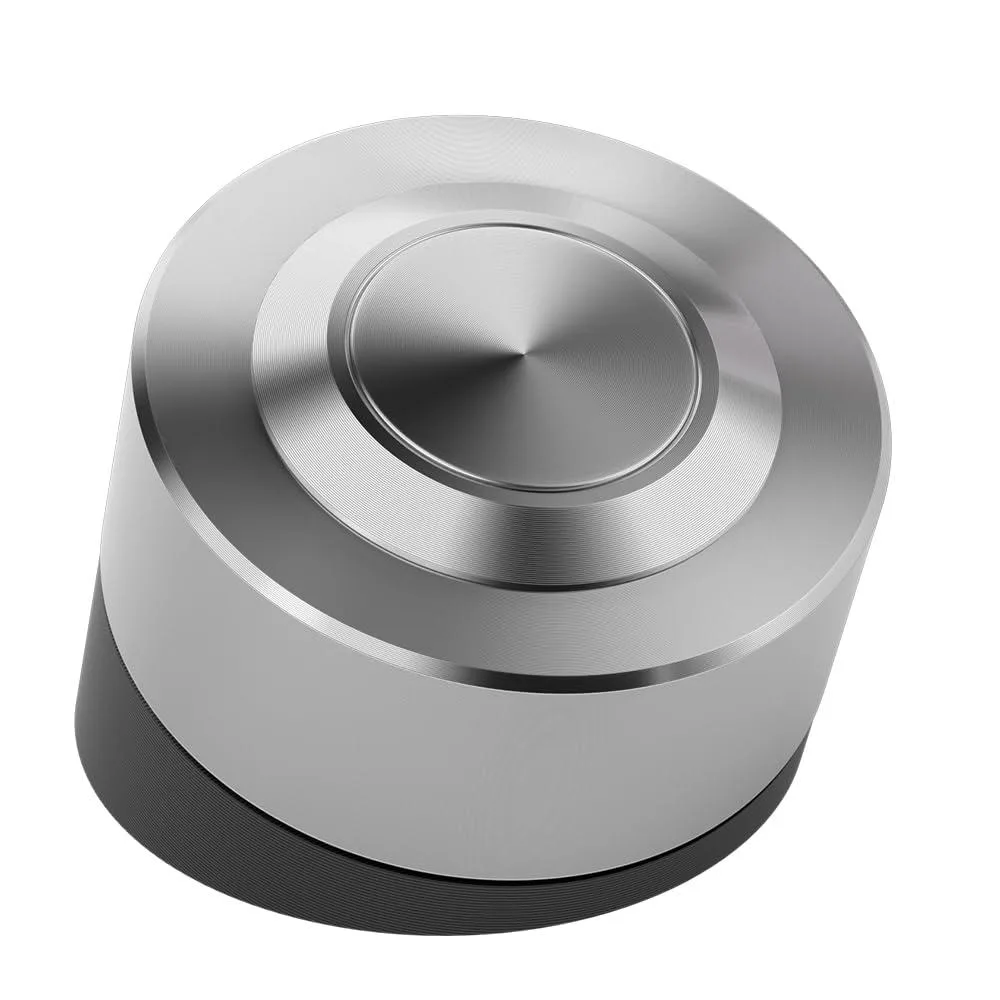
Wireless 304 stainless steel button relocates PC power control for hard-to-reach builds, powered by USB 2.0 header or PCIe slot with included splitter cable
This stainless-steel remote relocates the desktop power switch to an accessible spot. It suits home, server, barebone and water-cooled builds where the case button is hidden or broken. The wireless receiver connects to the motherboard so the button can sit outside the chassis.
The unit draws standby power only from a USB 2.0 header or a PCIe slot, using one source at a time. Enabling 'Always On USB' or disabling ERP in BIOS keeps the receiver alive without fans or extra cables. The 304 stainless body resists corrosion and EMI for stable wireless signalling.
Installation needs a free USB 2.0 header or any PCIe X1/X4/X8/X16 slot plus the included splitter to keep the original switch working. An adhesive pad lets you mount the button inside or outside the case. Builders who need Bluetooth pairing or software macros will not find those features here.
| Brand | LORDWORLD |
|---|
Plug the receiver into either a USB 2.0 header or a PCIe slot — use only one. For USB power enable 'Always On USB' in BIOS; for PCIe power disable 'ERP' in BIOS.
The 304 stainless steel resists corrosion, scratches and drops; occasional cleaning with a soft cloth keeps the finish looking new.
The wireless link relies on the motherboard staying powered; if the USB header or PCIe slot loses standby power the button stops working until power returns.
Also in this aisle
Same shelf, same checkout — eight coins and a 30-minute rate lock.
What you pay in, and what you read prices in.
Sent from your wallet at checkout
Display only — the catalogue is priced in USD
No currency matches that.
Pick the language the site speaks to you in.
No language matches that.
New here?
Already have one?
There is no automatic reset: this shop sends no mail, so there is no one-time link to ask for. Leave the address on the account and it gets picked up by hand.
Request noted
Nothing is on its way to your inbox — this shop sends no mail at all. Someone picks these up by hand.
Remembered it?


