


LORDWORLD
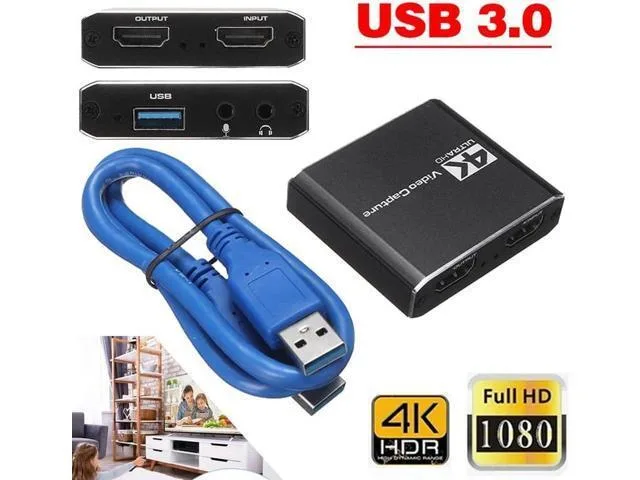
LORDWORLD USB Microphone with HDMI Loop-Out
Captures 4K@60fps HDMI input and streams 1080p@60fps via USB 2.0 with 4K@30fps loop-out for lag-free recording
- Capture 4K@60fps gameplay via HDMI input
- Stream 1080p@60fps over USB 2.0 to OBS
- Loop out 4K@30fps to a monitor while recording
- Plug-and-play on Windows, macOS 10.9+ and Linux
- Works with PS4, Switch, cameras and DSLRs
Capture card with microphone loop-out
This capture card accepts 4K@60fps HDMI input and passes a clean 4K@30fps loop-out signal while streaming 1080p@60fps over USB 2.0 or 3.0. It works plug-and-play with OBS and similar software on Windows 7, 8, 10, Mac OS X 10.9+, and Linux. The integrated microphone input lets you add live commentary without a separate audio interface.
Upgrade from basic USB webcams or software capture
Creators still relying on a webcam microphone or CPU-bound screen capture gain hardware-accelerated 1080p60 streaming with near-zero latency. The jump is worth it when you need simultaneous local monitoring at up to 4K30 and a dedicated mic feed for Twitch, YouTube, or conference calls.
Check your HDMI source and USB port
Verify your console, camera, or PC outputs HDMI at 4K60 or lower and that you have a free USB 2.0 or 3.0 port for the capture stream. The loop-out requires a display or recorder that accepts up to 4K30 input. No external power adapter is mentioned, so confirm the USB port can supply enough current for the device.
Highlights
- Capture 4K@60fps gameplay via HDMI input
- Stream 1080p@60fps over USB 2.0 to OBS
- Loop out 4K@30fps to a monitor while recording
- Plug-and-play on Windows, macOS 10.9+ and Linux
- Works with PS4, Switch, cameras and DSLRs
Specifications
| Brand | LORDWORLD |
|---|
Questions about this item
What HDMI connectors does the capture card need for the 4K@60fps input and 4K@30fps loop-out?
It has one HDMI input that accepts up to 4K@60fps and one HDMI output that passes through up to 4K@30fps, so you need two HDMI cables — one from the source to the input and one from the output to your display.
Which USB port should I use for the 1080p@60fps stream, and what driver step is required?
Plug the USB cable into a USB 2.0 or 3.0 port; the device is plug-and-play on Windows 7, 8, 10, macOS 10.9 or later and Linux, so no driver installation is needed — just select it in OBS or your streaming software.
Will the aluminium alloy shell need any thermal maintenance over time?
The aluminium alloy casing acts as passive cooling; no fans or thermal paste are involved, so no periodic maintenance is required beyond keeping the vents clear of dust.
Also in this aisle
People compared these
Same shelf, same checkout — eight coins and a 30-minute rate lock.


Black Box Corporation
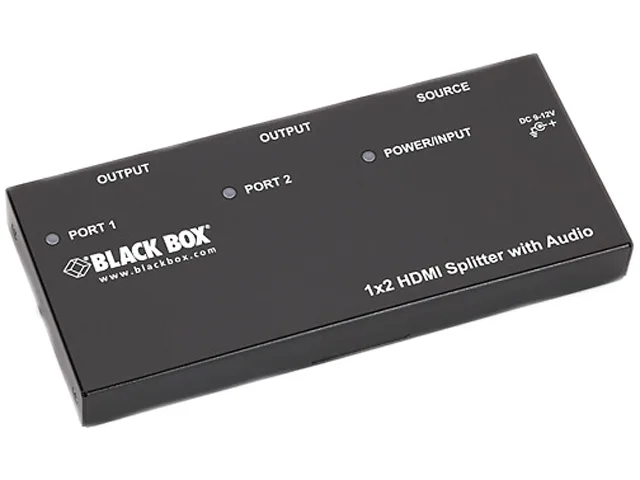
Black Box AVSP-HDMI1X2 HDMI splitter 1×2 with audio
- HDMI
- Approvals: CE, RoHS…
$104.99
0.00121208BTC
In stock