


LORDWORLD
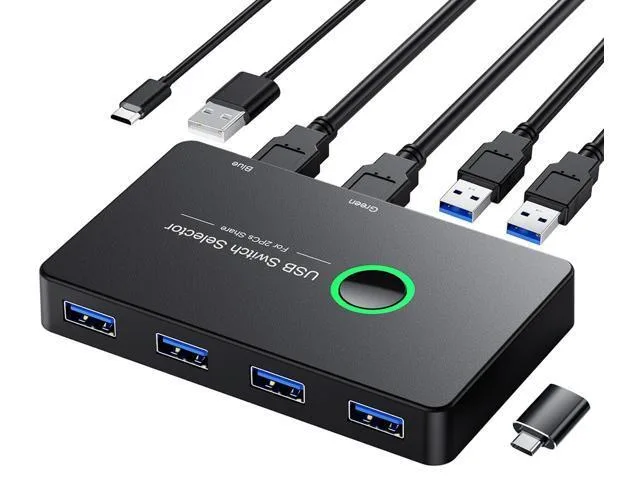
LORDWORLD USB 3.0 KVM Switch 2 Computers 4 Ports
A USB 3.0 KVM switch lets two computers share four peripherals at up to 5Gbps, driver-free on Windows, Mac, Linux and Chrome OS
- Share four USB devices between two computers without cable swapping
- 5 Gbps USB 3.0 transfer speed for high-bandwidth peripherals
- Backward compatible with USB 2.0 and 1.1 devices
- Driver-free plug-and-play on Windows, Mac, Linux and Chrome OS
- One-button switching keeps desk tidy and workflow efficient
Two-Computer USB 3.0 Sharing
This LORDWORLD KVM switch lets two computers share four USB 3.0 peripherals such as keyboards, mice, flash drives, printers or scanners. It removes the need to swap cables or configure network-sharing software. The unit is driver-free and works with Windows 10, 8, 8.1, 7, Vista, XP, Mac OS, Linux and Chrome OS.
Sustained 5 Gbps Data Throughput
Each of the four ports supports USB 3.0 transfer rates up to 5 Gbps during continuous operation, not just in short bursts. The switch maintains that bandwidth for high-bandwidth devices while remaining backward compatible with USB 2.0 and USB 1.1 peripherals. No software overhead is added, so sustained file transfers keep the full link speed.
Passive Cooling and Bus Power
The enclosure uses passive cooling with no fan, so it runs silently in normal desktop use. Power is drawn from the connected computers over the USB links, eliminating an external power brick and keeping desk wiring simple. Typical draw stays within standard USB 3.0 limits for bus-powered hubs.
Highlights
- Share four USB devices between two computers without cable swapping
- 5 Gbps USB 3.0 transfer speed for high-bandwidth peripherals
- Backward compatible with USB 2.0 and 1.1 devices
- Driver-free plug-and-play on Windows, Mac, Linux and Chrome OS
- One-button switching keeps desk tidy and workflow efficient
Specifications
| Brand | LORDWORLD |
|---|
Questions about this item
Does the LORDWORLD USB 3.0 KVM Switch generate noticeable heat or noise when left running all day?
The unit has no fan and no active cooling, so it runs silently and produces negligible heat even during continuous use.
What cables must I already own to connect two computers and four USB 3.0 peripherals to this switch?
You need two USB 3.0 Type-A to Type-B cables for the computer links and standard USB cables for each keyboard, mouse, printer or scanner you want to share.
Will my older USB 2.0 keyboard and USB 1.1 mouse work correctly through the four USB 3.0 ports on this KVM?
Yes, the ports are backward compatible with USB 2.0 and USB 1.1 devices, so legacy keyboards and mice function without any extra setup.
Also in this aisle
People compared these
Same shelf, same checkout — eight coins and a 30-minute rate lock.


Black Box Corporation
Black Box Corporation 4K60 HDMI Dual-Head KVM Switch 4 Port
$774.99
0.00889944BTC
In stock