

Knox Gear, Inc.
Knox Gear KN-GC02 39" Hard Shell Guitar Case Gold Hardware
- Guitar Bag
$62.99
0.0007474BTC
In stockWe take cryptocurrency — so the coins you hold can buy real hardware.Pay in crypto, spend it on real hardware. Free insured shipping worldwide over $399. Plain, unbranded boxes, sent from Germany.Free insured shipping over $399. Your rate is locked for 30 minutes once checkout opens.Rate locked 30 minutes. Every item sealed, serial-checked and covered by a 24-month warranty.Sealed, 24-month warranty.


LORDWORLD
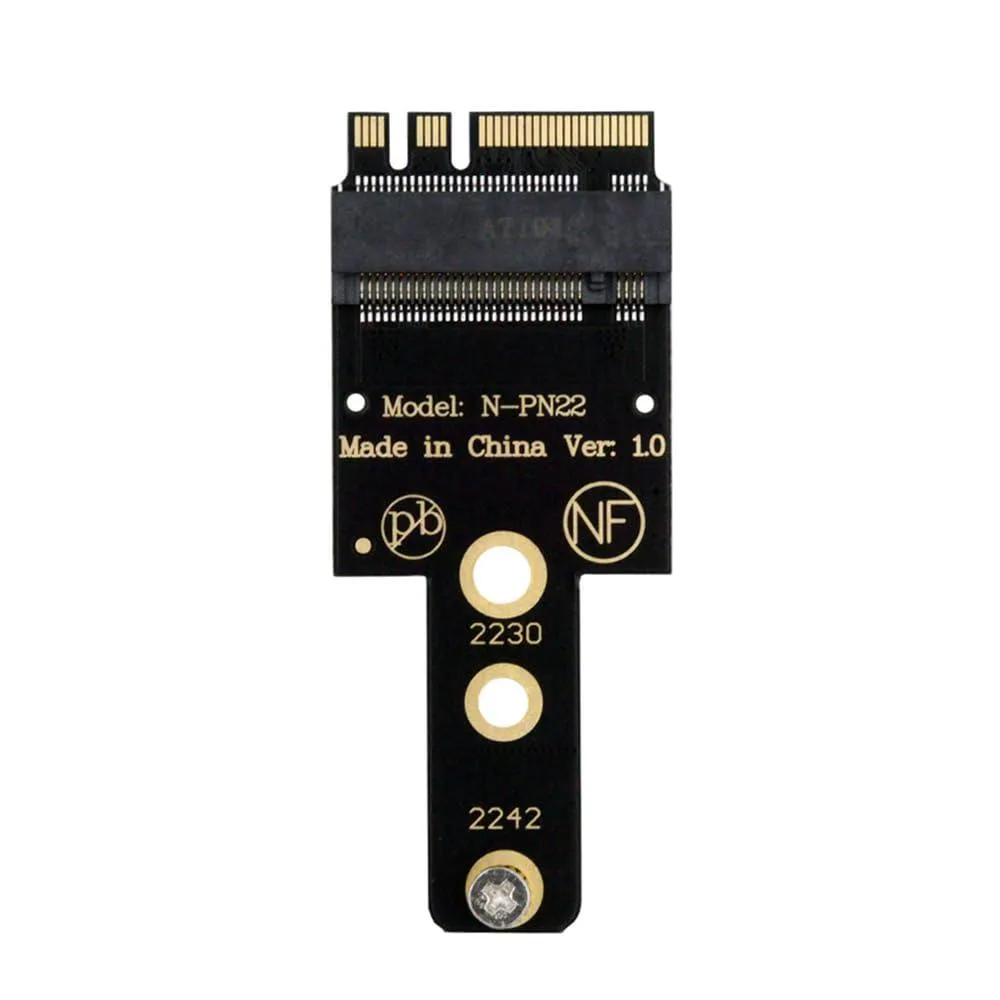
Converts an M.2 A+E slot to accept NVMe M-key 2230 or 2242 SSDs with a 3.2mm slot height
This adapter converts a motherboard M.2 Key A+E socket — normally used for Wi-Fi or Bluetooth modules — into an M.2 Key M slot for NVMe SSDs. It supports 2230 and 2242 form-factor drives and works with Windows 10 and 11 systems.
The board plugs directly into the existing Key A+E connector and provides a 3.2 mm height Key M slot for the SSD. No drivers are required beyond the operating system NVMe support. The adapter only works with PCIe NVMe drives; B-key or B+M-key SATA SSDs will not function.
Verify the motherboard has a free M.2 Key A+E slot with a single notch and PCIe wiring. Confirm the NVMe SSD is 2230 or 2242 length and fits the 3.2 mm slot height. SATA-based M.2 drives are not compatible with this adapter.
| Brand | LORDWORLD |
|---|
Boot into Windows 8, 10 or 11 and confirm the drive appears in Device Manager or Disk Management, showing the expected PCIe NVME capacity.
The package includes the adapter board with a 3.2mm height M-key slot; you must provide a compatible M-key NVME SSD in 2230 or 2242 form factor.
Select a 2230 or 2242 M-key NVME drive no taller than 3.2mm; B/M-key SATA SSDs are not supported.
Also in this aisle
Same shelf, same checkout — eight coins and a 30-minute rate lock.
What you pay in, and what you read prices in.
Sent from your wallet at checkout
Display only — the catalogue is priced in USD
No currency matches that.
Pick the language the site speaks to you in.
No language matches that.
New here?
Already have one?
There is no automatic reset: this shop sends no mail, so there is no one-time link to ask for. Leave the address on the account and it gets picked up by hand.
Request noted
Nothing is on its way to your inbox — this shop sends no mail at all. Someone picks these up by hand.
Remembered it?


