


LORDWORLD
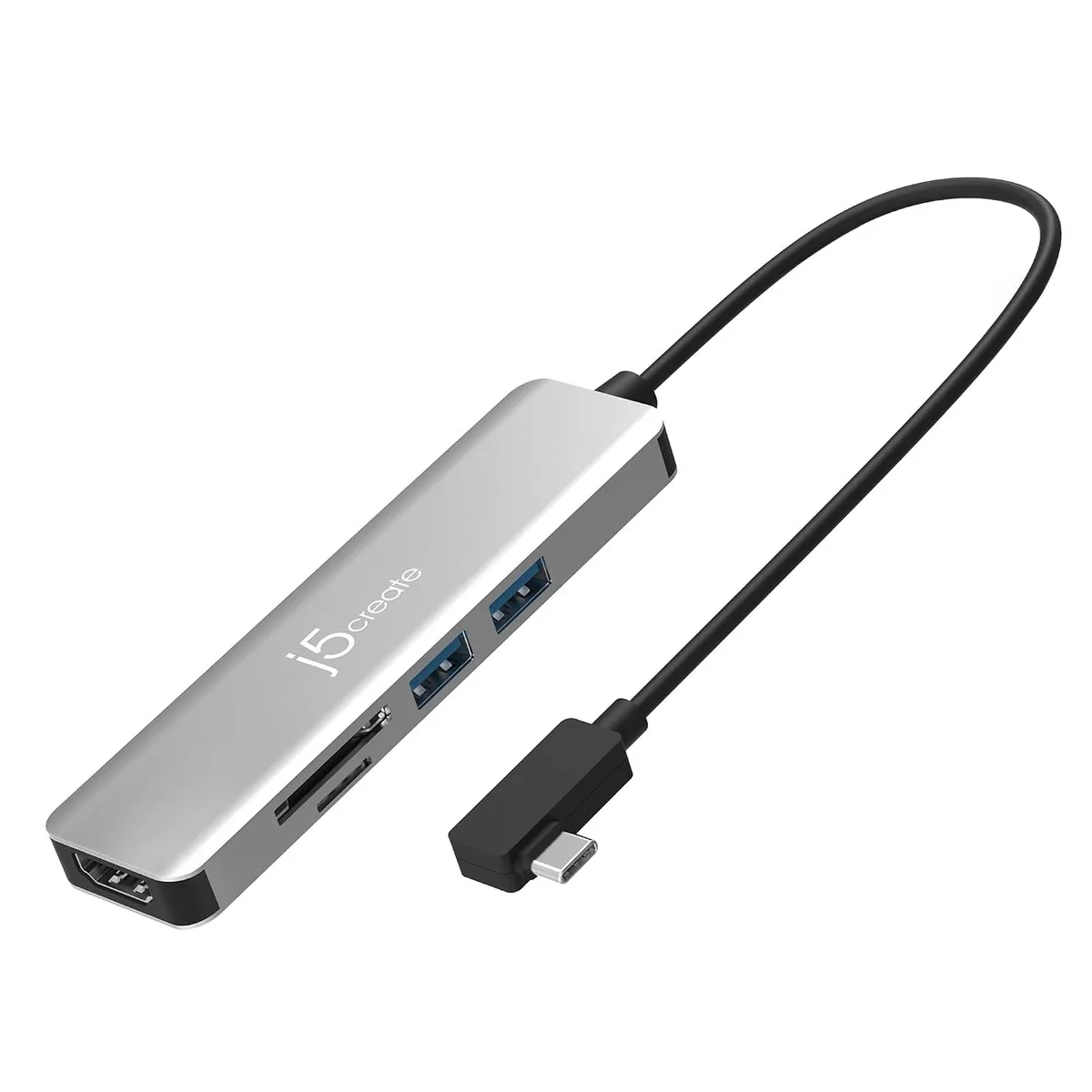
LORDWORLD JCD372S USB-C 3.2 Gen 2 5-Port Adapter 4K HDMI 2 USB-A 10Gbps SD microSD 3.0 90° L-Shape
A 90° L-shaped USB-C 3.2 Gen 2 adapter adds 4K HDMI, two 10 Gbps USB-A ports and UHS-I SD/microSD 3.0 slots to laptops and tablets
- 4K HDMI output extends your display
- Two USB-A ports run at 10Gbps for fast peripherals
- SD and microSD 3.0 slots read cards quickly
- 90-degree L-shape connector fits snugly at the laptop edge
- Compact hub adds five ports without bulk
Five-in-one USB-C hub
The LORDWORLD JCD372S adds 4K HDMI output, two USB-A ports and SD or microSD card slots through a single USB-C 3.2 Gen 2 connection. Its 90-degree L-shaped plug sits flush against the device edge for a secure fit.
Mobile workers and minimal desk setups
Suits users who need video, fast peripherals and card access from one compact adapter without carrying multiple dongles. Not for buyers who require Ethernet, additional video outputs or power delivery to charge the host laptop.
USB 3.2 Gen 2 10Gbps upstream bandwidth
The single USB-C link determines the total throughput available to the 4K HDMI signal, both USB-A ports and the UHS-I card readers. If your workflow demands sustained 10Gbps to multiple devices simultaneously, this shared bandwidth becomes the limiting factor.
Highlights
- 4K HDMI output extends your display
- Two USB-A ports run at 10Gbps for fast peripherals
- SD and microSD 3.0 slots read cards quickly
- 90-degree L-shape connector fits snugly at the laptop edge
- Compact hub adds five ports without bulk
Specifications
| Brand | LORDWORLD |
|---|
Questions about this item
What USB-C port standard must my laptop support for the JCD372S to deliver 10 Gbps data and 4K video?
Your laptop needs a USB-C port that carries USB 3.2 Gen 2 and DisplayPort Alt Mode; the adapter then provides two 10 Gbps USB-A ports and a 4K HDMI output.
Will the JCD372S work with USB 3.0 or USB 2.0 Type-A peripherals I already own?
Yes — the two USB-A ports are backward compatible, so older flash drives, mice or keyboards will connect at their native speeds.
How can I verify the SD/microSD slot is operating at UHS-I speed after I plug in a card?
Insert a UHS-I rated card, open your OS file manager and confirm the card appears and transfers files without falling back to a lower speed class.
New to this? Which coin should you pay with — what to check, what it costs to pay, and what is never asked for.
Also in this aisle
People compared these
Same shelf, same checkout — eight coins and a 30-minute rate lock.



Black Box Corporation
Black Box Corporation CAT6 EZ-RJ45 Modular Plugs 100-Pack
$95.99
0.00114981BTC
In stock
