


LORDWORLD
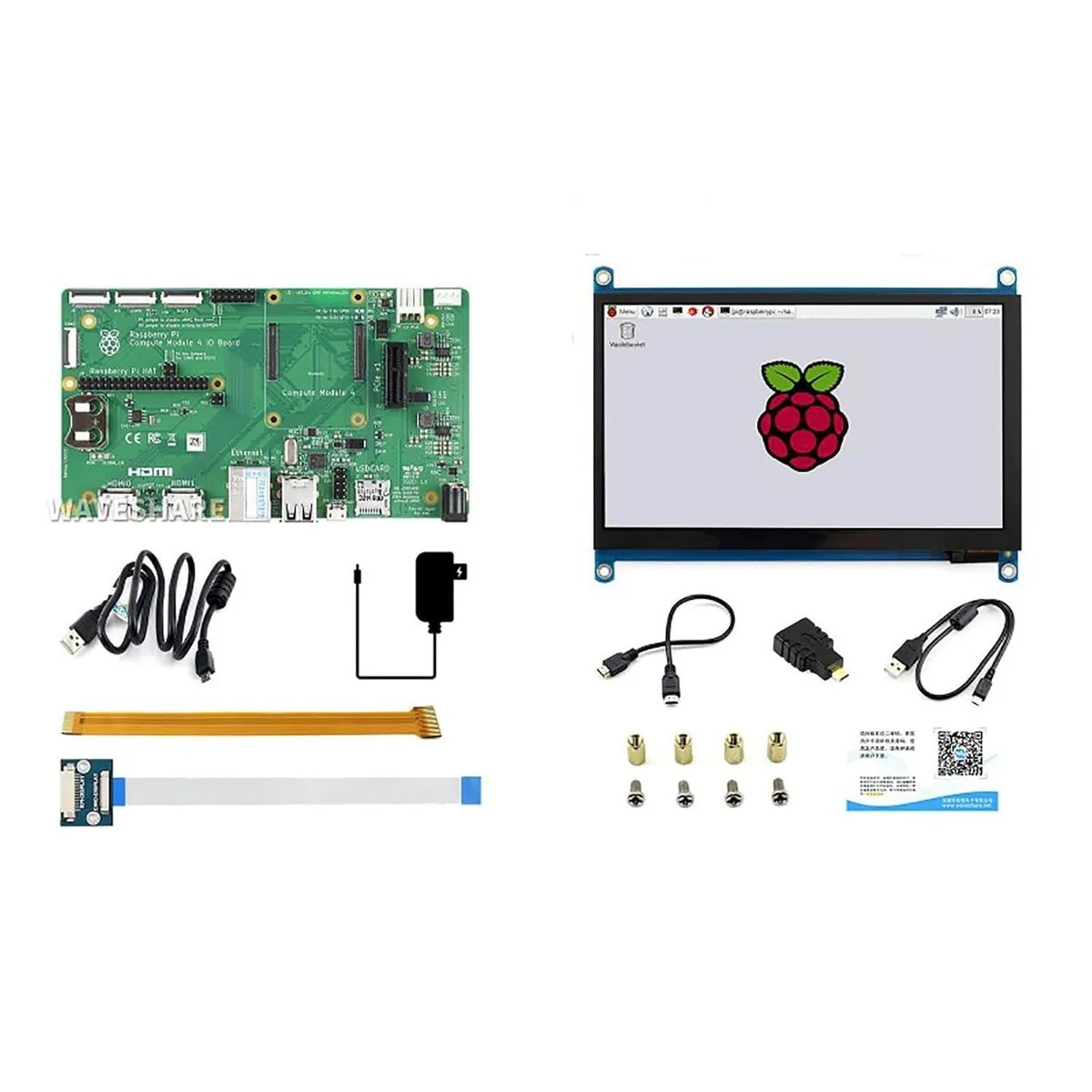
LORDWORLD CM4 Development Kit Acce B with 7" 1024×600 Touch Display
A Compute Module 4 carrier kit with official IO board, 7" 1024×600 IPS touch display and basic accessories for embedded prototyping
- Complete CM4 kit with IO board, touch display and accessories
- 7 inch IPS capacitive touch screen at 1024×600 resolution
- Official carrier board adds dual HDMI, Gigabit Ethernet, dual USB 2.0 and microSD
- Ready for embedded prototypes — add a CM4 module and HAT or PCIe cards
- Includes 12V power supply, USB cable and DSI/CSI adapters
All-in-One CM4 Prototyping Kit
This kit combines the official CM4 IO Board with a 7" IPS capacitive touch display and basic accessories. It provides a ready-to-use platform for evaluating and prototyping with the Raspberry Pi Compute Module 4. Developers can start building embedded applications immediately after inserting their Compute Module 4.
For Embedded HMI Developers
Engineers building digital signage, industrial gateways, automation controllers or kiosks benefit from the integrated touchscreen and rich I/O. Buyers who only need a carrier board without a display should look at a standalone IO Board. Projects requiring a different screen size or interface will need separate components.
Official CM4 IO Board Included
The carrier board supplies a CM4 socket, dual HDMI outputs, dual MIPI DSI and CSI-2 ports, Gigabit Ethernet RJ45, 2× USB 2.0, micro USB, microSD socket, fan header and RTC. It also supports off-the-shelf HATs and PCIe cards such as NVMe or SATA adapters for rapid system expansion.
Highlights
- Complete CM4 kit with IO board, touch display and accessories
- 7 inch IPS capacitive touch screen at 1024×600 resolution
- Official carrier board adds dual HDMI, Gigabit Ethernet, dual USB 2.0 and microSD
- Ready for embedded prototypes — add a CM4 module and HAT or PCIe cards
- Includes 12V power supply, USB cable and DSI/CSI adapters
Specifications
| Brand | LORDWORLD |
|---|
Questions about this item
How do I attach the 7" 1024×600 IPS touch display to the official CM4 IO Board, and which step is often missed?
Connect the display using the supplied DSI adapter to one of the dual MIPI DSI ports on the IO Board and plug in the USB cable for touch; the step often missed is inserting the Compute Module 4 into the socket before powering on.
What maintenance will the kit need later, such as the fan header or RTC battery?
The fan header lets you add active cooling if the Compute Module 4 runs hot under load, and the RTC on the IO Board keeps time when the 12V/2A power adapter is disconnected.
What limit appears first when the Compute Module 4 runs sustained workloads on this kit?
The 12V/2A power adapter caps total current at 2.0 A, so heavy PCIe NVMe or SATA cards plus the display can hit the power budget before thermal throttling becomes an issue.
New to this? Buying PC parts with Monero — what to check, what it costs to pay, and what is never asked for.
Also in this aisle
People compared these
Same shelf, same checkout — eight coins and a 30-minute rate lock.


Intel
Intel HNS2600BPS24R 2U barebone pc dual Xeon DDR4 2.80 TB C622
- Xeon Bronze Xeon Go…
- DDR4-2933/PC4-23466
$1,097.99
0.01286064BTC
In stock

Tripp Lite
Tripp Lite N262 014 BL Cat6a Shielded 10G Patch Cable 14ft Blue accessories barebone
$19.99
0.00023414BTC
In stock