


LORDWORLD
LORDWORLD 9-in-1 USB-C Docking Station with Knob and Shortcut Buttons (Black AG)
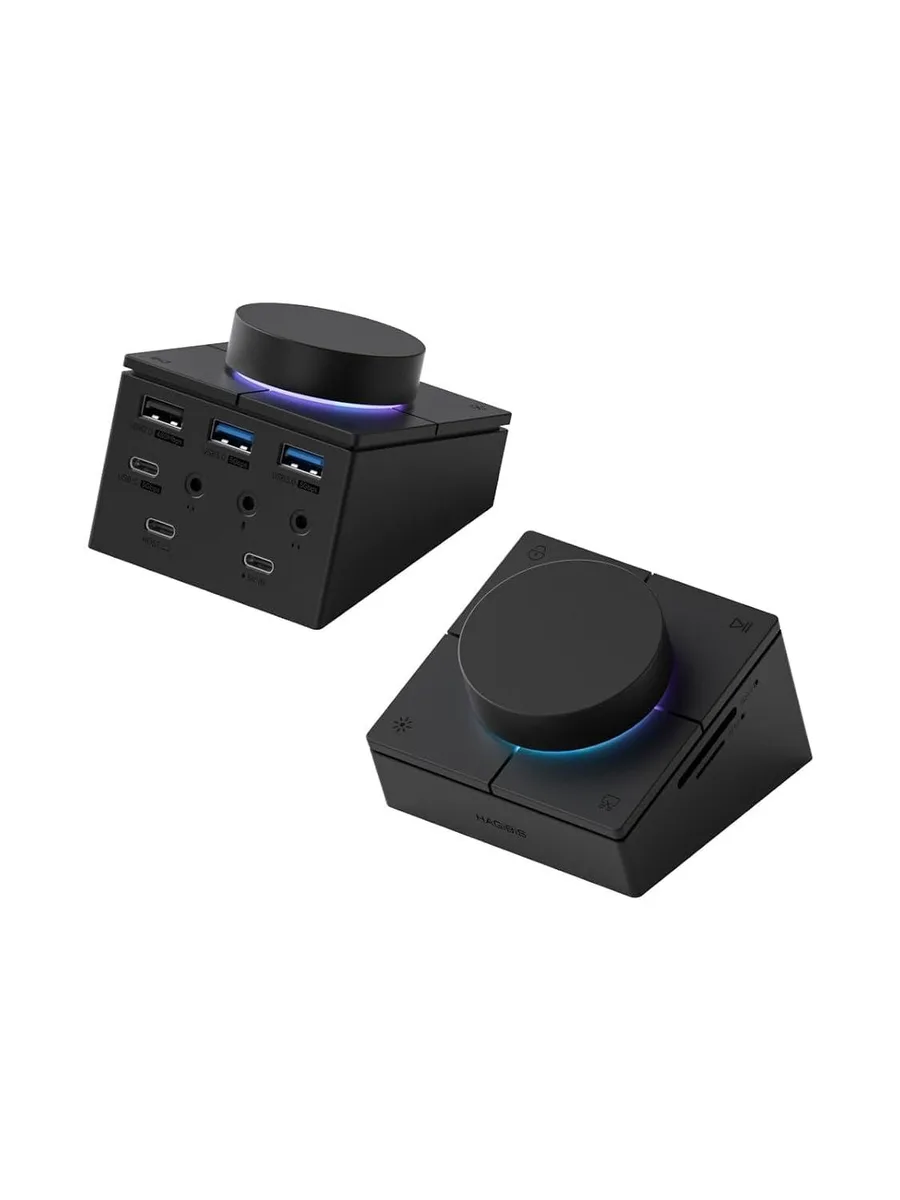
A 9-in-1 USB-C dock adds RGB lighting, a volume knob and four shortcut buttons for screen lock, screen off, screenshot and light control, plus 5 Gbps USB-A ports and three 3.5 mm audio jacks
- Adjust volume and mute instantly with integrated rotary knob
- Lock screen, blank display, capture screenshot or change lighting via four dedicated shortcut keys
- Connect headphones, microphone or headset through separate 3.5 mm audio jacks
- Transfer files up to 5 Gbps using two USB 3.0 ports plus one USB 2.0 port
- Read SD and microSD cards at UHS-I speeds with built-in card reader
9-in-1 Dock with Knob & Shortcuts
The LORDWORLD USB-C docking station adds nine ports to a single host connection. It combines a 5 Gbps USB-C data port, two USB 3.0 Type-A ports, a USB 2.0 Type-A port, SD and microSD 3.0 card slots, plus separate headphone, microphone and headset jacks. A built-in rotary knob handles volume and mute, while four dedicated buttons trigger screen lock, display off, screenshot capture and RGB lighting changes.
For Users Who Want Audio & Quick Controls
This hub suits people who need multiple legacy USB-A devices, card readers and three distinct analogue audio jacks without carrying separate adapters. The hardware shortcut keys speed up common desktop actions. Buyers who require video output, Ethernet, power delivery charging or Thunderbolt-certified bandwidth should look at a different class of dock.
Sustained Operation Notes
Data throughput on the 5 Gbps USB-C and USB 3.0 ports remains at the rated signalling rate during extended file transfers, limited only by the attached storage and host controller. The USB 2.0 port stays at its lower bandwidth ceiling. The analogue audio jacks and shortcut buttons operate passively, so their behaviour does not change under load.
Highlights
- Adjust volume and mute instantly with integrated rotary knob
- Lock screen, blank display, capture screenshot or change lighting via four dedicated shortcut keys
- Connect headphones, microphone or headset through separate 3.5 mm audio jacks
- Transfer files up to 5 Gbps using two USB 3.0 ports plus one USB 2.0 port
- Read SD and microSD cards at UHS-I speeds with built-in card reader
Specifications
| Brand | LORDWORLD |
|---|
Questions about this item
Does my laptop need a specific USB-C port type to use the 5Gbps USB 3.0 ports on this dock?
It works with any USB-C, USB 4, Thunderbolt 3 or Thunderbolt 4 port that supports data, so the 5Gbps USB 3.0 ports will operate on all listed MacBook, Dell XPS 13/15, Lenovo Yoga, Surface and Steam Deck models.
Will the volume knob and four shortcut buttons work on my older Dell Latitude 13 7000 or Latitude 13 E7370 running Windows?
Yes, the knob adjusts volume and mute while the buttons lock the screen, turn off the display, capture a screenshot and cycle the RGB lighting on any compatible Windows laptop with a USB-C data port.
How can I verify the three 3.5 mm audio jacks are all active after plugging in the dock?
Connect a headset to the headset jack, headphones to the headphone jack and a microphone to the microphone jack; each should appear as a separate input or output device in your system sound settings.
Also in this aisle
People compared these
Same shelf, same checkout — eight coins and a 30-minute rate lock.


Kensington
Kensington Desk Mount Cable Anchor K64613WW accessory
- Black
- Provides a secure a…
$19.99
0.00023597BTC
In stock
Panasonic
Panasonic CF-VDR291U laptop cooling pad
- Optical Drive
- Buffer Size: 2 MB B…
$213.99
0.00252606BTC
In stock
eReplacements
eReplacements PB992A-ER laptop battery 14.4V
- Battery
- Lithium-Ion
$65.99
0.00077898BTC
In stock