

Sunfounder
Sunfounder Raspberry Pi Ultimate Kit with PiCrawler AI Robot 337 components 131 projects
$174.99
0.00207072BTC
In stockWe take cryptocurrency — so the coins you hold can buy real hardware.Pay in crypto, spend it on real hardware. Free insured shipping worldwide over $399. Plain, unbranded boxes, sent from Germany.Free insured shipping over $399. Your rate is locked for 30 minutes once checkout opens.Rate locked 30 minutes. Every item sealed, serial-checked and covered by a 24-month warranty.Sealed, 24-month warranty.


LORDWORLD
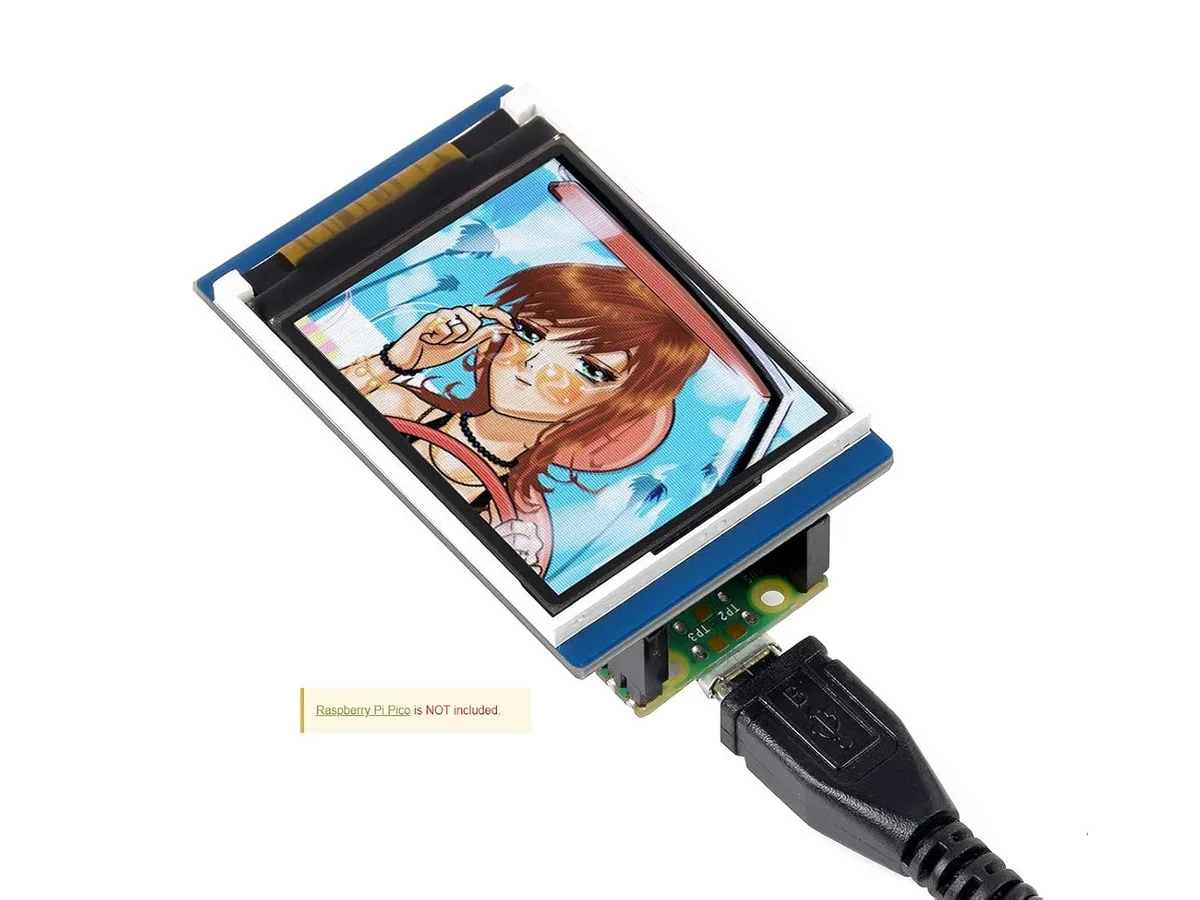
1.8 inch colour TFT screen with 160×128 resolution and 65K RGB colours, SPI interface for minimal pin use, includes Raspberry Pi Pico C/C++ and MicroPython examples
The LORDWORLD 1.8inch module adds a 160×128 pixel colour screen to a Raspberry Pi Pico using only a few SPI pins. It renders 65K RGB colours and ships with C/C++ and MicroPython examples so you can start writing graphics code immediately. The small footprint suits handheld instruments, sensor dashboards or wearable prototypes where a full-size monitor is impractical.
This board upgrades projects that currently rely on serial prints or monochrome character LCDs by providing full-colour bitmap graphics in the same pin budget. The jump is worth it when you need live charts, icons or simple animations but cannot spare the GPIO lines or power budget of a parallel-interface panel or a larger TFT. It is not suited for applications that demand higher resolution, video playback or touch input.
| Brand | LORDWORLD |
|---|
The display uses the SPI bus and needs only a few IO pins — typically SCK, MOSI, CS, DC and RST — leaving the rest of the Pico header free for other peripherals.
Install the appropriate C/C++ or MicroPython library from the supplied examples, initialise the SPI peripheral at the supported speed, then run the demo script to verify the 65K colour output.
New to this? Buying PC parts with Monero — what to check, what it costs to pay, and what is never asked for.
Also in this aisle
Same shelf, same checkout — eight coins and a 30-minute rate lock.
What you pay in, and what you read prices in.
Sent from your wallet at checkout
Display only — the catalogue is priced in USD
No currency matches that.
Pick the language the site speaks to you in.
No language matches that.
New here?
Already have one?
There is no automatic reset: this shop sends no mail, so there is no one-time link to ask for. Leave the address on the account and it gets picked up by hand.
Request noted
Nothing is on its way to your inbox — this shop sends no mail at all. Someone picks these up by hand.
Remembered it?



