Logitech
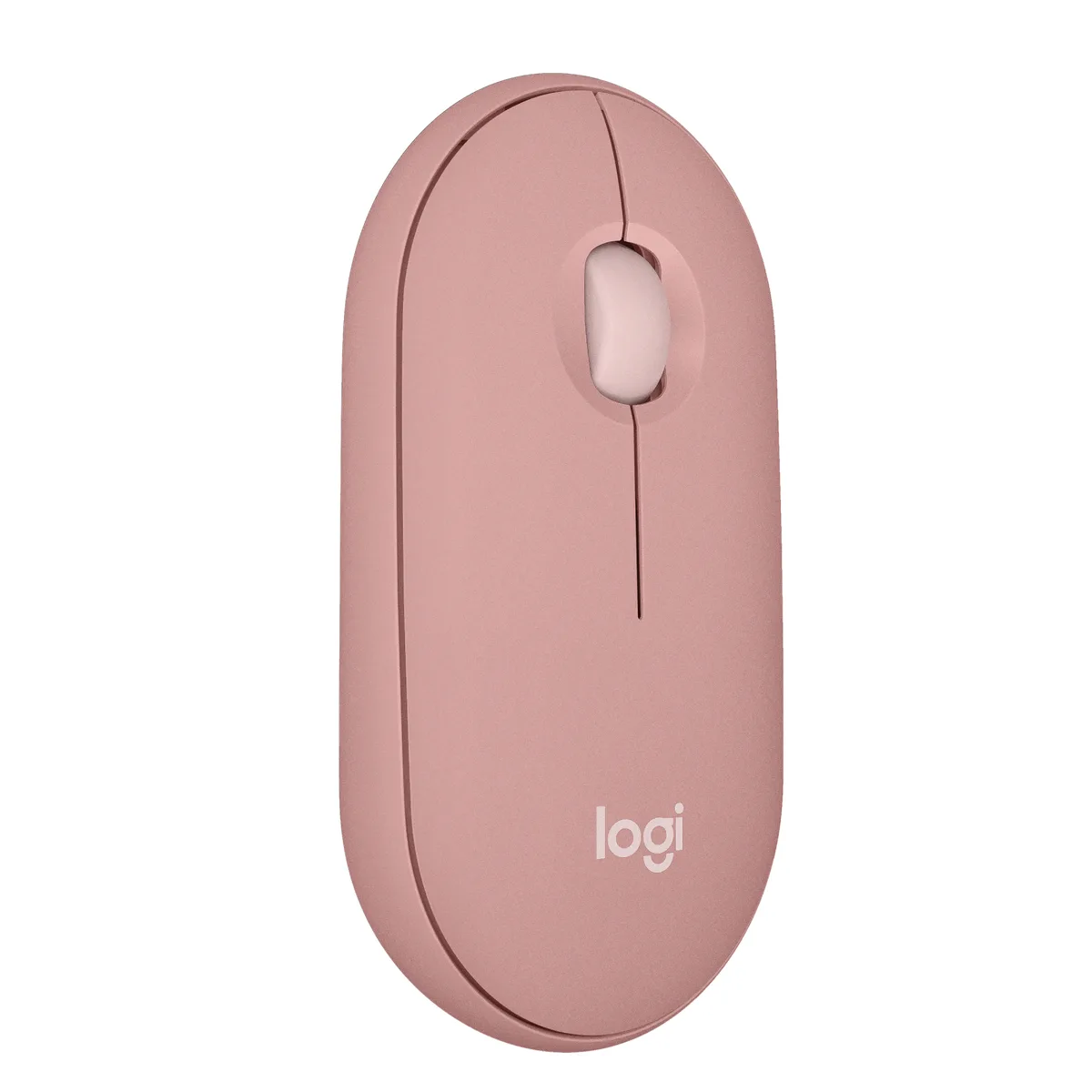
Logitech Pebble 2 M350s Mouse 910-007022 Bluetooth 4000 dpi Tonal White
- Pebble 2 M350s Mouse
- Bluetooth Wireless
$20.99
0.00024656BTC
In stockWe take cryptocurrency — so the coins you hold can buy real hardware.Pay in crypto, spend it on real hardware. Free insured shipping worldwide over $399. Plain, unbranded boxes, sent from Germany.Free insured shipping over $399. Your rate is locked for 30 minutes once checkout opens.Rate locked 30 minutes. Every item sealed, serial-checked and covered by a 24-month warranty.Sealed, 24-month warranty.


Logitech
Slim Bluetooth mouse with a customisable middle button, three-device Easy-Switch, silent clicks and 24-month battery life
The Logitech Pebble 2 M350s is a compact wireless mouse designed for users who value a minimal footprint and quiet operation. It connects via Bluetooth Low Energy to laptops, tablets or phones running Windows 10 or later, macOS 11 or later, iPadOS 14 or later, Android 9.0 or later, ChromeOS or Linux. The ambidextrous shape suits both left and right hands.
The chassis uses recycled plastic and weighs little enough to slip into a slim sleeve or pocket. Silent Touch Technology reduces click noise by 90 percent, making it suitable for shared desks, libraries or late-night work. A single AA alkaline battery comes pre-installed and lasts up to 24 months with an auto-sleep mode that conserves power when idle.
The Easy-Switch button pairs the mouse with up to three devices and toggles between them without re-pairing. The middle button can be customised through the optional Logi Options+ app to launch shortcuts such as WhatsApp or Spotify. Buyers who need a dedicated USB receiver, extra programmable buttons or higher DPI settings should consider other models.
| Brand | Logitech |
|---|---|
| Model | Pebble Mouse 2 M350s |
| Part Number | 910-007024 |
| Type | Bluetooth Wireless |
| Power Supply | 1 x AA Battery |
| Operating Time | 24 months |
| Distance | 32.8 ft (10 m) |
| Interface | Bluetooth |
| Security Type | - |
| Hand Orientation | Both Hands |
| Tracking Method | Optical |
| Buttons | 3 |
| Scrolling Capability | 1 x Wheel |
| Color | Black |
| Resolution (DPI) | 4000 dpi |
| Operating System Supported | Bluetooth Low Energy Internet access required to download optional customization app Logi Options+ Bluetooth Required Bluetooth Low Energy Windows® 10, 11 or later macOS 11 or later iPadOS 14 or later Android™ 9.0 or later ChromeOS™ Linux® Works With Chromebook™ Compatible with Logi Bolt USB receiver (not included). |
| Features | Slim, compact Bluetooth® mouse with a customizable button. |
| Package Contents | Pebble Mouse 2 M350s 1 x AA Alkaline battery (pre-installed) User documentation Important Info Document (IID) |
| Shipping weight | 0.11 kg |
| Package size | 203 × 127 × 51 mm |
Other versions of this model
Same family, different memory, cooler or clock — compare before you commit.
The mouse works up to 32.8 ft (10 m) from the paired device over Bluetooth Low Energy.
Its slim, compact body sits flat on any surface; no mount or receiver is required because it connects directly via Bluetooth.
Press the Easy-Switch button to select channel 2 or 3, then put the mouse in pairing mode and add it in the second device's Bluetooth settings.
Also in this aisle
Same shelf, same checkout — eight coins and a 30-minute rate lock.
What you pay in, and what you read prices in.
Sent from your wallet at checkout
Display only — the catalogue is priced in USD
No currency matches that.
Pick the language the site speaks to you in.
No language matches that.
New here?
Already have one?
There is no automatic reset: this shop sends no mail, so there is no one-time link to ask for. Leave the address on the account and it gets picked up by hand.
Request noted
Nothing is on its way to your inbox — this shop sends no mail at all. Someone picks these up by hand.
Remembered it?