


Logitech
Logitech Pebble 2 Combo for Mac 920-012202 Bluetooth Keyboard and Mouse Tonal Blue
Slim Bluetooth keyboard and mouse combo connects up to three Apple devices with quiet keys, a 4000 dpi optical mouse, and 36-month keyboard battery life
- NameLogitech Pebble 2 Combo for Mac
- Keyboard InterfaceBluetooth
- Palm RestNo
- Mechanical KeyboardNo
- BacklitNo
- Keyboard ColorTonal Blue
Style Pebble 2 Combo (Mac)
- Pebble Keys 2
- Pebble 2 Combo
- Pebble 2 Combo (Mac)
- Slim 16 mm profile fits any bag
- Connect three Apple devices via Bluetooth
- Quiet laptop-like typing and Silent Touch clicks
- Customise 10 Fn keys and mouse middle button
- 36-month keyboard and 24-month mouse battery life
Ultra-slim Bluetooth combo for Apple devices
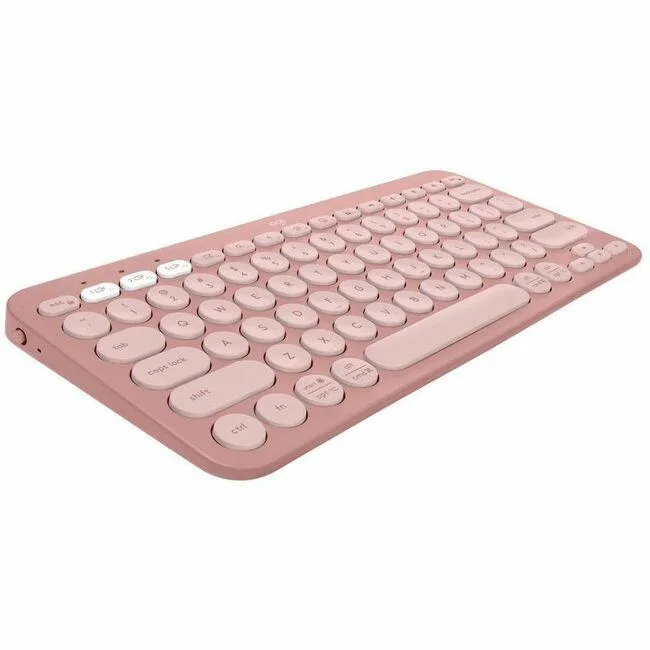
The Logitech Pebble 2 Combo for Mac pairs a compact keyboard and mouse over Bluetooth Low Energy with macOS 11, iPadOS 14 and iOS 14. Both pieces are finished in Tonal Blue and built with recycled plastic. The keyboard omits a palm rest and backlighting, keeping the profile at 16 mm thin. Easy-Switch keys let you hop across three paired Apple devices with a single press.
Quiet typing and long battery life
Scissor-switch keys deliver a laptop-like feel rated for quiet operation, while the mouse uses Silent Touch Technology to reduce click noise. Optical tracking runs at 4000 dpi across three buttons. The keyboard runs 36 months on two AAA cells and the mouse 24 months on one AA cell, each with a hardware on/off switch. Wireless range reaches 10 m.
Custom shortcuts via Logi Options+
Ten Fn keys and the mouse middle button can be remapped in the Logi Options+ app to trigger search, screen capture or other shortcuts. This software layer is the only way to personalise the controls; the hardware itself has no onboard macro storage. Buyers who need mechanical switches, per-key RGB lighting or a numeric keypad will not find them here.
Highlights
- Slim 16 mm profile fits any bag
- Connect three Apple devices via Bluetooth
- Quiet laptop-like typing and Silent Touch clicks
- Customise 10 Fn keys and mouse middle button
- 36-month keyboard and 24-month mouse battery life
Specifications
| Brand | Logitech |
|---|---|
| Name | Logitech Pebble 2 Combo for Mac |
| Model | 920-012202 |
| Part Number | 920-012202 |
| Keyboard Interface | Bluetooth |
| Palm Rest | No |
| Mechanical Keyboard | No |
| Backlit | No |
| Keyboard Color | Tonal Blue |
| Dimensions | Height: 4.88 in (124 mm) Width: 10.98 in (279 mm) Depth: 0.63 in (16 mm) Weight: 14.64 oz (415 g) including batteries |
| Type | Bluetooth Wireless |
| Mouse Included | Yes |
| Mouse Interface | Bluetooth |
| Mouse DPI | 4000 dpi |
| Tracking Method | Optical |
| Buttons | 3 |
| Mouse Color | Blue |
| Power Source | Keyboard: 2 x AAA (Alkaline Battery) On/off power button Mouse: 1 x AA battery (Alkaline Battery); On/off power button |
| Operating Time | Keyboard: 36 months Mouse: 24 months |
| Distance | 32.8 ft (10 m) |
| Operating System Supported | Bluetooth Required: Bluetooth Low Energy macOS 11 or later iPadOS 14 or later iOS® 14 or later |
| Features | Slim, lightweight, minimalist design for Mac made with recycled plastic Multi-device pairing (up to 3 Apple® devices) Customizable middle button and 10 Fn shortcut keys with Logi Options+ App Silent clicks with Silent Touch Technology Comfy and quiet laptop-like typing with scooped, low-profile keys |
| Package Contents | Pebble Keys 2 K380s for Mac keyboard 2 X AAA batteries (pre-installed) Pebble Mouse 2 M350s 1 x AA alkaline battery (pre-installed) User documentation Important Info Document (IID) |
| Shipping weight | 0.66 kg |
| Package size | 362 × 133 × 38 mm |
Other versions of this model
5 more in the same range
Same family, different memory, cooler or clock — compare before you commit.


Logitech
Logitech 920-012199 Pebble 2 Combo keyboard mouse Tonal Rose
- Logitech Pebble 2 C…
- Bluetooth
$41.99$44.24−5%
0.00048788BTC
In stock
Logitech
Logitech Pebble 2 Combo 920-012198 Bluetooth keyboard and mouse Tonal White
- Logitech Pebble 2 C…
- Bluetooth
$43.99$46.99−6%
0.00051111BTC
In stock
Logitech
Logitech 920-012200 Pebble 2 Combo for Mac Bluetooth keyboard
- Logitech Pebble 2 C…
- Bluetooth
$43.99$48.99−10%
0.00051111BTC
In stock
Logitech
Logitech Pebble Keys 2 K380s 920-011775 Bluetooth Keyboard Tonal Graphite
- Bluetooth
- No
$43.99
0.00051111BTC
In stockQuestions about this item
How do I pair the keyboard and mouse to my Mac using Bluetooth, and what step is often missed?
Turn on each device, open Bluetooth settings on macOS 11 or later, and select both the keyboard and mouse; the step often missed is pressing the Easy-Switch button to choose one of the three device slots before pairing.
Which batteries will I need to replace and how often?
The keyboard uses two AAA alkaline batteries rated for 36 months; the mouse uses one AA alkaline battery rated for 24 months; both have on/off switches to extend life.
At what distance does the Bluetooth connection start to drop under sustained use?
The rated wireless range is 32.8 ft (10 m); beyond that distance the connection becomes unreliable.
Also in this aisle
People compared these
Same shelf, same checkout — eight coins and a 30-minute rate lock.


Lenovo
Lenovo 42T3273 Black Replacement Keyboard for ThinkPad T60 T61
- Thinkpad T60 T61 Ke…
- Black
$29.99
0.00034845BTC
In stock