


Logitech
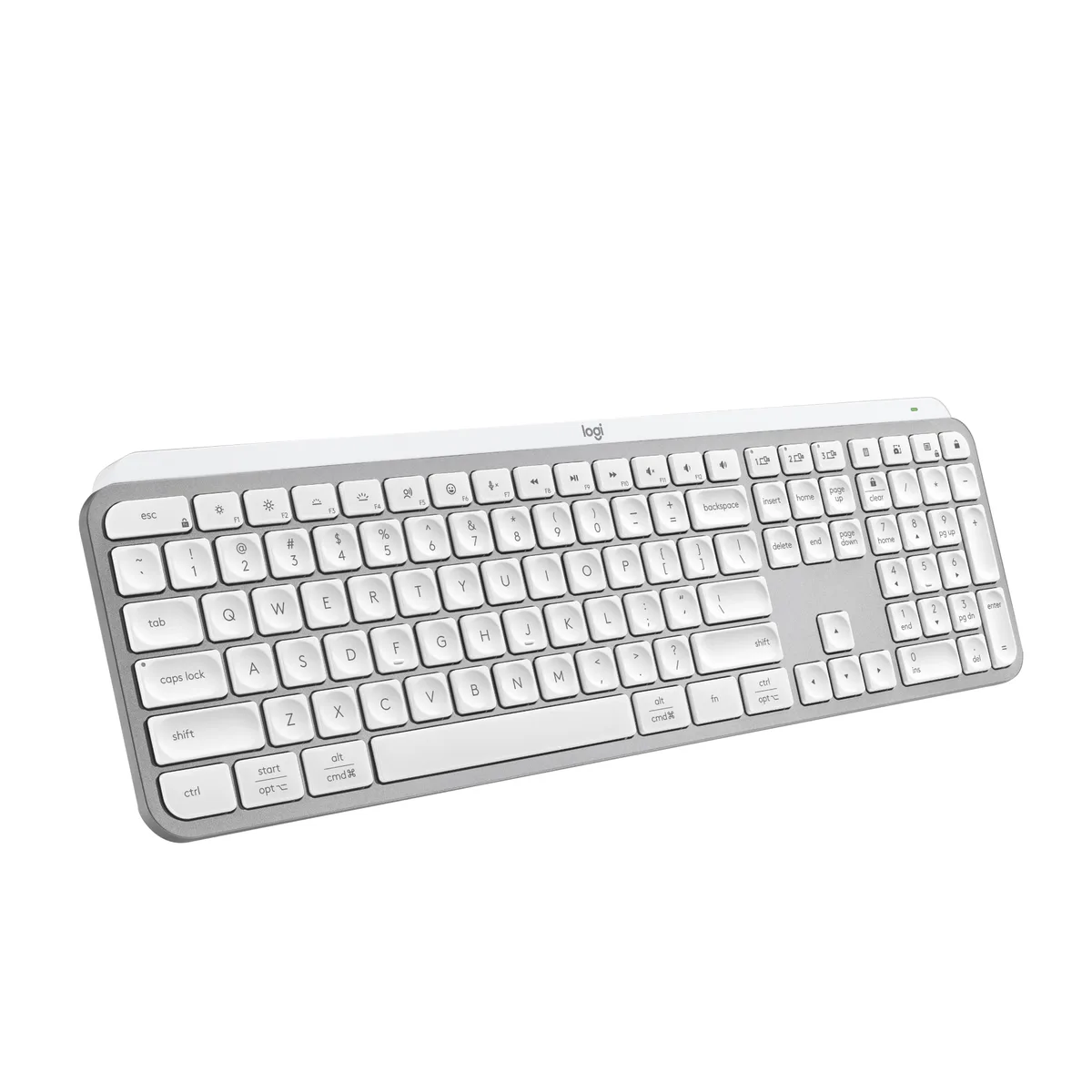
Logitech MX Keys S Keyboard 920-011559 Pale Grey
A wireless low-profile keyboard with spherically-dished keys for quiet, precise typing, programmable Smart Actions, adaptive backlighting and up to five months of battery life
- Keyboard InterfaceBluetooth and USB
- Design StyleStandard
- Palm RestNo
- Mechanical KeyboardNo
- Key SwitchNo
- BacklitNo
- Fluid, quiet typing from spherically-dished low-profile keys
- Smart Actions shortcuts automate repetitive tasks with one keystroke
- Backlit keys activate on hand approach and adapt to ambient light
- Pair up to three devices via Bluetooth Low Energy or Logi Bolt receiver
- Rechargeable 1500 mAh battery lasts up to 10 days or 5 months with backlighting off
Product Identity
The Logitech MX Keys S 920-011559 is a low-profile wireless keyboard in Pale Grey. It connects via Bluetooth Low Energy or the included Logi Bolt USB receiver and runs on a rechargeable 1500 mAh Li-Po battery.
Who It Suits
Designed for users who want a quiet, laptop-like typing feel across Windows, macOS, Linux, Chrome OS, iPadOS 14 or later, and Android 8.0 or later. Not for buyers who need a palm rest, mechanical switches, or a numeric keypad integrated into a compact layout.
Bundled Extras
The box supplies a Logi Bolt USB receiver and a USB-A to USB-C charging cable. Logi Options+ software adds Smart Actions for multi-step shortcuts, adaptive backlighting control, and easy switching between three paired devices.
Highlights
- Fluid, quiet typing from spherically-dished low-profile keys
- Smart Actions shortcuts automate repetitive tasks with one keystroke
- Backlit keys activate on hand approach and adapt to ambient light
- Pair up to three devices via Bluetooth Low Energy or Logi Bolt receiver
- Rechargeable 1500 mAh battery lasts up to 10 days or 5 months with backlighting off
Specifications
| Brand | Logitech |
|---|---|
| Model | MX Keys S (Pale Grey) |
| Part Number | 920-011559 |
| Keyboard Interface | Bluetooth and USB |
| Design Style | Standard |
| Palm Rest | No |
| Mechanical Keyboard | No |
| Key Switch | No |
| Backlit | No |
| Keyboard Color | Pale Gray |
| Dimensions | 20.5 x 430.2 x 131.63 mm |
| Type | Wireless |
| Mouse Included | No |
| Mouse Interface | No |
| Tracking Method | No |
| Power Source | Rechargeable Li-Po (1500 mAh) battery |
| Operating Time | Full charge lasts up to 10 days with predefined settings or up to 5 months with backlighting off. |
| Operating System Supported | Bluetooth Low Energy technology Windows® 10, 11 or later macOS 10.15 or later Linux® Chrome OS™ iPadOS 14 or later AndroidTM 8.0 or later Logi Bolt USB Receiver Requires available USB Port Windows® 10, 11 or later macOS 10.15 or later Linux® Chrome OS™ Not compatible with other Logitech USB receivers. |
| Features | Fluid Typing Experience: Laptop-like profile with spherically-dished keys shaped for your fingertips delivers a fast, fluid, precise and quieter typing experience Automate Repetitive Tasks: Easily create and share time-saving Smart Actions shortcuts to perform multiple actions with a single keystroke with the Logi Options+ app Smarter Illumination: Backlit keyboard keys light up as your hands approach and adapt to the environment; Now with more lighting customizations on Logi Options+ More Comfort, Deeper Focus: Work for longer with a solid build, low-profile design and an optimum ke |
| Package Contents | Keyboard Logi Bolt USB receiver USB-C charging cable (USB-A to USB-C) User documentation |
| Shipping weight | 1.16 kg |
| Package size | 451 × 148 × 40 mm |
Questions about this item
Does the Logitech MX Keys S 920-011559 need a free USB-A port if I use the Logi Bolt receiver?
Yes, the included Logi Bolt USB receiver requires an available USB-A port on the host device.
Can I pair this Pale Grey keyboard with a Windows 10 PC and a Mac running macOS 10.15 at the same time?
Yes, it supports pairing with up to three devices across Windows 10 or 11, macOS 10.15 or later, Linux, Chrome OS, iPadOS 14 or later and Android 8.0 or later.
How do I confirm the backlighting is reacting to my hands after setup?
The keys light up automatically when your hands approach the keyboard and turn off when you move away; you can also adjust this behaviour in the Logi Options+ app.
Also in this aisle
People compared these
Same shelf, same checkout — eight coins and a 30-minute rate lock.


Lenovo
Lenovo 42T3273 Black Replacement Keyboard for ThinkPad T60 T61
- Thinkpad T60 T61 Ke…
- Black
$29.99
0.00034835BTC
In stock