

Accsoon
Accsoon CineView SE Multi-Spectrum Wireless Video Transmitter 1200ft 1080p HDMI SDI
$181.99
0.00216856BTC
In stockWe take cryptocurrency — so the coins you hold can buy real hardware.Pay in crypto, spend it on real hardware. Free insured shipping worldwide over $399. Plain, unbranded boxes, sent from Germany.Free insured shipping over $399. Your rate is locked for 30 minutes once checkout opens.Rate locked 30 minutes. Every item sealed, serial-checked and covered by a 24-month warranty.Sealed, 24-month warranty.
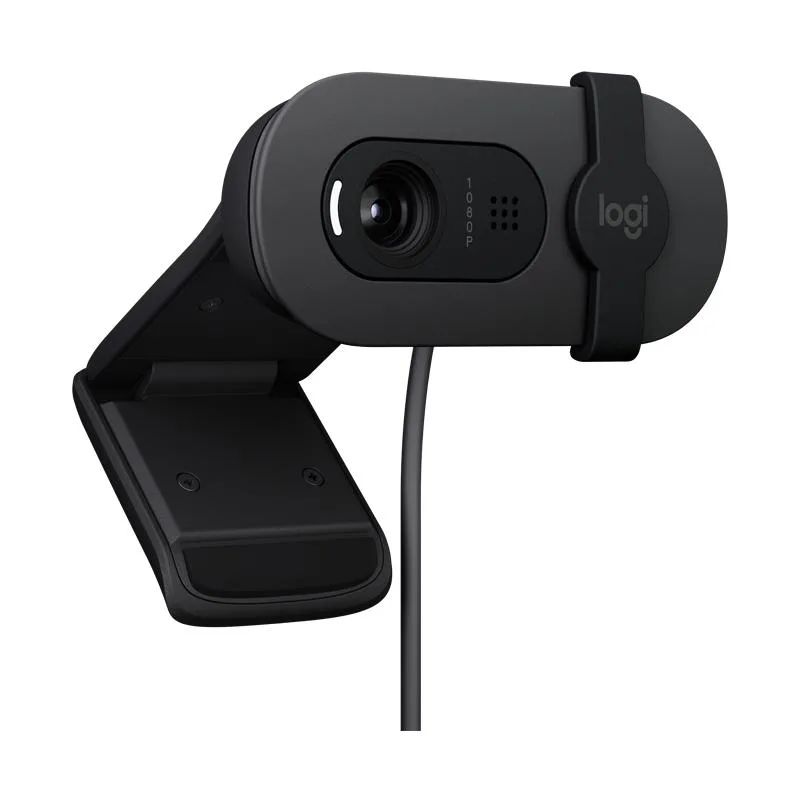


Logitech
A 1080p wired webcam with auto light balancing and a privacy lens cap, certified for Microsoft Teams, Zoom and Google Meet on Windows, macOS and ChromeOS
The Logitech Brio 95 for business is a 1080p webcam built for daily video calls. It connects over USB and works with Microsoft Teams, Zoom, Google Meet and other platforms on Windows, macOS and ChromeOS. A built-in privacy lens cap covers the sensor when you are not on camera. The black finish suits professional setups.
This model replaces a laptop’s integrated camera or an older 720p webcam with a clearer 1080p picture and auto light balancing. The jump is worth it when you need consistent image quality for client calls or team stand-ups. It does not serve users who require 4K resolution, a wider field of view or advanced background replacement features.
The USB interface carries both power and video, so no separate supply is needed. Cable length and host-port bandwidth set the practical distance and frame-rate ceiling. Very long cables or busy hubs can reduce stability. The webcam has no onboard storage or battery and cannot operate without a live host connection.
| Brand | Logitech |
|---|---|
| Name | Brio 95 for business |
| Model | Brio 95 for business |
| Color | Black |
| Interface | USB |
The Brio 95 connects via a standard USB interface. Plug it directly into an available USB port on your Windows, macOS, or ChromeOS device for immediate recognition without extra drivers.
The integrated privacy lens cap slides open to activate the camera and closed to block the lens physically. Ensure the cap is fully open before joining a Microsoft Teams, Zoom, or Google Meet call.
Keep the lens clear by gently wiping the glass with a dry microfibre cloth when dust or smudges appear. Avoid liquids or compressed air to protect the lens coating and auto light balancing function.
Also in this aisle
Same shelf, same checkout — eight coins and a 30-minute rate lock.
What you pay in, and what you read prices in.
Sent from your wallet at checkout
Display only — the catalogue is priced in USD
No currency matches that.
Pick the language the site speaks to you in.
No language matches that.
New here?
Already have one?
There is no automatic reset: this shop sends no mail, so there is no one-time link to ask for. Leave the address on the account and it gets picked up by hand.
Request noted
Nothing is on its way to your inbox — this shop sends no mail at all. Someone picks these up by hand.
Remembered it?



