


Logitech
Logitech Brio 101 1080p webcam Black
Full HD 1080p webcam with fixed focus, built-in microphone, integrated privacy shutter and USB-A plug-and-play for Windows, macOS and Chrome OS
- NameBRIO 100
- ColorBlack
- InterfaceUSB-A
- Max. Image Resolution1080p
- Effective Pixels0.9 megapixels
- Video Capture Resolution1080p
- Clearer calls with Full HD 1080p resolution
- Brighter image via RightLight boosting up to 50%
- Integrated privacy shutter slides for instant cover
- Built-in microphone captures voice clearly
- Plug-and-play on Windows, macOS and Chrome OS
Logitech Brio 101 1080p Webcam
The Logitech Brio 101 is a USB-A webcam that captures Full HD 1080p video at 30 fps. It suits remote workers, students and streamers who need a simple, reliable camera for daily calls. Fixed focus keeps setup effortless, while the integrated privacy shutter covers the lens when the camera is not in use.
Thermals Noise Power
The camera draws power directly from the USB-A port, so there is no external adapter and no fan to generate noise. Typical operation stays cool to the touch during long meetings, and the fixed-focus lens eliminates motor whine. Power consumption remains low enough for any standard USB-A port on a laptop or desktop.
Privacy Shutter Logi Options+
A built-in sliding cover physically blocks the lens, giving instant privacy without tape or stickers. The optional Logi Options+ app lets you adjust RightLight brightness boost, which can raise image brightness by up to 50% compared with earlier Logitech webcams. The package includes the privacy cover as the only bundled accessory.
Highlights
- Clearer calls with Full HD 1080p resolution
- Brighter image via RightLight boosting up to 50%
- Integrated privacy shutter slides for instant cover
- Built-in microphone captures voice clearly
- Plug-and-play on Windows, macOS and Chrome OS
Specifications
| Brand | Logitech |
|---|---|
| Name | BRIO 100 |
| Model | BRIO 100 |
| Part Number | 960-001589 |
| Color | Black |
| Interface | USB-A |
| Max. Image Resolution | 1080p |
| Effective Pixels | 0.9 megapixels |
| Video Capture Resolution | 1080p |
| Focus Settings | Fixed Focus |
| Lens | Zoom |
| Power Source | USB-A |
| Operating Systems Supported | Windows 7 and up, macOS 10.10 and up, Chrome OS |
| Dimension | 31.91 in x 72.91 in x 66.64 in |
| Features | Low Light |
| Package Contents | Privacy Cover |
Questions about this item
How do I install the Brio 101 webcam on my laptop, and what is the common mistake?
Plug the USB-A connector into a USB-A port on your Windows, macOS or ChromeOS device; the webcam is recognised automatically. The common mistake is trying to plug the rectangular USB-A plug into a smaller USB-C port without an adapter.
What maintenance or replacement will the Brio 101 need over time?
The integrated privacy shutter slides to cover the lens; if the sliding mechanism wears out you would replace the whole webcam. The fixed-focus lens and built-in microphone have no user-serviceable parts.
What limit appears first during long video calls with the Brio 101?
The fixed-focus lens keeps everything at one focal distance, so moving closer or farther than the optimal range makes the image soft. This optical limit shows up before any thermal or bandwidth constraint.
Also in this aisle
People compared these
Same shelf, same checkout — eight coins and a 30-minute rate lock.


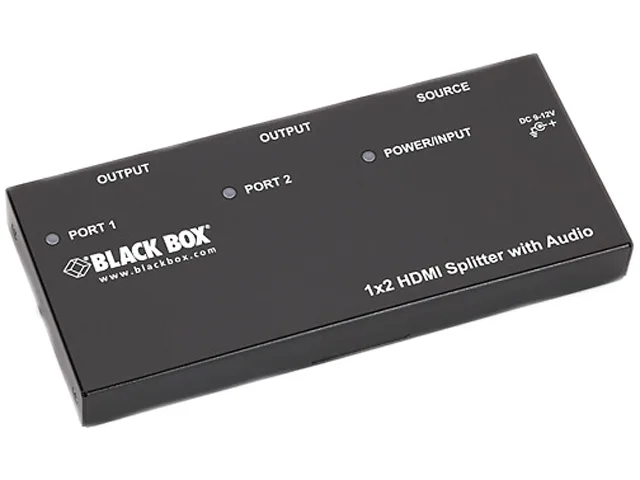
Black Box Corporation
Black Box AVSP-HDMI1X2 HDMI splitter 1×2 with audio
- HDMI
- Approvals: CE, RoHS…
$104.99
0.00121027BTC
In stock