
LetLinkSo
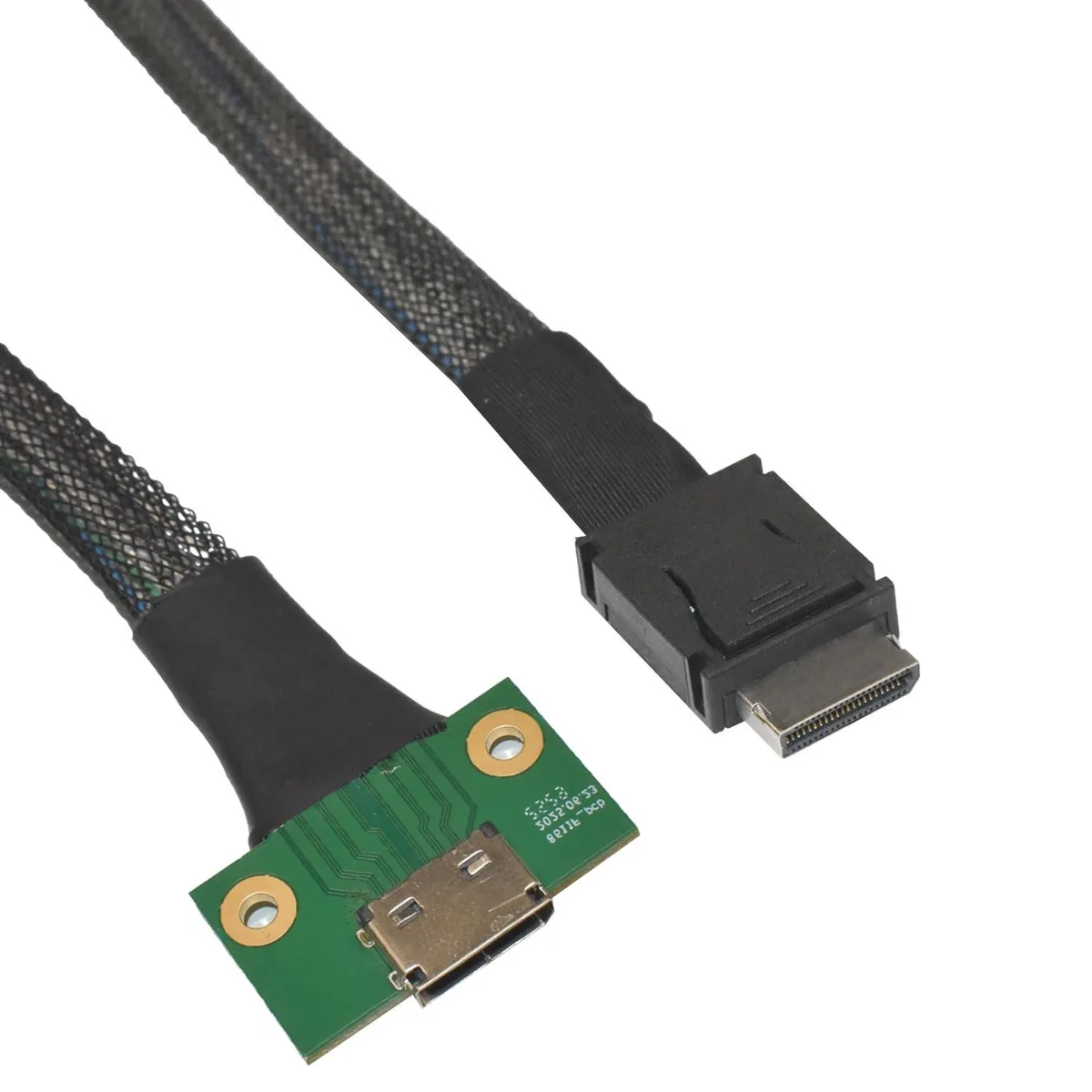
LetLinkSo Oculink 4i Male-Female Cable 39 Inches
- High-Speed PCIe 4.0…
- Black
$27.99
0.00033325BTC
In stockWe take cryptocurrency — so the coins you hold can buy real hardware.Pay in crypto, spend it on real hardware. Free insured shipping worldwide over $399. Plain, unbranded boxes, sent from Germany.Free insured shipping over $399. Your rate is locked for 30 minutes once checkout opens.Rate locked 30 minutes. Every item sealed, serial-checked and covered by a 24-month warranty.Sealed, 24-month warranty.


LetLinkSo
Extends an internal Oculink SFF-8611 4i link to an SFF-8612 4i port with PCIe 4.0 x4 signalling up to 64Gbps
Length 1.6 ft / 50 cm
This passive cable extends an internal PCIe 4.0 x4 link between an SFF-8611 male port and an SFF-8612 female port. It uses copper conductors with gold-plated contacts and EMI shielding to maintain signal integrity up to 64Gbps theoretical bandwidth. The 19-inch length suits tight chassis routing in compatible servers and workstations. No drivers or active electronics are required.
Builders adding NVMe backplanes, HBA cards or GPU adapter cards that use the Oculink 4i interface can use this cable to bridge longer internal distances. It does not convert protocols, so systems without native SFF-8611 or SFF-8612 ports cannot use it directly. Buyers needing active signal retiming or protocol conversion should look at a different solution.
The cable connects directly to compatible host adapters, backplanes or riser cards that present the correct 42-pin Oculink interfaces. Its passive design frees up a PCIe slot that might otherwise be occupied by an active extender card. Verify lane support, connector direction and clearance inside your chassis before installation.
| Brand | LetLinkSo |
|---|---|
| Type | High-Speed PCIe 4.0 Oculink 4i SFF-8611 Male to Female SFF-8612 Cable |
| Color | Black |
| Length | 39 |
| Connector Number | 2 |
| Connector Detail | 42 Pin Female Oculink Sff-8612 Connector to 42 Pin Male Oculink Sff-8611 Connector |
| Terminal Gender | Male-to-Female |
| Speed | 64 gigabits_per_second |
| Specifications | PCIe 4.0 \ SAS |
| Shielding | Yes |
| Conductor | Copper Conductor |
| Features | OCULINK EXTENSION CABLE |
Other versions of this model
Same family, different memory, cooler or clock — compare before you commit.
You need a compatible host, adapter card, backplane or device that presents an SFF-8611 4i male interface so the cable's female SFF-8612 connector can mate with it.
Yes, the cable is passive and carries PCIe 4.0 x4 signaling up to 64Gbps; it will operate at PCIe 3.0 speeds when connected to 3.0 endpoints.
Check the host or adapter card firmware, OS device manager or BIOS/UEFI to verify the negotiated link width shows x4 and speed shows 4.0.
New to this? Which coin should you pay with — what to check, what it costs to pay, and what is never asked for.
Also in this aisle
Same shelf, same checkout — eight coins and a 30-minute rate lock.
What you pay in, and what you read prices in.
Sent from your wallet at checkout
Display only — the catalogue is priced in USD
No currency matches that.
New here?
Already have one?
There is no automatic reset: this shop sends no mail, so there is no one-time link to ask for. Leave the address on the account and it gets picked up by hand.
Request noted
Nothing is on its way to your inbox — this shop sends no mail at all. Someone picks these up by hand.
Remembered it?




