


Lenovo
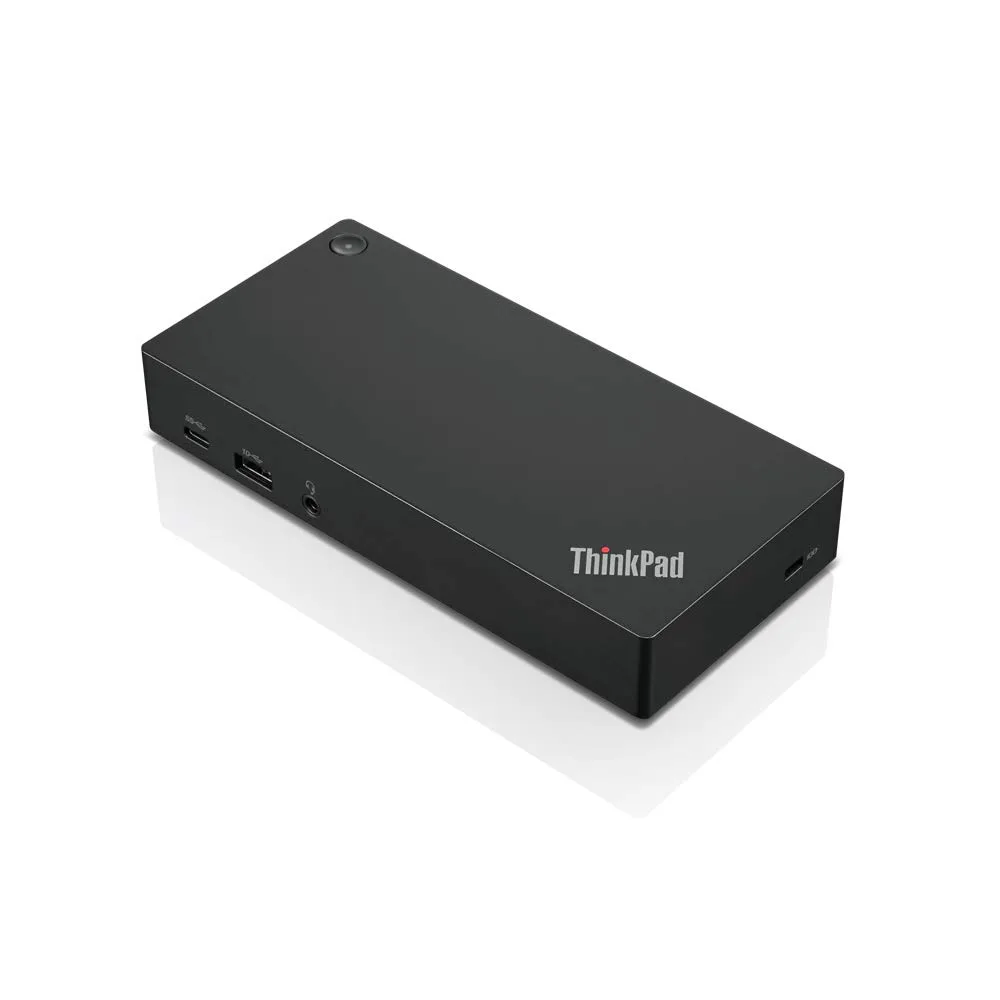
Lenovo ThinkPad USB-C Dock Gen 2 40AS0090US 90W power adapter
Connects a notebook to three external monitors, five USB ports, gigabit Ethernet and audio through one USB-C cable while delivering 90 W of power
- ColorBlack
- Ports SpecAudio Ports: 1x Combo Audio Jack Charging Port: DC-IN USB Po
- FeaturesOne connection, no limitations:Think of all the time you'd s
- Single USB-C cable connects five USB peripherals, dual DisplayPort and HDMI monitors, and gigabit Ethernet
- 90 W power adapter charges the notebook while driving up to three external displays
- 10 Gbps USB 3.1 ports move large files quickly alongside two USB 2.0 ports for legacy gear
- Compact 6.7 × 3.1 × 1.2 inch dock adds a combo audio jack and Kensington security slot
- Includes 90 W slim-tip AC adapter, power cord and USB-C cable for immediate setup
One-cable universal docking for ThinkPad notebooks
The ThinkPad USB-C Dock Gen 2 connects a compatible notebook to external displays, wired networking and USB peripherals through a single USB-C cable. It is designed for users who need a compact desktop expansion hub with integrated notebook charging. The dock supports up to three external monitors depending on the host system's video output capability.
90 W power adapter with 60 W host charging
A 90 W AC power adapter is included; the dock delivers up to 60 W to the connected notebook while powering its own ports. The unit measures 6.7 inches wide, 3.1 inches deep and 1.2 inches high, weighing approximately 11.46 oz. A Kensington security slot is provided for physical locking in shared or mobile environments.
Bundled 90 W adapter, power cord and USB-C cable
The package supplies the dock, a 90 W AC power adapter with slim tip, a power cord and a USB-C cable so the station is ready to operate immediately. Compatibility is listed for specific ThinkPad models including T490, T590, X280, T480, X1 Carbon 6th, X270 and T480s; other systems may not support full video or charging features.
Highlights
- Single USB-C cable connects five USB peripherals, dual DisplayPort and HDMI monitors, and gigabit Ethernet
- 90 W power adapter charges the notebook while driving up to three external displays
- 10 Gbps USB 3.1 ports move large files quickly alongside two USB 2.0 ports for legacy gear
- Compact 6.7 × 3.1 × 1.2 inch dock adds a combo audio jack and Kensington security slot
- Includes 90 W slim-tip AC adapter, power cord and USB-C cable for immediate setup
Specifications
| Brand | Lenovo |
|---|---|
| Model | 40AS0090US |
| Color | Black |
| Ports Spec | Audio Ports: 1x Combo Audio Jack Charging Port: DC-IN USB Ports: 3x USB3.1 2x USB2.0 Video Ports: 2x Display Port 1x HDMI Port Ethernet: 1x Gigabit Ethernet |
| Features | One connection, no limitations:Think of all the time you'd save if you could connect all your peripherals at once, transfer USB data at lightning-fast 10 Gbps speeds, and have access to a stable, stress-free wired network connection. Jaw-dropping 4K or multiple displays:The days of being limited by your notebook's capabilities are over. Now you can experience vivid 4K on a single screen or take multitasking to the next level with dual 4K @ 30 Hz displays or triple 1080p displays. Ready for your command:Ideal for being the centerpiece of your workspace. Completely control your ThinkPa |
Questions about this item
How do I connect the ThinkPad USB-C Dock Gen 2 to my notebook and what step is often missed?
Connect the included USB-C cable from the dock to your notebook's USB-C port, then plug the 90 W AC adapter into the dock's DC-IN jack and a wall outlet; the step often missed is ensuring the notebook's USB-C port supports video and charging so the dock can drive displays and deliver up to 60 W.
What maintenance or replacement will the ThinkPad USB-C Dock Gen 2 need over time?
The dock itself has no user-serviceable parts; the 90 W AC adapter and USB-C cable are the only items that may wear out and need replacement after extended use.
What is the first limit I will hit when running three external monitors continuously on the ThinkPad USB-C Dock Gen 2?
The dock supports a maximum of three external monitors, but the real limit is the host system's video output capability — if your notebook can only drive two streams, the third display will stay dark regardless of the dock's 1×4K@60 Hz or multi-1080p capacity.
Also in this aisle
People compared these
Same shelf, same checkout — eight coins and a 30-minute rate lock.


Kensington
Kensington Desk Mount Cable Anchor K64613WW accessory
- Black
- Provides a secure a…
$19.99
0.00023634BTC
In stock
Panasonic
Panasonic CF-VDR291U laptop cooling pad
- Optical Drive
- Buffer Size: 2 MB B…
$213.99
0.00253BTC
In stock
eReplacements
eReplacements PB992A-ER laptop battery 14.4V
- Battery
- Lithium-Ion
$65.99
0.0007802BTC
In stock