
Lenovo
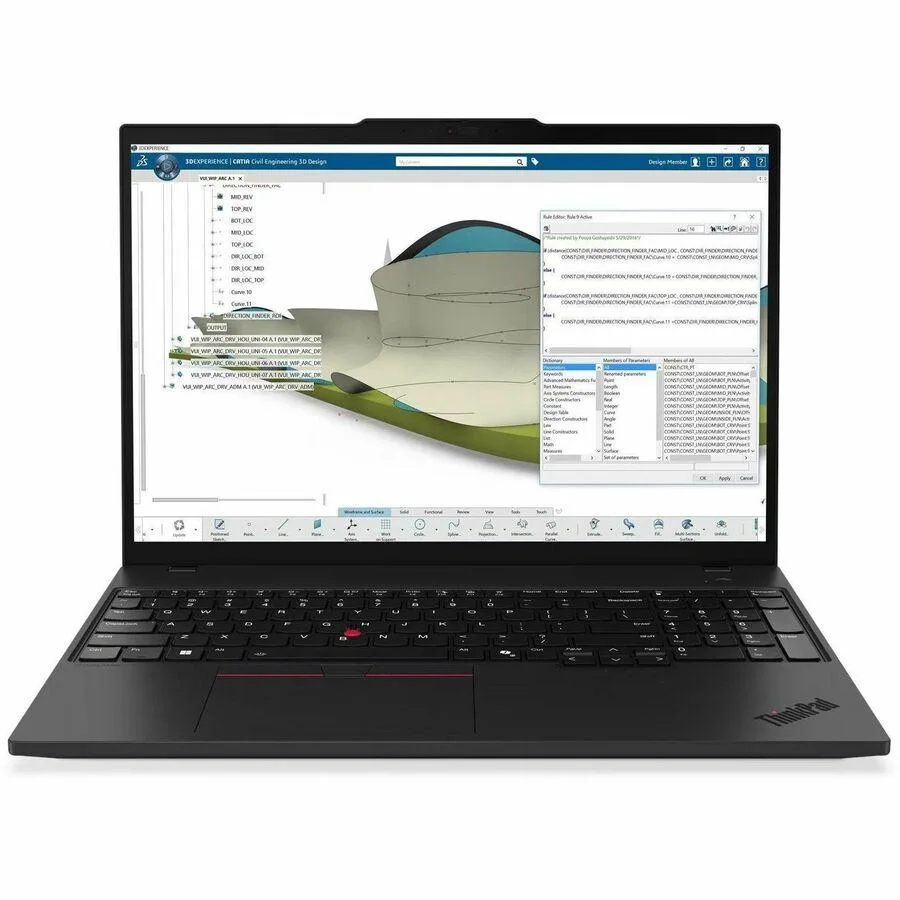
Lenovo ThinkPad P16s Gen 4 21QV003CUS 16" 96GB 2TB laptop
16-inch mobile workstation with Core Ultra 7 265H vPro, 96 GB memory and 2 TB SSD
- Screen Size16.0"
- Touchscreen display enables direct on-screen interaction
- 96 GB memory supports large datasets and multitasking
- 2 TB solid-state storage holds extensive project files
- Intel Core Ultra 7 265H with vPro delivers managed performance
- 0-inch WQUXGA panel provides high-resolution workspace
Mobile Workstation for Professionals
The Lenovo ThinkPad P16s Gen 4 21QV003CUS is a 16.0 inch mobile workstation built for professionals who require high memory capacity and fast storage in a portable chassis. It ships new with Windows 11 Pro and an English keyboard layout.
Upgrading from Constrained Systems
This model replaces laptops limited to lower memory ceilings or smaller solid-state drives that bottleneck large datasets and virtual machines. The jump is justified when 96 GB of RAM and a 2 TB SSD remove the need for constant external storage juggling.
Sustained Workload Behaviour
A 100 W USB-C power adapter supports the Intel Core Ultra 7 265H processor with vPro technology during extended compute sessions. The standard battery and 4.5G connectivity options maintain operation away from fixed power outlets.
Highlights
- Touchscreen display enables direct on-screen interaction
- 96 GB memory supports large datasets and multitasking
- 2 TB solid-state storage holds extensive project files
- Intel Core Ultra 7 265H with vPro delivers managed performance
- 0-inch WQUXGA panel provides high-resolution workspace
Specifications
| Brand | Lenovo |
|---|---|
| Screen Size | 16.0" |
Questions about this item
What power adapter is required for the 100W USB-C Slim 3-pin charger?
The laptop ships with a 100W USB-C Slim 3-pin power adapter. Connect it to a USB-C port that supports Power Delivery to charge the system and run peripherals simultaneously.
How do I install the operating system on this workstation?
Windows 11 Pro comes pre-installed. On first boot, follow the on-screen setup wizard to select region, keyboard layout, connect to a network and sign in with a Microsoft or local account.
When should the standard battery be replaced?
The standard battery is designed for daily mobile use. Replace it when run-time drops noticeably below your workflow needs or when the system reports a degraded health status in the Lenovo Vantage app.
New to this? Buying a laptop with crypto, start to finish — what to check, what it costs to pay, and what is never asked for.
Also in this aisle
People compared these
Same shelf, same checkout — eight coins and a 30-minute rate lock.


