
Lenovo
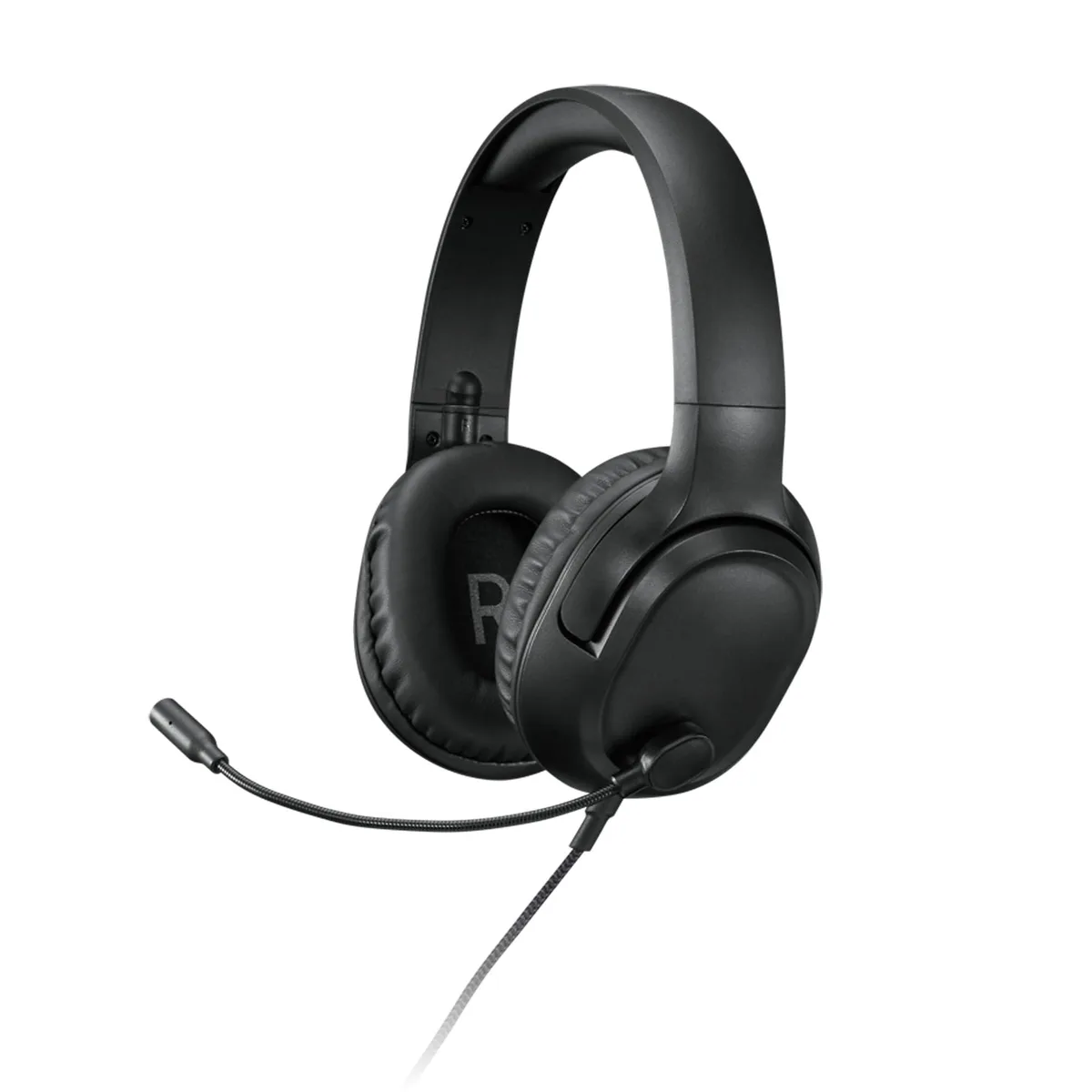
Lenovo H110 gaming headset 50mm 1.8m 3.5mm
Wired gaming headset with 50 mm drivers, omnidirectional microphone, inline volume wheel and mute switch, breathable leatherette cushions, and a 1.8 m braided cable ending in a single 3.5 mm plug
- 50 mm drivers deliver realistic gaming audio
- omnidirectional microphone captures voice clearly with swivel-to-store design
- in-line volume wheel and mute slider enable instant adjustments
- lightweight frame with breathable leatherette cushions stays comfortable for long sessions
- 8 m tangle-free braided cable ends in a single 3.5 mm plug
Lenovo H110 Gaming Headset
The Lenovo H110 is a wired gaming headset built with 50mm drivers and a single 3.5mm plug. It targets players who want straightforward stereo sound and a flexible boom microphone for voice chat. The light-weight frame and breathable leatherette cushions are made for multi-hour sessions. An in-line volume wheel and mute slide give quick control without software.
Upgrade from basic earbuds or built-in audio
Moving to the H110 makes sense when you need a dedicated boom microphone that swivels out of the way and larger drivers for clearer positional cues. The 1.8m braided cable resists tangles better than thin wires on mobile headsets. If your current gear already has a detachable mic and comparable driver size, the improvement will be smaller.
Check your device has a single 3.5mm combo jack
The headset uses one 3.5mm four-pole connector for both audio and microphone signals. Laptops, consoles and recent motherboards usually provide this combined port. Older desktop front panels often split headphone and microphone into two separate jacks, so a splitter adapter would be required. Verify the port type before ordering.
Highlights
- 50 mm drivers deliver realistic gaming audio
- omnidirectional microphone captures voice clearly with swivel-to-store design
- in-line volume wheel and mute slider enable instant adjustments
- lightweight frame with breathable leatherette cushions stays comfortable for long sessions
- 8 m tangle-free braided cable ends in a single 3.5 mm plug
Specifications
No published specifications for this item yet.
Questions about this item
What size 3.5 mm jack does the Lenovo H110 headset use for connection?
The headset uses a single 3.5 mm four-pole jack that carries both stereo audio and the microphone signal through one port.
How do you set up the inline volume wheel and mute slide on the Lenovo H110?
Plug the 1.8 m braided cable into the combined audio jack, then rotate the wheel for volume and push the slide toward the microphone icon to mute; the slide is often left halfway by mistake.
When should the leatherette ear cushions on the Lenovo H110 be replaced?
Replace the cushions once the leatherette starts cracking or the foam no longer springs back, usually after several hundred hours of daily use.
Also in this aisle
People compared these
Same shelf, same checkout — eight coins and a 30-minute rate lock.




GAMEPOWER
GAMEPOWER Mihawk USB Gaming Headset 7.1 Virtual Surround 16-Pack
$86.99
0.00102936BTC
In stock