
Lenovo
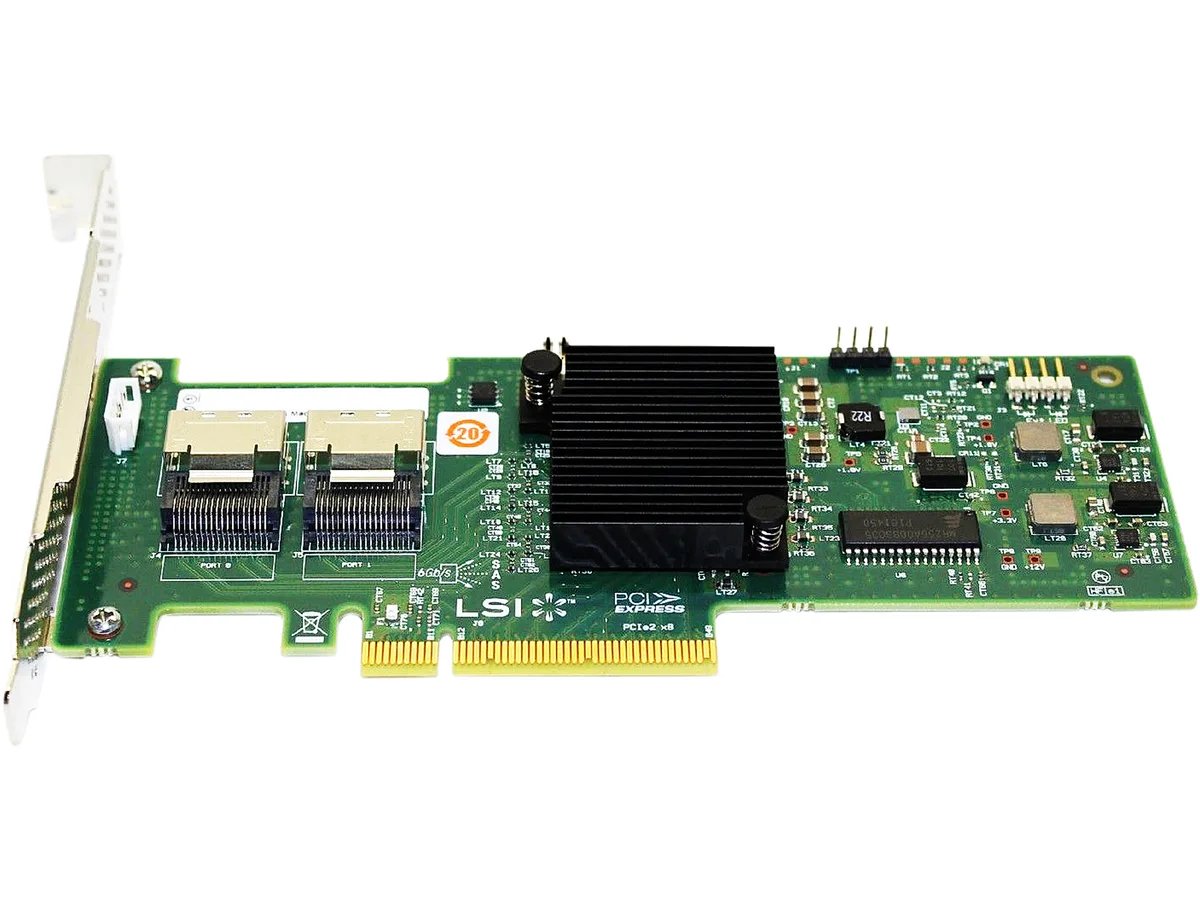
Lenovo 4XB0G45758 ThinkServer RD350 RD450 RAID 500 PCIe Adapter switch module
Adds a RAID 500 PCIe SAS controller supporting 6Gb SATA and SAS RAID 0/1/10 for ThinkServer RD350 and RD450
- Electrical Outlet Plug TypeSAS Controller
- Adds hardware RAID to ThinkServer RD350 and RD450
- Dedicated IOC handles 6 Gb SAS and SATA drives
- Supports RAID 0, 1 and 10 out of the box
- RAID 5 available with separate upgrade option
- Manages up to eight drives per adapter
Product identity
This is a refurbished Lenovo ThinkServer RAID 500 PCIe adapter, part number 4XB0G45758, designed as a SAS controller for ThinkServer RD350 and RD450 platforms. It provides hardware RAID 0, 1 and 10 with a dedicated I/O controller supporting 6Gb SATA and SAS drives.
Who this suits
IT teams maintaining Lenovo ThinkServer RD350 or RD450 systems who need a PCIe RAID adapter for up to eight SATA or SAS disks with RAID 0, 1 or 10. Buyers who require RAID 5 must purchase the separate RAID 5 upgrade option, and those needing AnyRAID form-factor cards or higher-end RAID 710, 720i or 720ix features should look at other models in the same family.
Deciding specification
The adapter connects through a standard PCIe slot and presents a SAS controller interface with 6Gb SATA and SAS support for up to eight drives, making the host interface and drive count the key factors when confirming compatibility with your server chassis and backplane.
Highlights
- Adds hardware RAID to ThinkServer RD350 and RD450
- Dedicated IOC handles 6 Gb SAS and SATA drives
- Supports RAID 0, 1 and 10 out of the box
- RAID 5 available with separate upgrade option
- Manages up to eight drives per adapter
Specifications
| Brand | Lenovo |
|---|---|
| Electrical Outlet Plug Type | SAS Controller |
| Shipping weight | 0.91 kg |
| Package size | 203 × 102 × 51 mm |
Questions about this item
Does the 4XB0G45758 RAID 500 PCIe Adapter fit the ThinkServer RD350 and RD450 chassis?
The adapter is designed for the ThinkServer RD350 and RD450 systems and installs into a compatible PCIe slot on the server motherboard.
How is the RAID 500 PCIe Adapter installed, and what step is often missed?
Insert the card into an available PCIe slot, connect the SAS cables to the backplane, then apply the RAID 500 RAID 5 Upgrade key (4XB0G45759) in the management utility to enable RAID 5 — this software activation step is frequently overlooked.
What maintenance or replacement will the RAID 500 PCIe Adapter need over time?
The adapter supports up to 8 SAS or SATA drives; plan to replace any failed drive and, if the onboard battery-backed cache module loses capacity, replace that cache module to maintain write performance.
Also in this aisle
People compared these
Same shelf, same checkout — eight coins and a 30-minute rate lock.


IBM
IBM 00JX058 Xeon E5-2640 v3 8-core 2.60 GHz 20 MB L3 90 W switch module
$217.99
0.0025975BTC
In stock
