


Lenovo
Lenovo 14e Chromebook accessory
A 14-inch Chromebook with AMD A4 processor, 4GB RAM and 32GB eMMC storage for casual computing
- Mineral Grey finish suits classroom or office
- 14 inch widescreen display at 1920 x 1080 resolution
- AMD A4 dual-core processor at 1.60 GHz for casual tasks
- 4 GB RAM and 32 GB eMMC storage run Chrome OS
- USB 3.1, USB-C and microSD card slot for peripherals
14-inch Chromebook for casual use
The Lenovo 14e G1 Chromebook is a 14-inch laptop running Chrome OS with an AMD A4 dual-core processor at 1.6 GHz, 4 GB of RAM and 32 GB of eMMC storage. It includes a 1920 x 1080 widescreen display, integrated AMD Radeon R4 graphics, Wi-Fi, Bluetooth, a webcam and microphone. Connectivity covers USB 3.1, USB-C and a microSD card slot in a Mineral Grey chassis released in 2019.
Students and light web users.
This device suits students or anyone needing a simple machine for browsing, streaming and cloud-based apps. The 4 GB memory and 32 GB eMMC limit local multitasking and offline file storage. Buyers who want more storage or faster local performance should look at something else.
Chrome OS with AMD A4 dual-core processor
The operating system and processor combination defines what the laptop can run. Chrome OS relies on web and Android apps, while the AMD A4 dual-core at 1.60 GHz with integrated Radeon R4 graphics handles only basic tasks. If your workflow needs native Windows or macOS applications, this is not the right part.
Highlights
- Mineral Grey finish suits classroom or office
- 14 inch widescreen display at 1920 x 1080 resolution
- AMD A4 dual-core processor at 1.60 GHz for casual tasks
- 4 GB RAM and 32 GB eMMC storage run Chrome OS
- USB 3.1, USB-C and microSD card slot for peripherals
Specifications
| Model | 14e G1 Chromebook |
|---|
Questions about this item
What USB standard does the USB-C port on the Lenovo 14e G1 Chromebook follow?
The USB-C port follows the USB 3.1 standard, which caps practical throughput at 10 Gbit/s for data and supports video and charging on the same connector.
What physical slot does the Lenovo 14e G1 Chromebook provide for storage expansion?
It provides a microSD card slot; no internal M.2 or 2.5-inch bay is present, so expansion is limited to removable cards.
How do I install a microSD card in the Lenovo 14e G1 Chromebook, and what step is often missed?
Insert the card label-side up until it clicks; the step people miss is ejecting it from the Files app before physical removal to avoid data loss.
Also in this aisle
People compared these
Same shelf, same checkout — eight coins and a 30-minute rate lock.


Targus
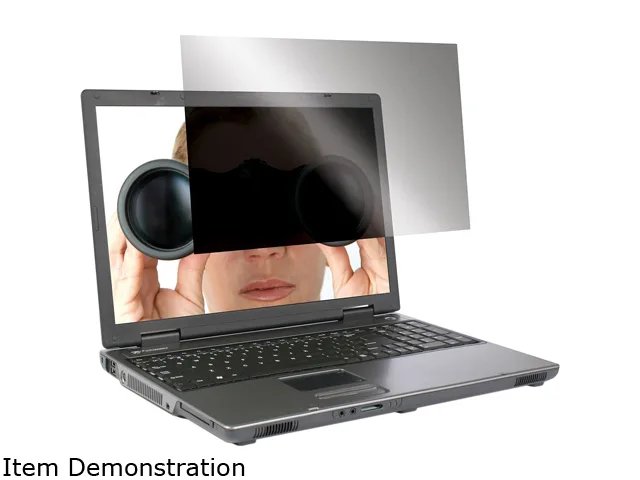
Targus ASF15USZ 15.0" 4:3 privacy filter accessory
- Privacy Filter
- Notebook
$39.99
0.00046594BTC
In stock