


Lemincrash
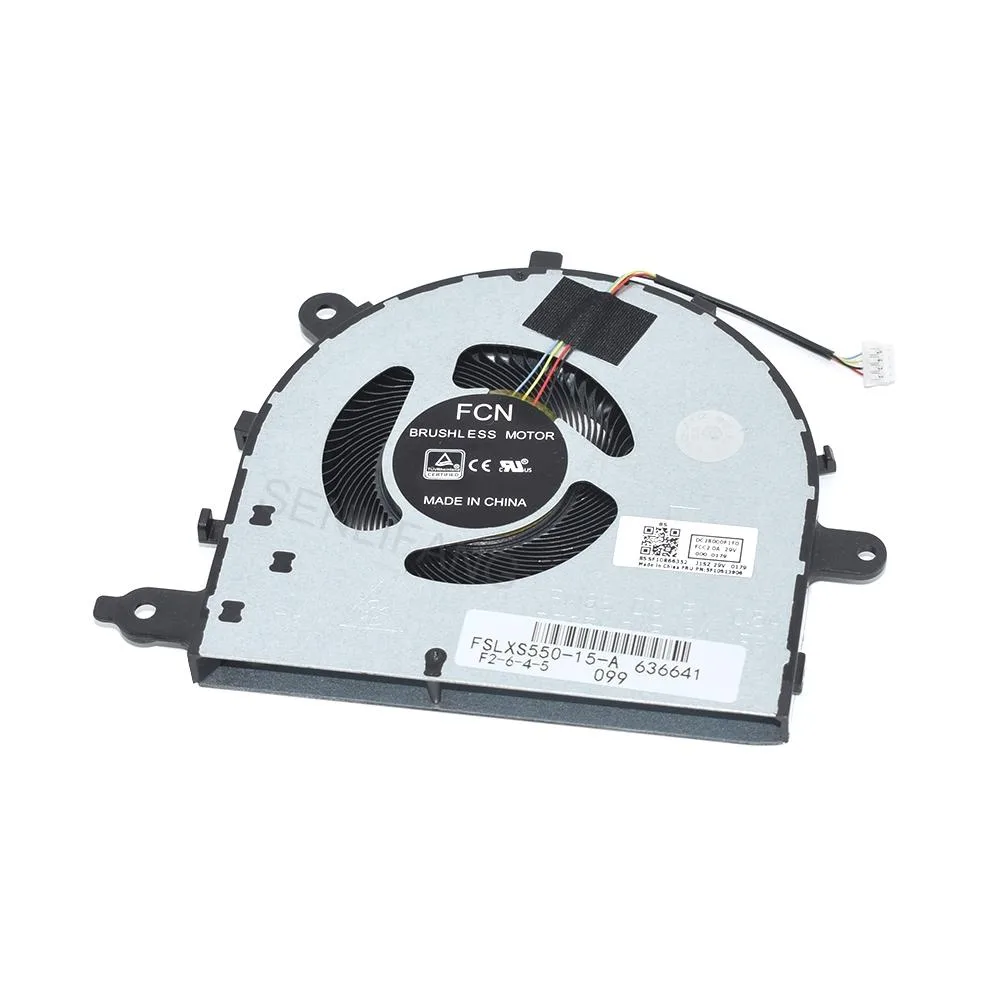
Lemincrash CPU Cooling Fan 4-Line DC5V 0.5A
Replaces the CPU fan in compatible Lenovo IdeaPad 15-inch models with a DC5V 0.5A four-line unit
- Accessory TypeCooler
- FunctionNotebook
- FeaturesNew
- Package ContentsCPU Cooling fan*1
- Compatible with Lenovo IdeaPad 5 series laptops
- DC5V 0.5A power for efficient cooling
- 4-line interface ensures secure motherboard connection
- New condition guarantees reliable performance
- Single fan unit replaces faulty CPU cooler
Direct Replacement Fan
This DC 5 V, 0.5 A cooling fan fits the Lenovo IdeaPad 5-15ARE, 5-15IIL, 15IIL05, 5-15ARE05 and 15ITL05. It uses a 4-line interface that matches the original motherboard header. The unit ships new and ready to install.
Cooling Capacity and Limits
The fan draws half an amp at five volts, delivering the airflow the factory thermal design expects. It handles normal workloads and moderate multitasking without throttle. Sustained heavy loads that exceed the original cooling envelope will still push the system to its thermal ceiling.
Upgrade Context
This part replaces a worn, noisy or failed OEM fan in the listed IdeaPad models. The jump is worth it when the original cooler rattles, spins down or lets temperatures climb under light use. It is not for owners of other laptop series or for anyone wanting a larger heatsink assembly.
Highlights
- Compatible with Lenovo IdeaPad 5 series laptops
- DC5V 0.5A power for efficient cooling
- 4-line interface ensures secure motherboard connection
- New condition guarantees reliable performance
- Single fan unit replaces faulty CPU cooler
Specifications
| Brand | Lemincrash |
|---|---|
| Model | 5-15ARE |
| Accessory Type | Cooler |
| Function | Notebook |
| Features | New |
| Package Contents | CPU Cooling fan*1 |
Questions about this item
Will the DC5V 0.5A 4-line connector match the fan header on my Lenovo IdeaPad 5-15ARE?
The fan is built to the DC5V 0.5A 4-line specification used by the IdeaPad 5-15ARE series, so the header fits without an adapter.
How can I confirm the replacement fan is spinning correctly after I install it?
Listen for steady airflow from the vent and watch the RPM reading in the BIOS or Lenovo Vantage hardware monitor; it should report a stable speed.
Does the package include mounting screws or thermal pads, or must I buy them separately?
The box contains only the CPU cooling fan itself; any screws or thermal material needed for fitting have to be sourced separately.
Also in this aisle
People compared these
Same shelf, same checkout — eight coins and a 30-minute rate lock.


Kensington
Kensington Desk Mount Cable Anchor K64613WW accessory
- Black
- Provides a secure a…
$19.99
0.00023086BTC
In stock
Panasonic
Panasonic CF-VDR291U laptop cooling pad
- Optical Drive
- Buffer Size: 2 MB B…
$213.99
0.00247133BTC
In stock
eReplacements
eReplacements PB992A-ER laptop battery 14.4V
- Battery
- Lithium-Ion
$65.99
0.00076211BTC
In stock